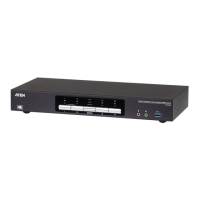
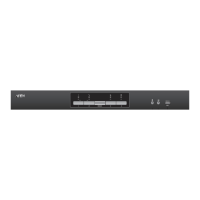
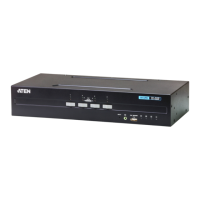
CS1922 / CS1924 User Manual
38
Specifications
Function CS1922 CS1924
Connections
Computer
24
Console 1
Port Selection Pushbuttons, Hotkey, Mouse*
Connectors Console
Ports
Keyboard 1 x USB Type A (Black)
Video 1 x DisplayPort (White)
Mouse 1 x USB Type A (Black)
Speakers 1 x 3.5 mm Mini Stereo Jack (Green: Front)
1 x 3.5 mm Mini Stereo Jack (Green: Rear)
Microphone 1 x 3.5 mm Mini Stereo Jack (Pink: Front)
1 x 3.5 mm Mini Stereo Jack (Pink: Rear)
KVM Ports KB / Mouse 2 x USB 3.1 Gen 1 Type
B (Blue)
4 x USB 3.1 Gen 1 Type
B (Blue)
Video 2 x DisplayPort (Black) 4 x DisplayPort (Black)
Speakers 2 x 3.5 mm Mini Stereo
Jack (Green)
4 x 3.5 mm Mini Stereo
Jack (Green)
Microphone 2 x 3.5 mm Mini Stereo
Jack (Pink)
4 x 3.5 mm Mini Stereo
Jack (Pink)
USB Hub 1 x USB 3.1 Gen 1 Type A (Blue; Front)
1 x USB 3.1 Gen 1 Type A (Blue; Rear)
Power 1 x DC 5 V Jack
Switches Selected 2 x Pushbutton 4 x Pushbutton
LEDs On Line / Selected 2 (Orange) 4 (Orange)
USB Link 2 (Green) 4 (Green)
Emulation Keyboard / Mouse USB
Video 4096 x 2160 @ 60 Hz (4K)
Scan Interval 1–99 secs. (5 secs. default)
Power Consumption DC 5 V DC 5 V
Environment Operating Temp. 0–50º C
Storage Temp. -20–60º C
Humidity 0–80% RH, Non-condensing



 To Next Page
 Loading...