KH1508A / KH1516A / KH1532A User Manual
26
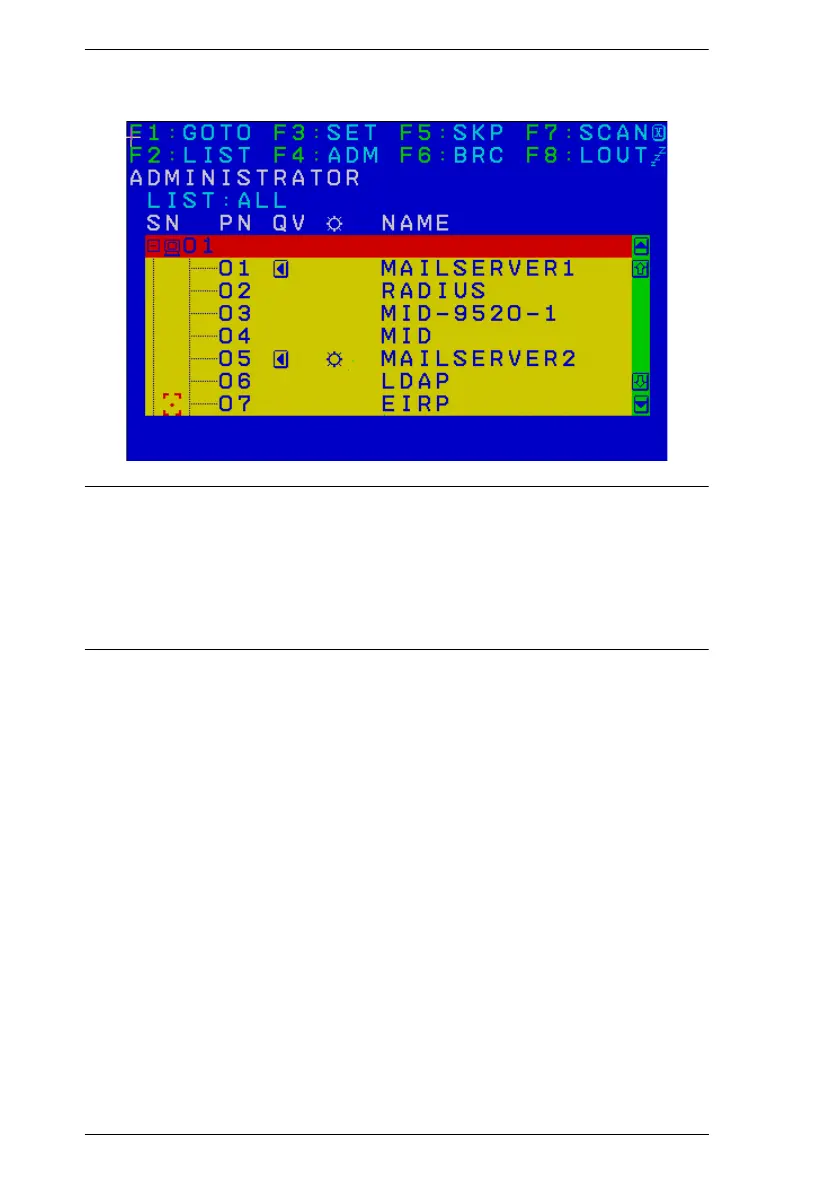
When you invoke the OSD, a screen similar to the one below appears:
Note: 1. The diagram depicts the Administrator's Main Screen. The User Main
Screen does not show the F4 and F6 functions, since these are
reserved for the administrator and can't be accessed by ordinary users.
2. Only the ports that have been set accessible by the Administrator for
the currently logged in user are visible (see SET ACCESSIBLE
PORTS, page 33, for details).



 To Next Page