To Next Page
P
patrick93Sep 16, 2025
Why USB floppy drive can boot remote server connected to ATEN KN1108VA?
- BBrett BrewerSep 16, 2025
USB floppy drives have two types of format: UFI and CBI. Currently only UFI is supported for BIOS level functions.

Why USB floppy drive can boot remote server connected to ATEN KN1108VA?
USB floppy drives have two types of format: UFI and CBI. Currently only UFI is supported for BIOS level functions.
What to do if keyboard and/or mouse do not work after computer boots up with ATEN Switch?
For computers with PS/2 connectors, if you are using 2L-520xP cables, make sure that all the connectors (keyboard, video, and mouse) are plugged into their ports on the computer before starting the computer.
Why does my browser generate a CA Root certificate is not trusted error when logging into ATEN KN1108VA Switch?
If, when you log in, the browser generates a CA Root certificate is not trusted, or a Certificate Error response, it is because the certificate’s name is not found on Microsoft’s list of Trusted Authorities. The certificate can be trusted.
What to do if I can't log in to ATEN KN1108VA Switch with my account?
If you have been given an account but you are unable to log in: 1. Make sure that you have correctly specified your Username and Password. 2. Make sure that the administrator has given you the necessary permission to access the switch. 3. Ask your administrator to see if the switch is under CC management.
Why national language characters do not appear on ATEN KN1108VA Switch?
Change the keyboard language of your client computer to English-UK.
How to fix web page display errors when opening viewer on ATEN Switch?
Reset the Internet Explorer security settings to enable Active Scripting, ActiveX controls, and Java applets.
What to do after sudden loss of network connection due to local reset of ATEN Switch KN1108VA / KN1116VA?
If you experience a sudden loss of network connection due to local reset of KN1108VA / KN1116VA, close your KN1108VA / KN1116VA connection. Wait approximately 30 seconds, and log in again.
How to fix ghost images on external monitor connected to ATEN Switch?
If there are ghost images on the external monitor, the distance between the external console and the KN1108VA / KN1116VA may be too great. Replace the VGA cable with one of an appropriately short length.
What to do if the display on the client computer is distorted on ATEN KN1108VA Switch?
If the display on the client computer is distorted and performing an Autosync doesn’t resolve the problem, switch ports to a port with a different resolution, then switch back.
How to fix ATEN Switch KN1108VA / KN1116VA still using old firmware after upgrade?
If, after upgrading firmware, the KN1108VA / KN1116VA still appears to be using the old firmware version, clear your browser cache; delete all temporary Internet files and cookies, close the Internet browser, and then open a new instance of the browser.
 General
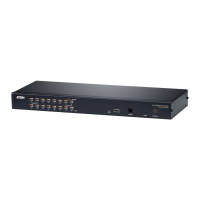
| Device Type | KVM switch |
|---|---|
| Number of Ports | 8 |
| Video Resolution | 1920 x 1200 @ 60Hz |
| Audio Support | Yes |
| Number of Local Users | 1 |
| Number of Remote Users | 1 |
| Form Factor | 1U |
| Power Consumption | 18W |