KH1508A / KH1516A / KH1532A User Manual
76
Administrator Login Failure
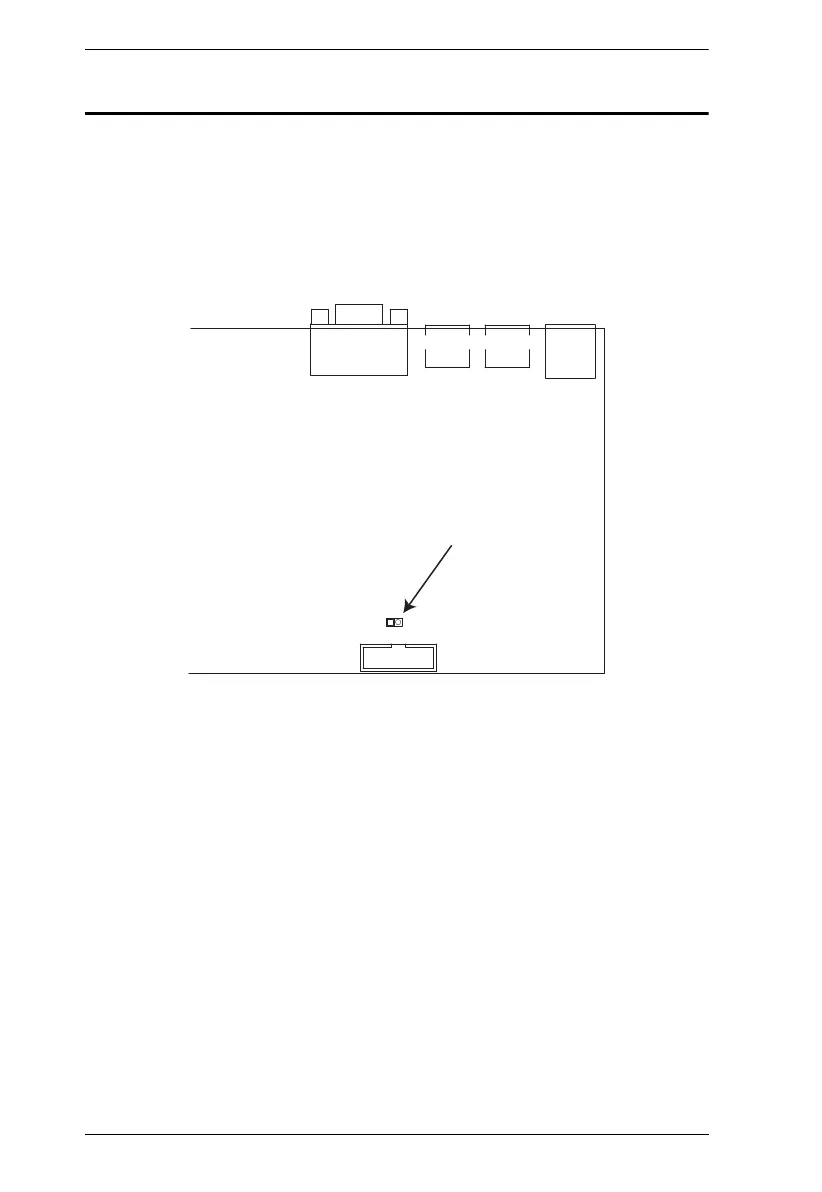
If you are unable to perform an Administrator login (because the Username and
Password information has become corrupted or you have forgotten it, for
example) you can clear the login information with the following procedure:
1. Power off the KH1508A / KH1516A / KH1532A and remove its housing.
2. Short the jumper labeled J15.
3. Power on the switch.
The on screen display will show a message informing you that the
password information has been cleared.
4. Power off the switch.
5. Remove the jumper cap from J15.
6. Close the housing and start the KH1508A / KH1516A / KH1532A back
up.
After you start back up, you can use the default Username and Password (see
OSD Operation, page 25) to log in.



 To Next Page