3231
6 GUI instruction
6.1 LCD display screen introduction
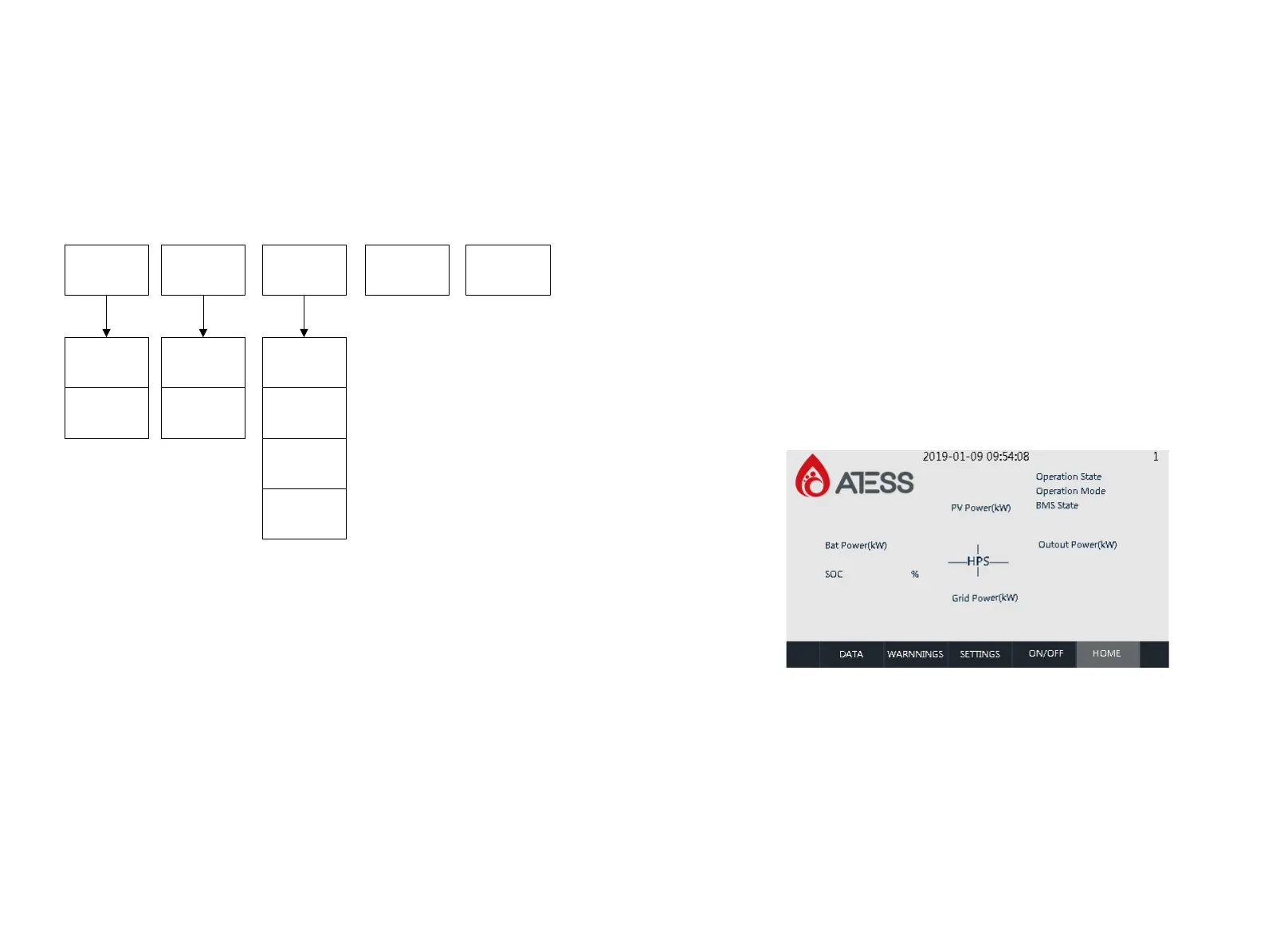
User can view the information of the inverter operation on the LCD touch screen, as
well as setting the operating parameters. In order to facilitate the operation, a menu
is provided below.
Table 6-1 ATESS HPS-TLS LCD Menu
After the LCD is powered on, go directly to the home page of the interface. At this
time, wait for the internal initialization of the machine for about 1 minute(If there is no
data refresh after more than 2 minutes, the serial communication between the LCD
and the control board is faulty). At this time, you can start to operate the relevant
buttons for information review and parameter setting.
The top of each page shows the communication status of the LCD and the energy
storage controller, the station number of the communication terminal where the
energy storage controller is located, and the system time. There are five common
function buttons at the bottom of each page: "Run Data", "History Information",
"System Settings", "Power On/Off", "Home Page". With these five commonly used
keys, users can operate quickly and easily. On the left side of the interface, the
submenu buttons corresponding to the above five commonly used keys are
displayed, and the selected buttons are marked in green.
6.2 LCD operation
6.2.1 Initialization
Initialization interface: The initialization interface will be divided into two parts, the
terminal is initialized.
End initialization: The initialization time is about 60 seconds. When the [Homepage]
data is refreshed, you can perform related operations.
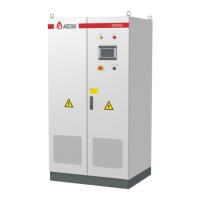
6.2.2 Main page
You can enter this page by clicking the [Home Page] button below any other
interface. In this page, there are mainly: the operating state of the energy storage
controller, output power, model, input and output voltage, current and other
information. Switch to other pages with the usual function keys below.
Operating
data
Warning Setting On/off Main page
Language
setting
Time setting
Factory
setting
Maintenance
Data page1
Data page2
Warning page1
Warning page2


 To Next Page