0
1
2
3
4
5
Description
wait
check
Grid mode
malfunction
Permanent failure
Off-grid mode
No.
43
44
6.3.3 Inverter status
7 Routine maintenance
To ensure that the inverter works normally, you need to clean the air filter regularly.
When the inverter is working in a high temperature environment, good ventilation and
heat dissipation can effectively reduce the probability of load shedding. The inverter
is equipped with a cooling fan. When the internal temperature of the inverter is high,
the fan works to reduce the internal temperature. If the inverter is low in output due to
excessive temperature, the following are possible causes and countermeasures.
●The fan is clogged and the fan and fan cover need to be cleaned.
●The fan is damaged and the fan needs to be replaced.
●Inverter installation location is poorly ventilated, and the appropriate installation
location should be selected according to basic installation requirements
7.1 Fan Maintenance
Warning:
Do not use a gas pump to clean the fan, as this may cause damage to the fan.
Fan cleaning or replacement:
1. Before cleaning or replacing the fan, please make sure that the DC side and AC
side of the inverter have been disconnected.
● Turn off the DC side switch.
● Unplug the DC input terminal (user needs to use a tool to disconnect the DC
connection).
● Disconnect the AC open.
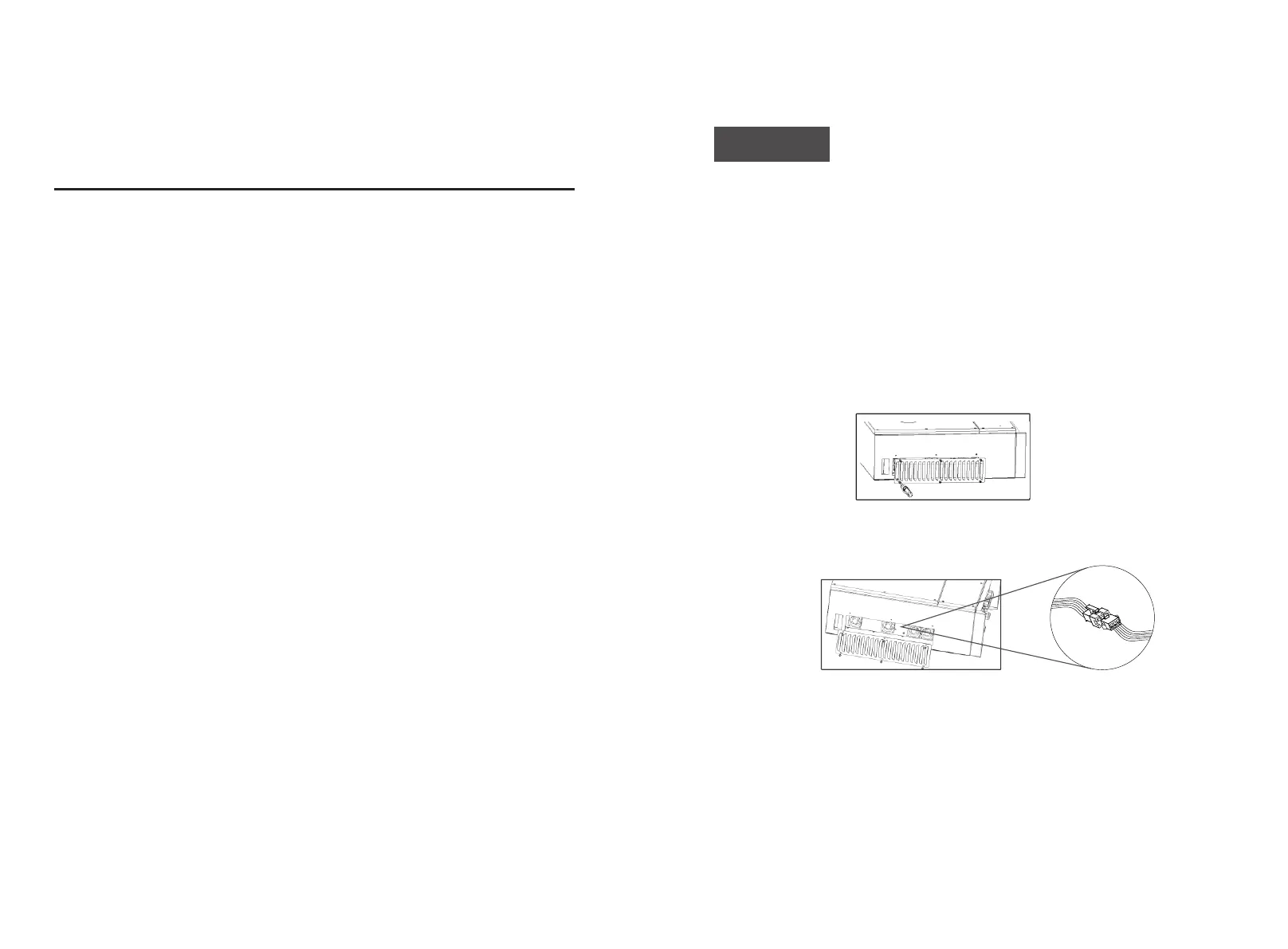
2. Rotate the screw counterclockwise with an M4 Phillips screwdriver.
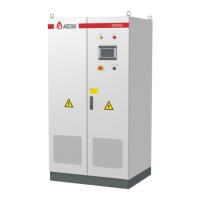
3. Disconnect the fan connector and remove the fan as shown below
4. Clean the fan and steel mesh or replace the fan
Cleaning fan and steel mesh
● Clean the fan and steel mesh with a gas pump or other tools.
● Remove each fan separately for cleaning if necessary.
Replace the fan
● Use a Phillips screwdriver to remove the fan that needs to be replaced.
● Replace the brand new fan, arrange the wire harness and fix it with a cable tie;
5. Reinstall the fan mounting plate and inverter


 To Next Page