Need help?
Do you have a question about the ATESS HPS50 and is the answer not in the manual?
Defines the qualifications and familiarity required for users of the manual.
Provides instructions on how to read and utilize the manual effectively.
Explains safety symbols used in the manual to highlight important information.
Covers electrical shock, fire hazards, protective conductor terminals, and discharge warnings.
Outlines safety requirements for installation, including manual adherence and local regulations.
States that only trained and qualified personnel should operate the inverter.
Guides on checking, storing, and transporting the inverter safely.
Specifies safety procedures and qualifications for repair and maintenance activities.
Discusses electromagnetic compatibility and noise level requirements for the inverter.
Highlights critical notes regarding static electricity, life support equipment, and general precautions.
Describes the ATESS HPS50 as a bidirectional battery inverter for energy storage systems.
Presents the circuit diagram illustrating the conversion of DC to AC power and vice versa.
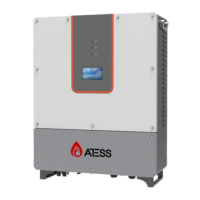
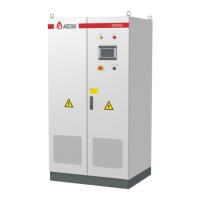
Details the external appearance and main components of the ATESS HPS50 inverter.
Identifies and describes external components like indicators, LCD, and buttons.
Explains the function and operation of the emergency stop button for immediate disconnection.
Describes the function of the off-on knob for starting and stopping the inverter.
Briefly mentions the touch screen for displaying parameters and receiving commands.
Explains the different operating modes of the HPS50 inverter.
Details Off-Grid, On-Grid (Backup/Economic), Micro-Grid, PV Charger, and On/Off-Grid switch logic.
Discusses the importance and parameters for setting up the battery system.
Covers protection mechanisms like anti-islanding and lightning protection.
Provides guidelines for storing the HPS50 inverter when not in use.
Shows the physical dimensions and mounting details of the inverter.
Lists the items included in the packaging for the inverter.
Details the environmental and physical requirements for installing the inverter.
Covers cable trenches, wiring, foundation, clearance, and ventilation needs.
Details ventilation needs and protection against humidity/dust.
Lists the tools and spare parts needed for the installation process.
Covers the physical aspects of installing the inverter.
Provides instructions for transporting the inverter unit in its packaging.
Details procedures for moving and installing the inverter after removing its packaging.
Guides on how to correctly connect the AC power to the inverter.
Explains the importance and method of proper earthing for safety.
Discusses the communication methods available for monitoring the inverter.
Specifies the voltage and capacity requirements for battery and grid connections.
Provides instructions for connecting DC input sources like PV and battery.
Explains the RS485 communication method for multi-machine monitoring.
Describes how to connect the inverter to the internet for remote monitoring.
Lists checks to be performed after installation before operation.
Outlines prerequisites and checks before initiating pilot operation.
Details checks to be performed before starting pilot operation.
Details specific inspection procedures for the inverter before powering on.
Describes how to inspect grid voltage and frequency for compatibility.
Details how to inspect DC side voltage and connections from PV and battery.
Provides a step-by-step guide for powering on the inverter.
Outlines the final checks to confirm successful pilot operation.
Provides a step-by-step guide for safely powering off the inverter.
Introduces the LCD touch screen and its menu structure for operation and settings.
Explains how to interact with the inverter's LCD interface.
Explains how to navigate and view information on the inverter's home page.
Describes the interface used for turning the inverter on and off.
Details how to access and change system settings like language and time.
Covers language selection, time setting, and device information display.
Guides on accessing historical failure information and fault details.
Provides a comprehensive list of general failure codes and their descriptions.
Explains how to access real-time operating data, power curves, and energy yield.
Details recommended routine maintenance tasks and their cycles.
Provides guidance on the proper disposal of the inverter according to environmental regulations.
Lists detailed technical specifications for the ATESS HPS50 inverter.
Outlines the terms and conditions of the ATESS factory warranty.
Provides contact information and required details for technical support inquiries.

 To Next Page
 General