Common functions and Settings
1. Notification Menu and Quick settings
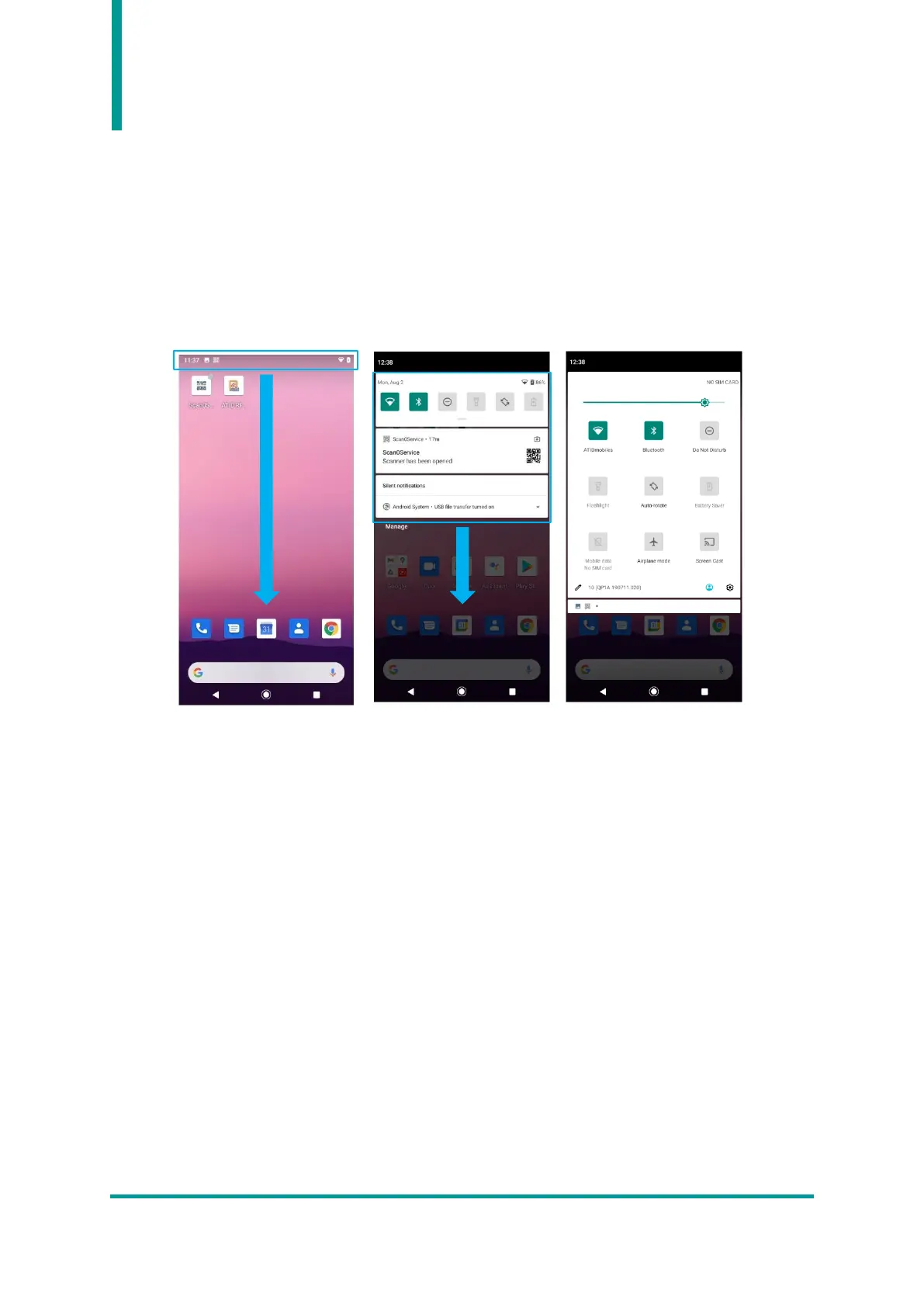
When a notification signal is sent by a device or an app, touch and hold the top of the screen and swipe
down to activate the notification window. User can check the notification at this menu. When the
notification window is active, touch the notification panel and swipe down once more to activate the
quick setting screen.
2. USB Driver Installation and Data Synchronization between PC
1) The AT907 portable reader automatically installs the driver after connecting to a PC with Windows
7 or higher using a USB cable and completes communication preparation. For Windows XP, user
must manually install the driver.
2) If the connection is finished successfully, user can view the contents of the device through the PC.
3) If user checks the notification window with the USB cable connected to the host device, the
notification menu “Andorid System · Charging this device via USB” appears.


 To Next Page