• Input Configuration : User can set how read data is output.
- Broadcast : Deliver read data wherever possible.
- Focus : Outputs read data where the cursor is located.
- EmuKey : Forward read data to EmuKey.
- Clipboard : Forward read data to Clipboard.
• End char post on input : Unable to set
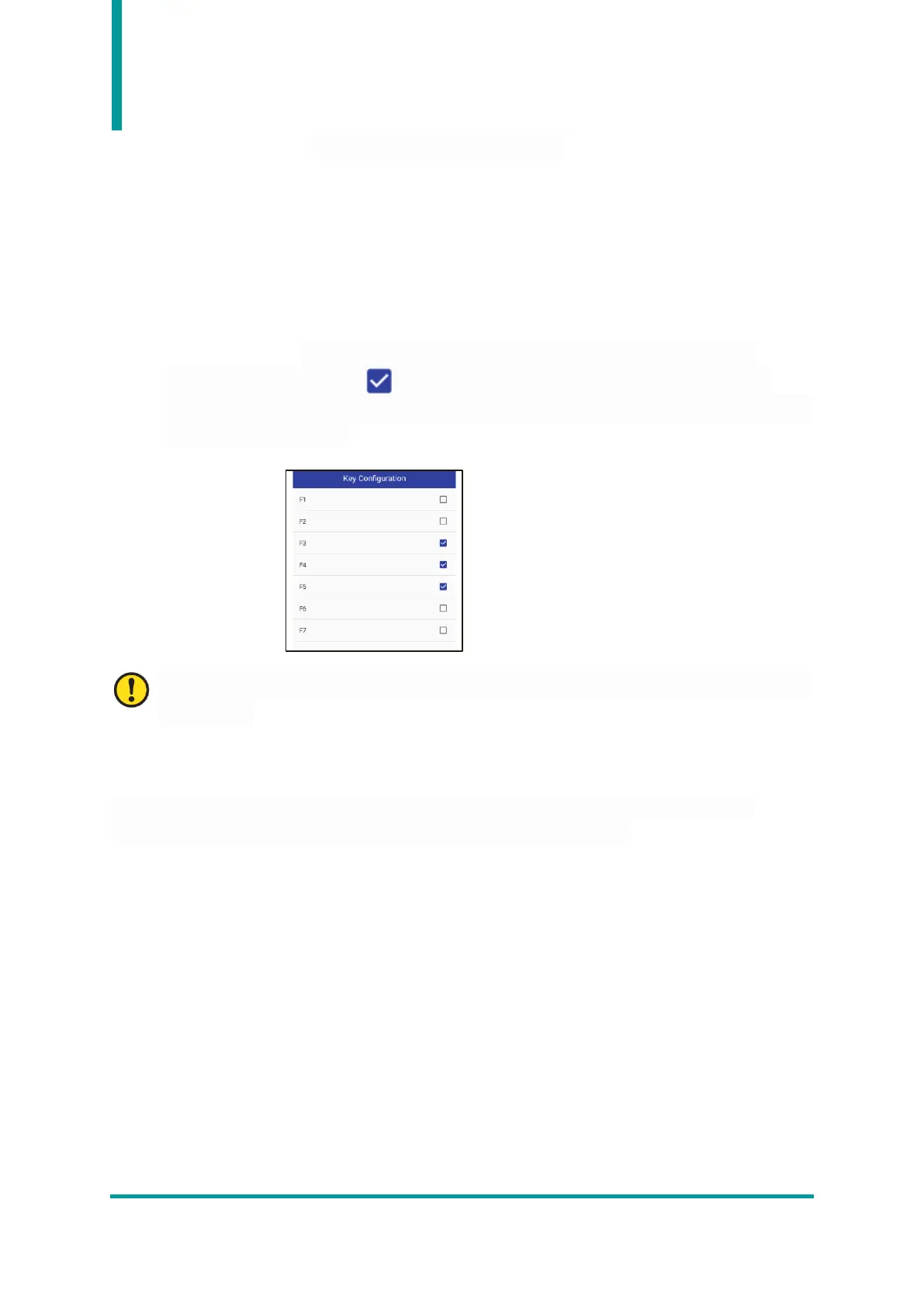
• Key Configuration : User can assign the barcode reading function to the keypad of the
instrument. When displayed symbol by touching the checkbox, this means that the
corresponding keypad has been assigned a barcode reading function. There are 3 keypads that
can be set as shown below.
Except for the above 3 keys, the keys can be set, but they do not work. It doesn't matter if you
don't set it up.
4. Developing Barcode function Applications
It is also possible for users to develop their own applications to collect barcode data. For more
information, refer to the "Barcode Programming Guide" included in the SDK.


 To Next Page