7) Advanced
If user touches this menu, the following additional setting menus are opened.
• Dial pad tones
• Screen locking sounds
• Charging sounds and vibrations
• Touch sounds
• Touch vibration : Haptic feedback for tap, keyboard, and more
• Sound enhancement : Volume booster for speaker
5. Mobile Network Connection Settings
This reader supports mobile networks. Data transmission is possible through various WWAN network
connections.
1) Mobile Network Connection
• Correctly insert a valid SIM card into the SIM Card slot.
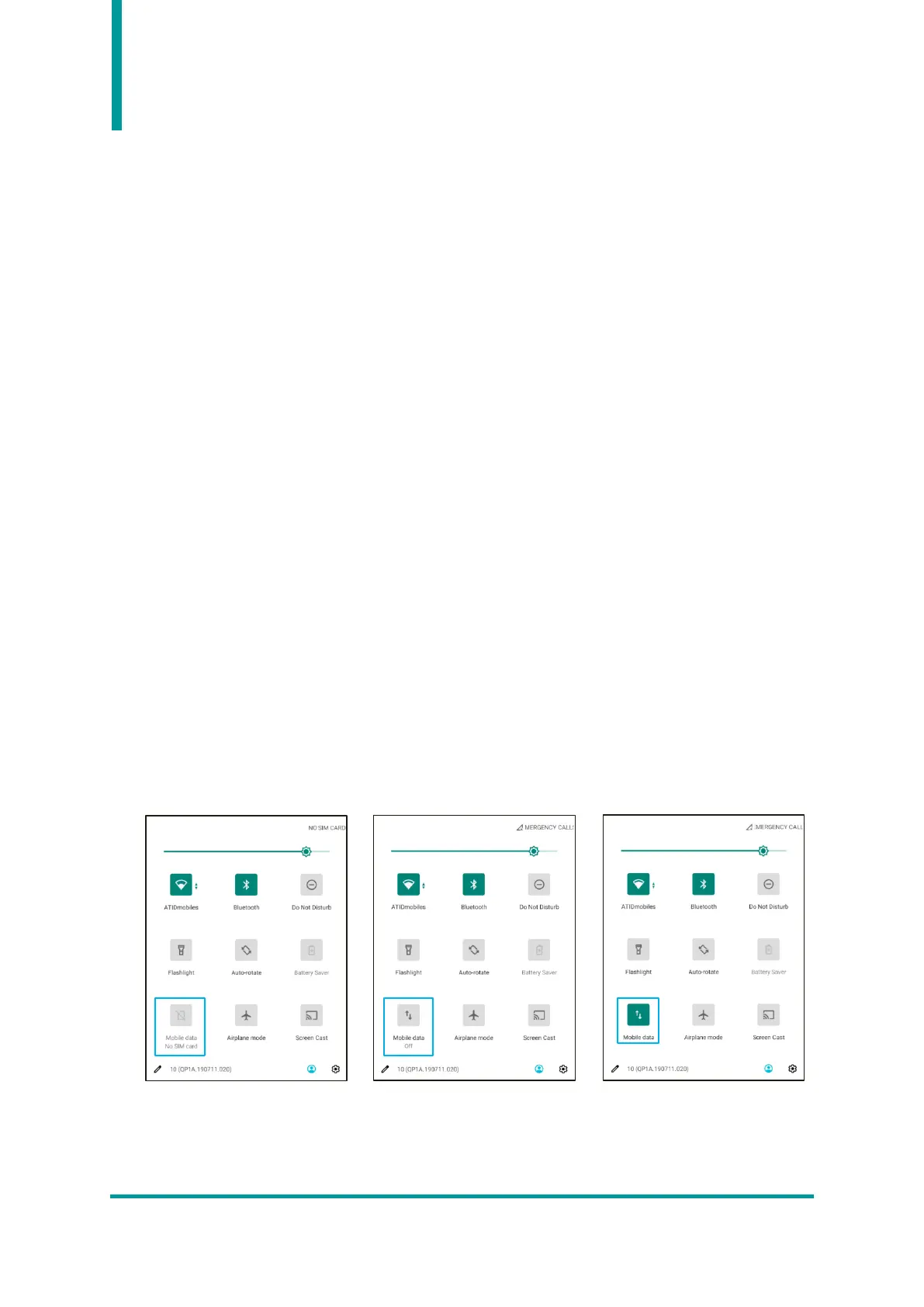
• User can check the current mobile data network connection status through the icon in the
quick settings menu.
• If a valid SIM card is not installed, “No SIM card” is displayed. If a valid SIM card is installed, you
can turn on the mobile network function by clicking the “Mobile data” icon.


 To Next Page