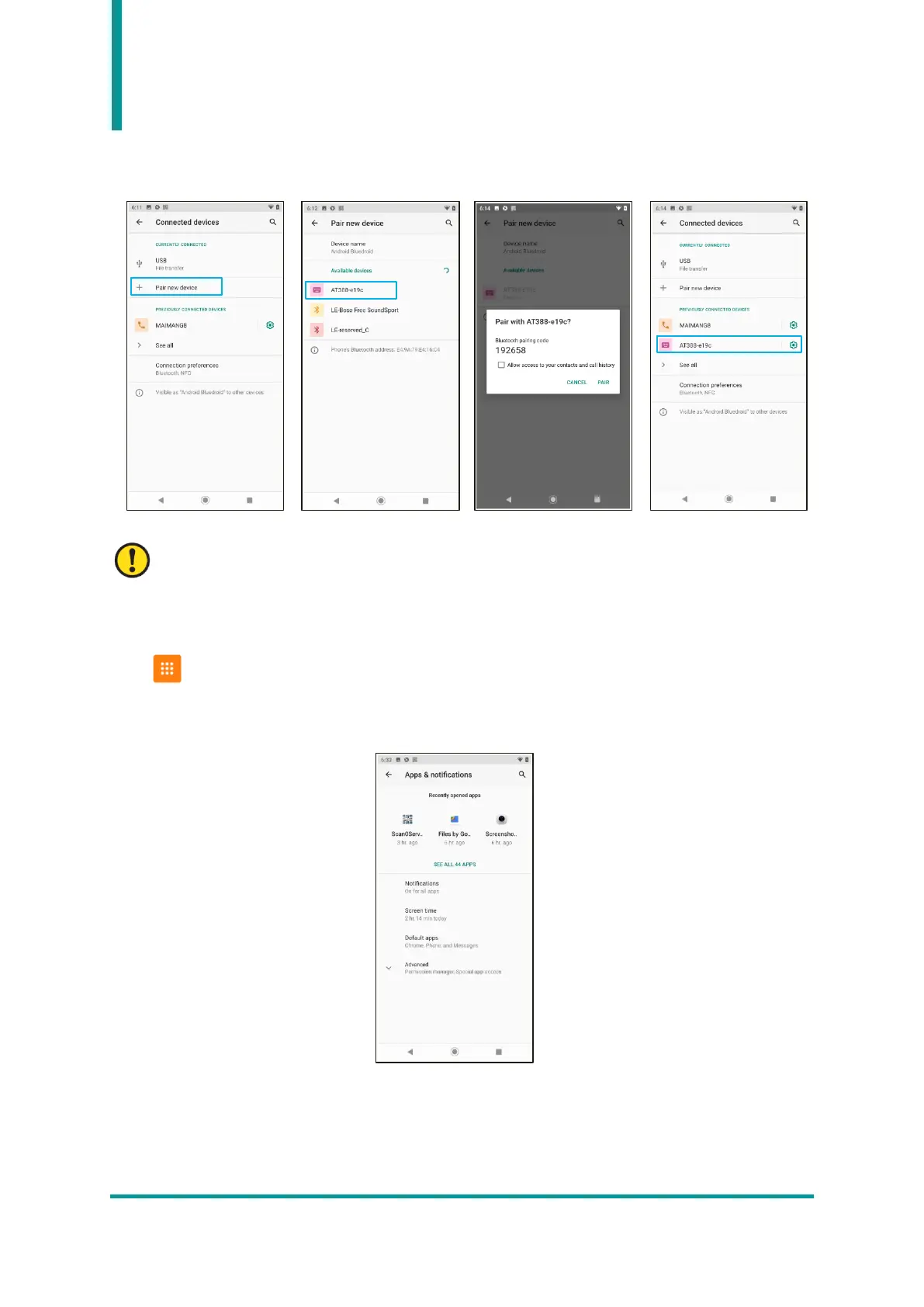
6) Click “Pair” to complete pairing with the device, and the paired device is displayed in the
“Previously connected devices” list.
The device name that requests pairing shown as an example differs depending on the device to
be connected.
8. Other Settings
1) Apps & notifications
User can check information about apps installed on the device and configure app notifications. User
can also check information about recently launched apps.


 To Next Page