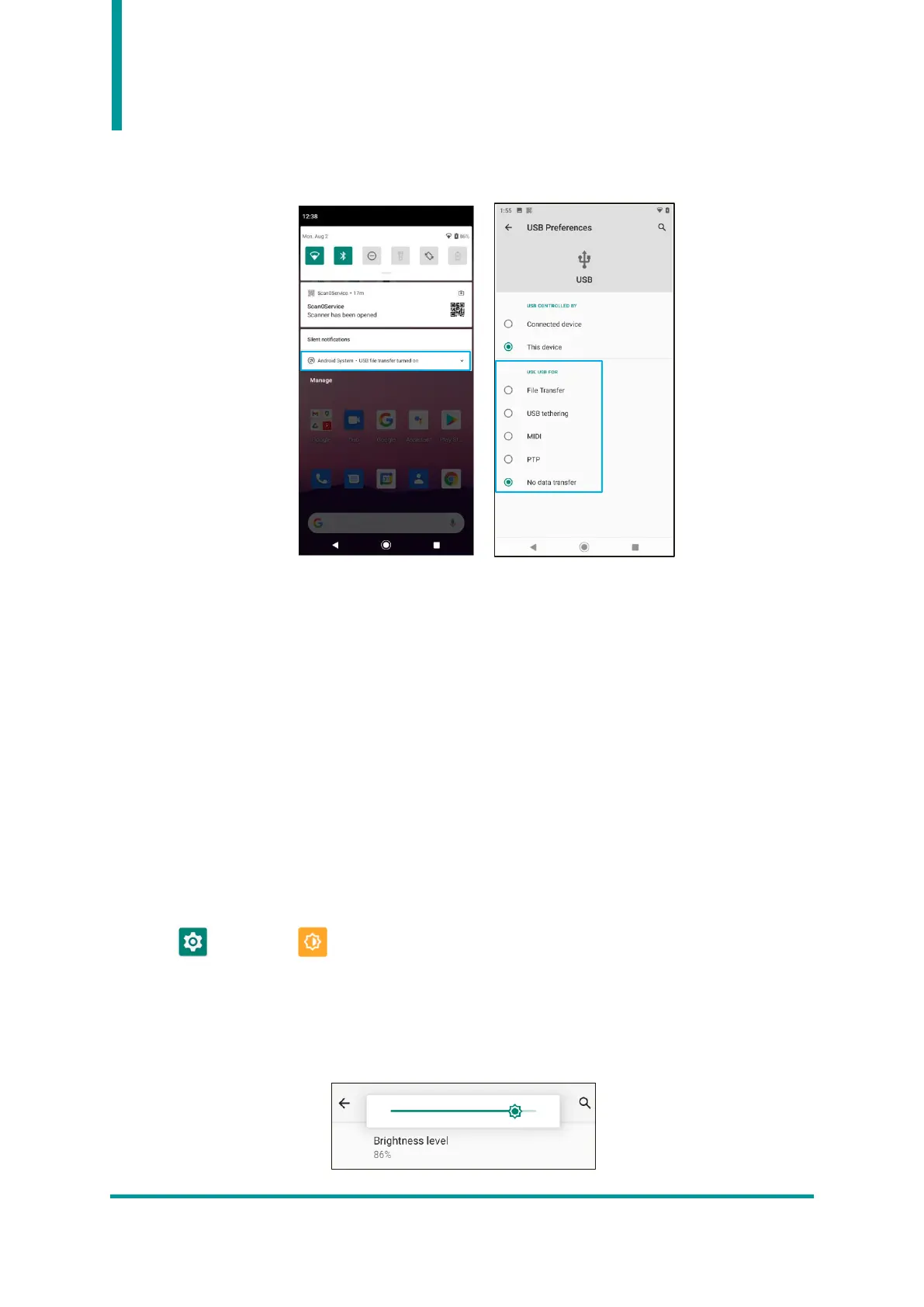
4) If user clicks this menu, user can enter the “USB Preferences” menu as shown below and set the
device connection related operation.
5) USB Preferences Setting Menu
• USB Controlled By : Select the setting between “Connected Device” and “This device”.
• File Transfer : Transfers files to the connected device.
• USB tethering : Shares the internet connection with the connected device.
• MIDI : Plays music with the connected device.
• PTP : Sends photos to the connected device.
• No data transfer : Only charging without data transmission.
3. Display Settings
User can change settings related to the screen display in the display menu in settings.
Menu → Settings → Display
1) Brightness level
When user touches the menu, a slide bar icon appears. User can adjust the brightness level of the LCD
screen by moving this bar icon.


 To Next Page