KEYBOARD WEDGE
The “KEYBOARD WEDGE” is an application that supports the ability to output captured data where the
cursor is located. With the KEYBOARD WEDGE application, user can manage captured data using
commercial data management programs without developing applications.
Barcode application supports similar features with the “FOCUS” feaure.
1. KEYBOARD WEGE Application Operation Screen
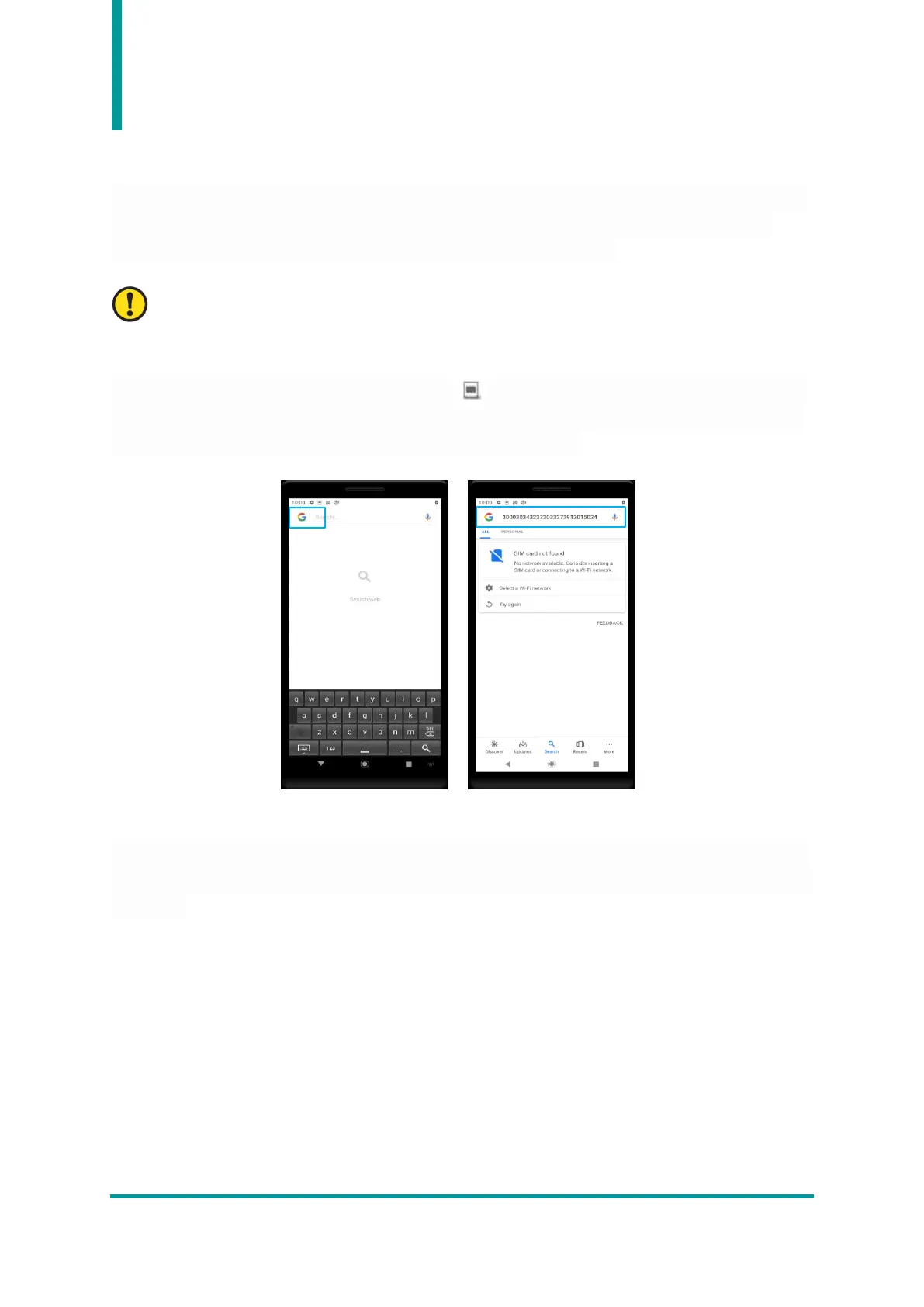
When the KEYBOARD WEGE function is activated, icon is displayed in the top notification bar. In
the example below, when user place the cursor in the search bar and capture RFID tag data, captured
RFID tag data is output to the search bar where the cursor is located.
2. Using the KEYBOARD WEGE Application
To use the KEYBOARD WEGE function, user needs to set the keyboard of the device to the KEYBOARD
WEGE application. For more information, see the document "User Guide for Keyboard Wedge" included
in the SDK.


 To Next Page