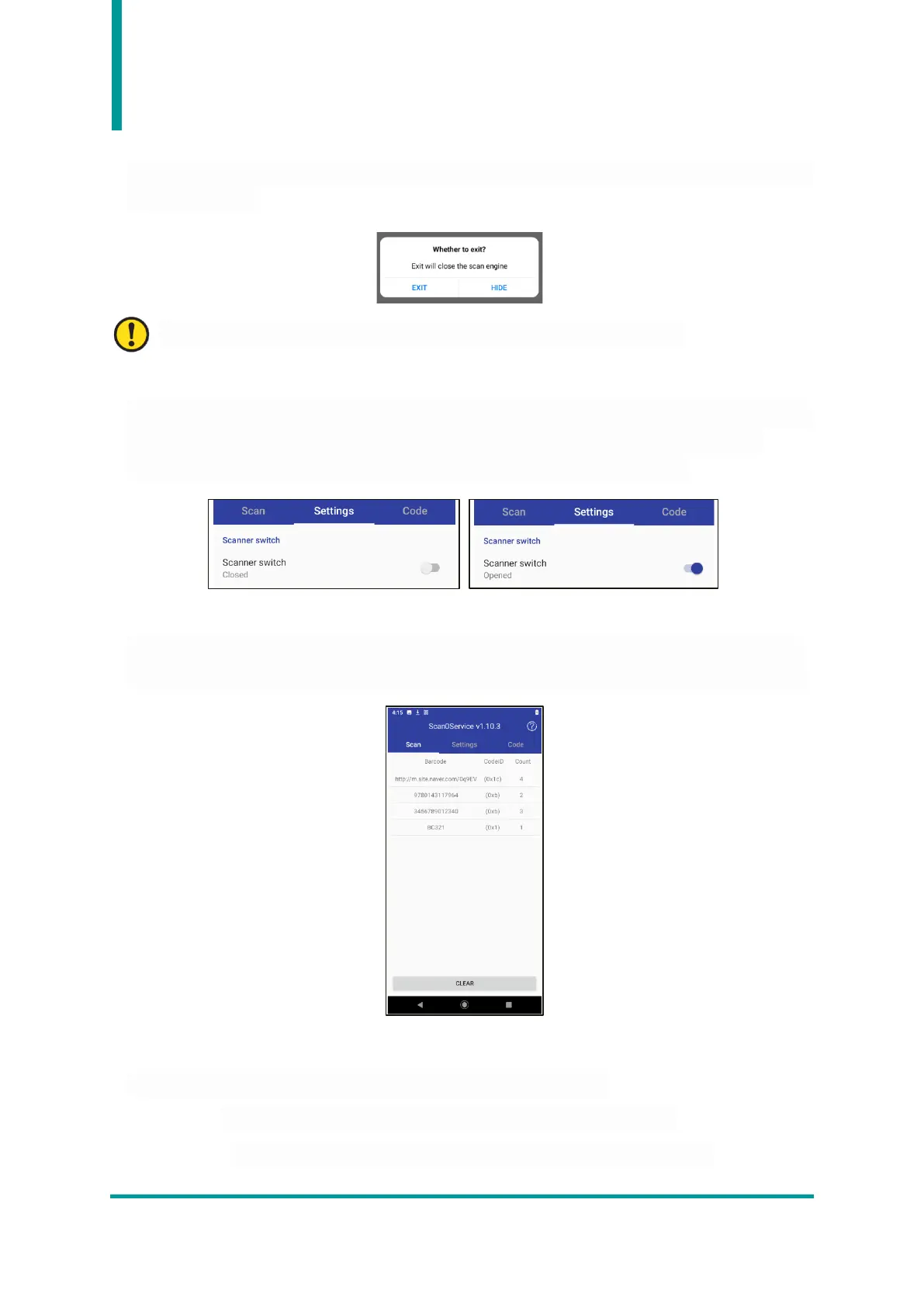
2) Close Barcode demo app
When user closes the Barcode Demo app, ask if user wants to shut it down completely or run the app
in the background.
The barcode demo app must always be turned on for barcode data collection.
3) Activation of the barcode function.
If "Scanner switch" in the "Settings" menu is marked "Closed", the barcode function is not enabled. To
use the barcode function, user must activate the function by touching the switch on the right.
Enabling the feature changes "Closed" to "Open" and enables the barcode feature.
4) SCAN Menu
User can check the collected data at this menu. Click the "CLEAR" button to disappear the collected
data. The collected data is displayed with information such as "Barcode Data", "Code ID", and "Count".
5) Settings
User can change various settings related to barcode scanning behavior.
• Voice : User can set whether or not a beep occurs when reading a barcode.
• Vibrate : User can set whether or not a vibration occurs when reading a barcode.


 To Next Page