
 Need help?
Do you have a question about the Atlantic Technology System 6200 and is the answer not in the manual?
Critical usage notes and general safety warnings for the system.
Section for recording serial numbers and purchase date for future reference.
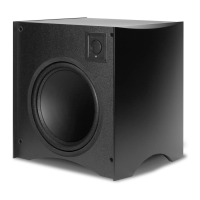
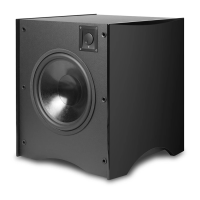
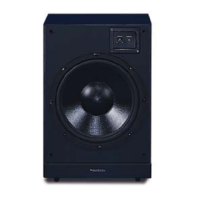
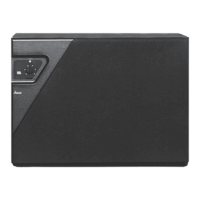
Describes the system's enclosures, amplifier, and remote control.
Highlights the system's acoustic integration and flexibility.
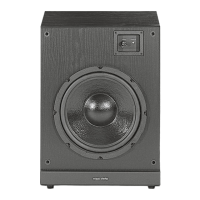
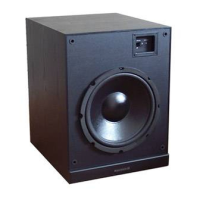
Details the ultra-long-throw woofer, voice coil, and enclosure design.
Lists amplifier capabilities like power, servo-control, EQ, and wireless remote.
Covers low-pass crossover, phase invert, level control, and standby operation.
Explains THX standards and the Test and Training CD-ROM.
Detailed explanation of each control and indicator on the amplifier's front panel.
Details the purpose of each port and connector on the amplifier's rear.
Explains the buttons and their actions on the remote control.
Specifies speaker wire requirements and details low/high level connection methods.
Illustrates the low-level connection for the SA-6200 amplifier.
Shows the low-level connection for SA-8200 with a single subwoofer output.
Illustrates the low-level connection for SA-8200 using two subwoofer outputs.
Depicts the high-level connection method for the SA-8200 amplifier.
Details connecting remote control systems via the rear panel port.
Instructions for power connection, automatic standby, and protection circuits.
Guidelines for using PedWoofers as stands for satellite speakers.
Instructions for physically attaching satellite speakers to the PedWoofer bases.
Advice on optimal placement for freestanding subwoofer use.
Recommendations for placing two subwoofers for improved bass response.
Step-by-step guide for attaching the feet and spikes to the PedWoofer.
Covers amplifier control differences and the LOW PASS crossover setting.
Guidance on setting speaker size (Large/Small) in processors for optimal bass.
How to set the phase control for optimal system integration.
Introduction to the parametric EQ for bass response correction.
Detailed steps for setting the parametric EQ using RTA or SPL meters.
How to set speaker levels using SPL meters or by ear.
Advice on bass balance and using EQ programs via remote.
Details EQ4, LEVEL TRIM, REF EQ, and MUTE operations.
Details the rear panel port for hardwired remote control systems.
Instructions for cleaning, maintenance, and resolving common issues.
Lists technical specifications for the SA-6200 and SA-8200 amplifiers.
Details technical specifications for the 8200 and 6200 PedWoofers.
Graphs showing the frequency response for EQ1, EQ2, EQ3, and EQ4 settings.
Graph showing the flat or THX reference response curve.
 General
| Brand | Atlantic Technology |
|---|---|
| Model | System 6200 |
| Category | Subwoofer |
| Language | English |


 To Next Page