31
Advanced functions
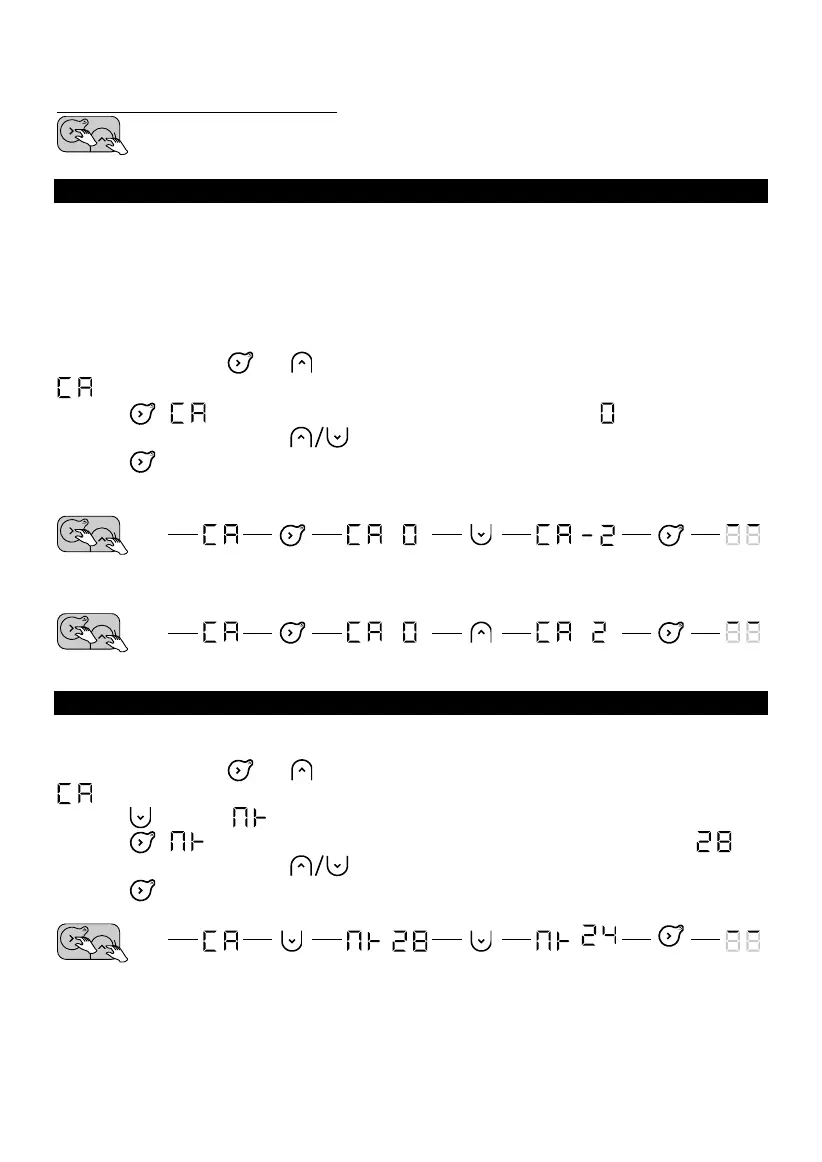
Accessing the advanced functions
Press any button to activate the display.
Then press and hold these two buttons at the same time for more than 3 seconds.
CALIBRATION
There may be a difference between the setpoint temperature and the temperature actually
measured in the room. This is usually due to the appliance's installation conditions (location,
power/volume, room insulation). Calibration is performed to adapt the thermostat setting to the
actual room conditions.
1. Switch the appliance to Comfort mode at 20 °C, and wait for a few hours.
2. Measure the room temperature using a thermometer and calculate the difference (measured
temperature - setpoint temperature).
3. Press and hold the and buttons at the same time for more than 3 seconds to display
(Calibration).
4. Press , will flash alternately with the currently set difference .
5. Set the new value using the (buttons (between -3 °C and +3 °C).
6. Press to exit.
Example: After several hours in Comfort mode with the temperature set to 20 °C, I measure a room
temperature of 18 °C. So I set a difference of 18-20=-2.
Example: After several hours in Comfort mode with the temperature set to 20 °C, I measure a room
temperature of 22 °C. So, I set a difference of 22- 20=+2.
MAXIMUM TEMPERATURE
The appliance can save a maximum temperature (of between 19 °C and 28 °C), which the settings
cannot exceed. By default, it is set to 28 °C.
1. Press and hold the and buttons at the same time for more than 3 seconds to display
.
2. Press to display (Max Temperature).
3. Press , will flash alternately with the currently set maximum temperature .
4. Set the new value using the buttons (between 19 °C and 28 °C).
5. Press to exit.
Example: I want to prevent a temperature above 24 °C from being set










 To Next Page