unD6IO-BT
User Manual
Attero Tech LLC 2019 Page 10 614-00033 Rev 01_e
3.1 – Error Reporting
The unD6IO-BT is equipped with error reporting features. Upon power up, the front panel LED will briefly light red and
then change to green if the device boots successfully. If the LED remains on solid red, this indicates a device failure.
3.2 – Hardware Connections
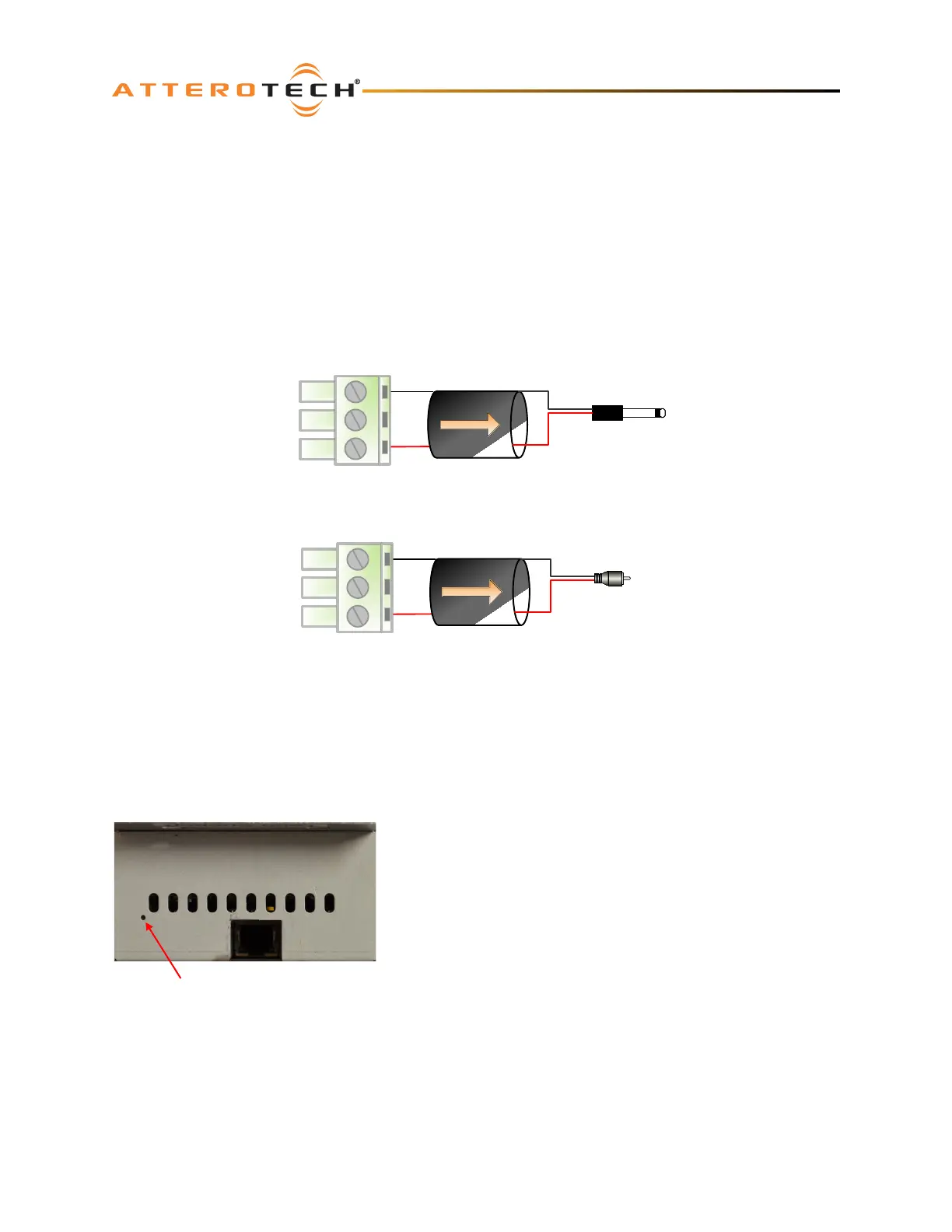
The unD6IO-BT provides unbalanced analog audio inputs and outputs for connection to consumer style devices (smart
phones, MP3 players, laptops etc.). In most cases these sources already utilize unbalanced audio connections. However,
if the source you are using utilizes balanced outputs, the following diagram shows the audio wiring for appropriately
interfacing a mono source to the unbalanced inputs of the unD6IO-BT.
Balanced Output
Terminal Block Plug
2-
Wire Cable
Sleeve
Tip
TS Plug
Balanced Output
Terminal Block Plug
+
-
2
-Wire Cable
Sleeve
Tip
RCA Plug
GND
+
-
GND
Figure 6 – Unbalanced Wiring Guide
3.3 – Factory Reset
The unD6IO-BT has a factory reset option. Using it will reset all the devices parameters back to their factory defaults
including all the Dante™ settings such as device name, channel names as well as the device settings such as input select.
The devices IP address mode is also reset back to getting a dynamic IP.
Access to the factory reset button is through a small circular hole on the
underside of the unit, next to the ventilation cutouts.
To use the factory reset, insert a small screwdriver or paperclip into the
hole to activate the factory reset switch. There should be a noticeable
“click” when it’s activated. Hold the switch in for 5 to 10 seconds then
release. If the factory reset was successful, the unit will reset which will be
indicated by the power LED will turning red.



 To Next Page