MANAGEMENT INTERFACE
MDU Solutions
®
– UCrypt
®
QAM to QAM – Quick Start Guide 7-3
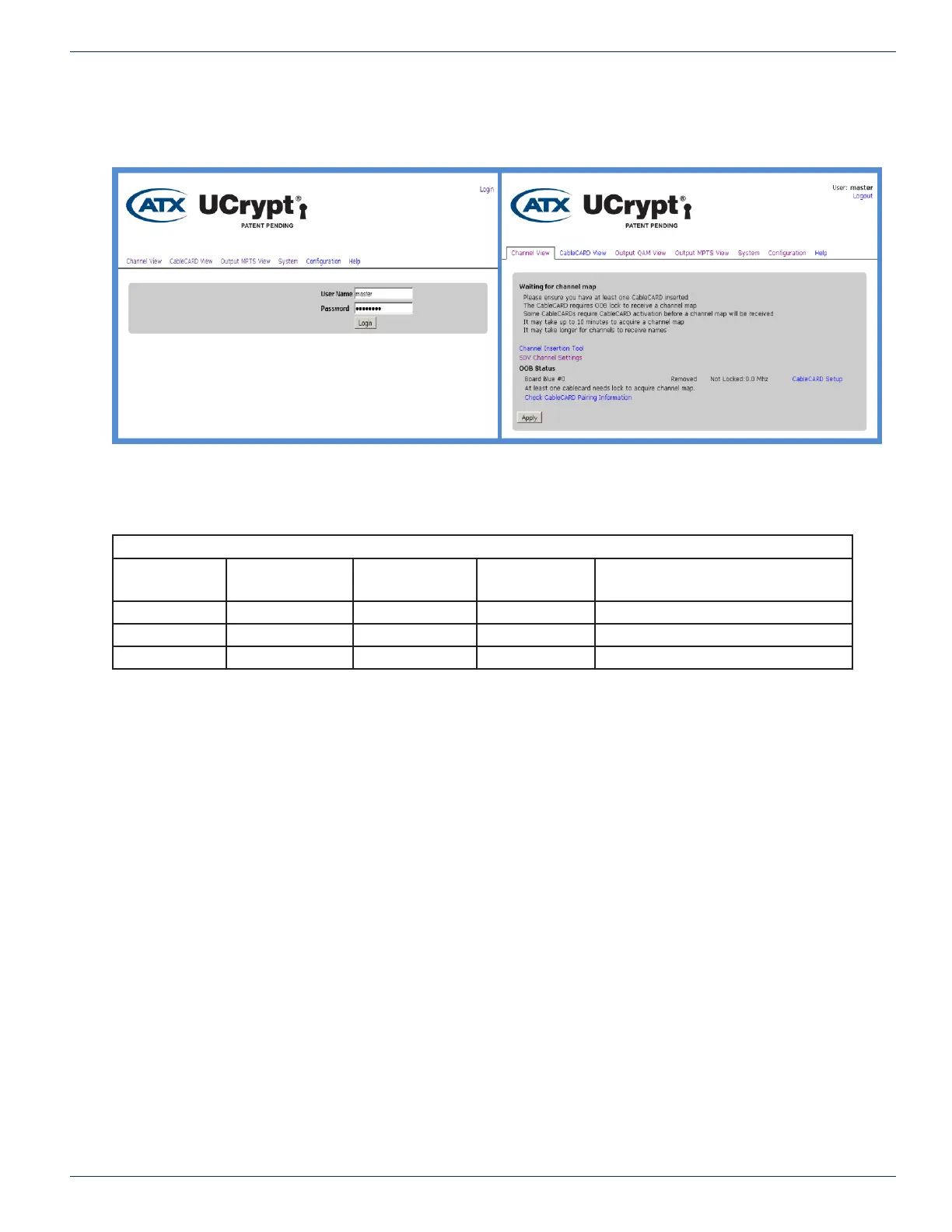
After navigating the security warnings, you should be presented with the following screen, on the left, displaying the login
window:
Enter the appropriate User Name and Password for the access level you require from the table below. The master user is the
only user that can perform conguration.
Default User Names, Passwords and Privileges
Account User Modify UCrypt
®
Settings
Install Updates Set
Passwords
Default Password
master Yes Yes Yes atx_ucrypt_master_password
admin Yes No No atx_ucrypt_admin_password
user No No No atx_ucrypt_user_password
When the login username and password are successfully entered, the screen on the right above will be presented.
CHAPTER 7:


 To Next Page