CABLECARD™ VIEW TAB - CONFIGURATION
MDU Solutions
®
– UCrypt
®
QAM to QAM – Quick Start Guide 10-1
CableCARD™ VIEW TAB - CONFIGURATION
10. CableCARD™ VIEW Tab - Conguration
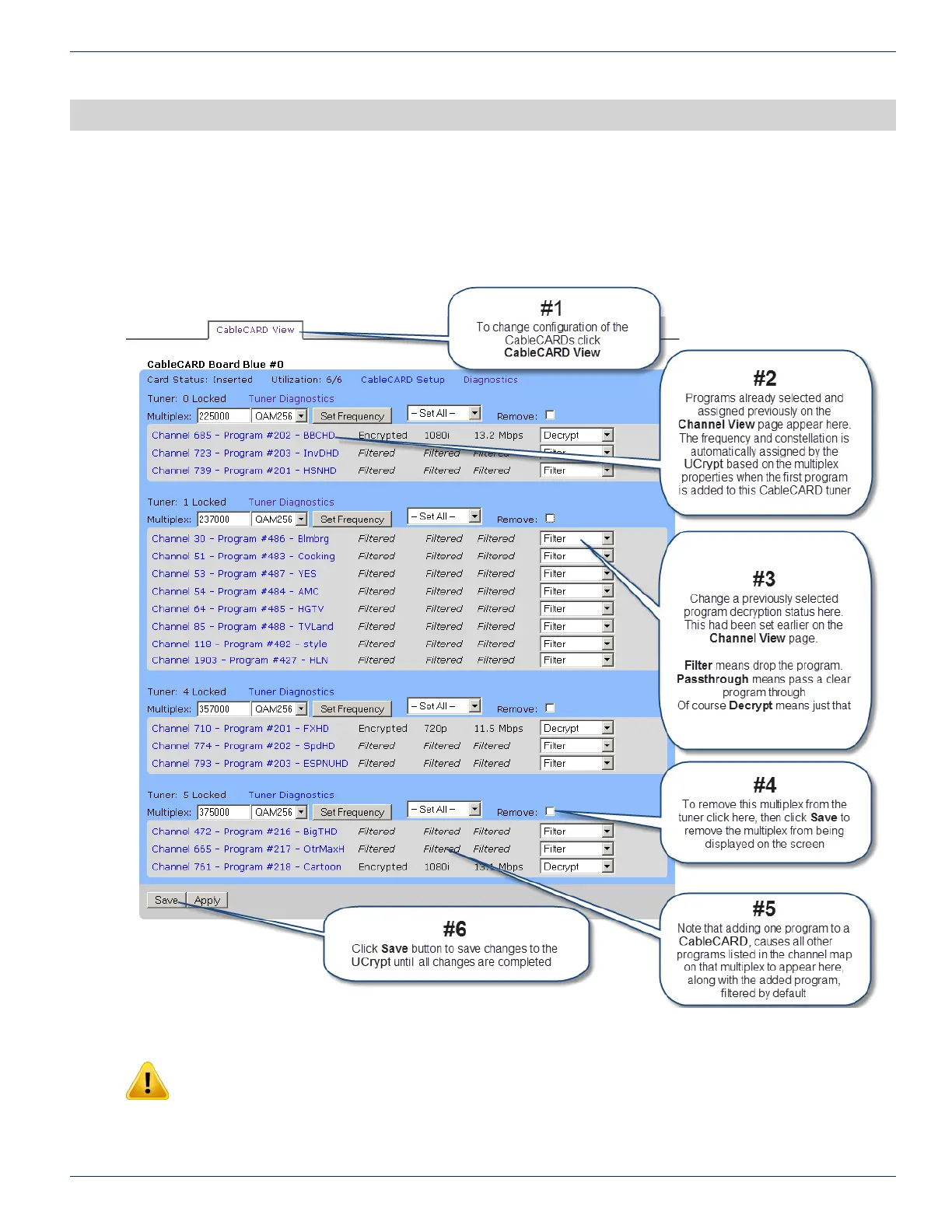
Review and change CableCARD program parameters here:
NOTE: Clicking the Apply button will cause a service interruption while the UCrypt device re-
provisions itself with the new working conguration. It is best to make all changes necessary on all
conguration pages and apply the changes when completed.
For detailed information on conguration of this page, go to the ATX website (atxnetworks.com) in the Resources & Support
section, User Documents sub-section to download the Installation & Operation Manual.
CHAPTER 10:


 To Next Page