IMEO2 - User manual 011
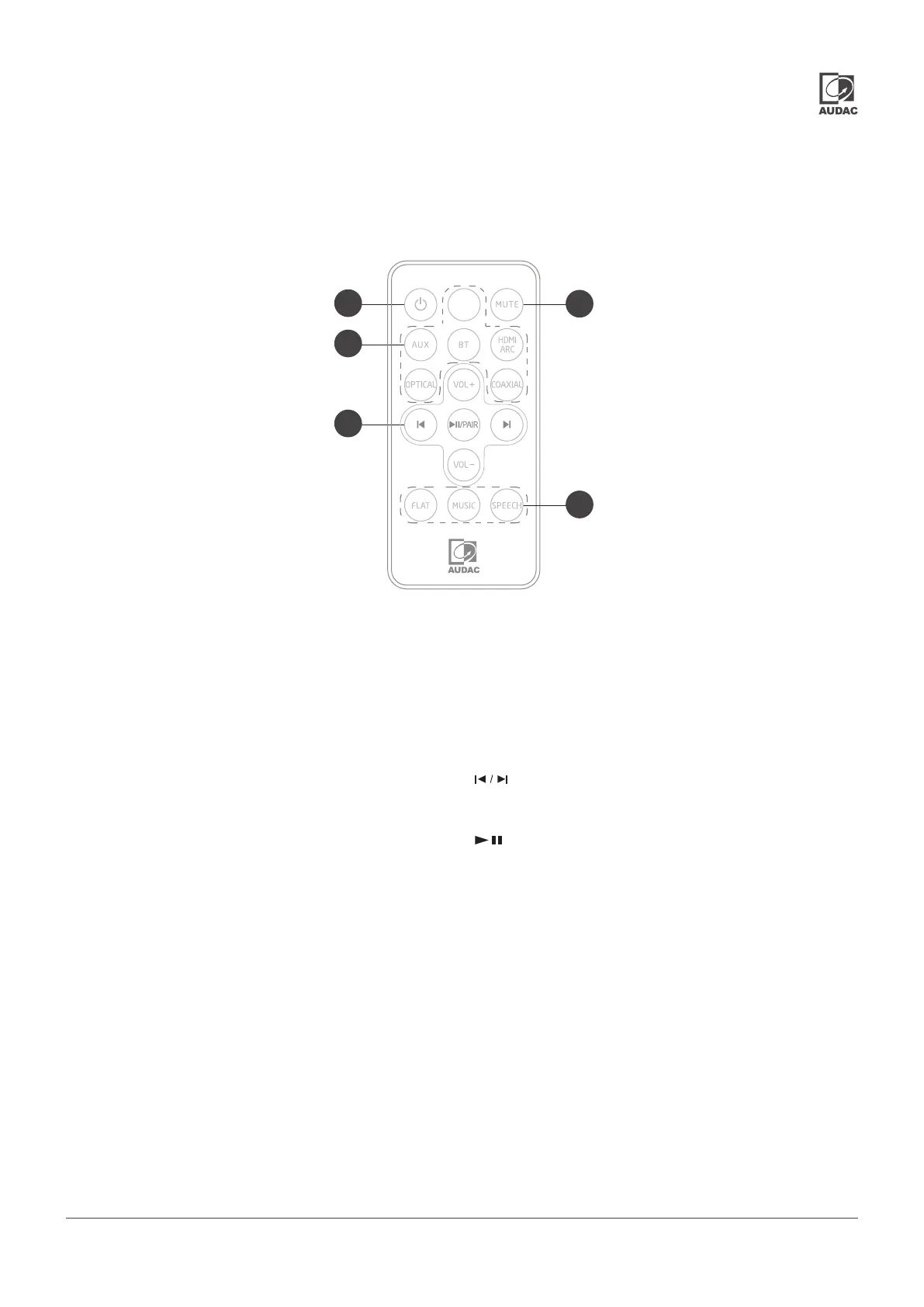
Overview IMEO2: Remote control
The IMEO2 includes an IR remote controller, which allows
the operation of it from a distance of 6 meters.
1) Power button:
Switches the sound bar between ON and STANDBY mode.
2) MUTE button:
Toggles the status between Mute music or resume the
sound.
3) Source buttons:
Selects the audio source between the various operation
modes:
AUX / BLUETOOTH / HDMI ARC / OPTICAL / COAXIAL/USB.
4) Playback control buttons:
buttons: allows to increase or decrease the
volume level.
buttons: allows to skip to the previous and next tracks
(only in Bluetooth and USB mode)
button: Allows to play / pause / resume playback
in Bluetooth and USB mode. Press and hold to activate the
pairing function in Bluetooth mode or disconnect the currently
paired Bluetooth device.
5) EQ buttons:
Allows to select a preset sound effect. Various presets are
available for FLAT, MUSIC and SPEECH. The optimal at
conguration is selected when the FLAT preset (default
congured), while low frequencies are added when the
MUSIC preset is selected and low frequencies are reduced
when selected the SPEECH preset. Select the optimal preset
according to your application requirements.
/ / PPAIRAIR
VOL+ / VOL-VOL+ / VOL-
USB
1
3
4
2
5



 To Next Page