@ Vehicle symbol
The vehicle symbol indicates whether t he sys-
tem has detected an object traveling in front .
- Vehicle outline : Open road, no vehicle
ahead.
- White vehicle: A vehicle is detected ahead .
- Red vehicle: Request for driver to assume
control.
@ Distance
Using the arrows and scale, you can detect
how far it is to the vehicle in front of you.
- Open road: No arrow appears when the ve-
hicle is on an open road and there is no vehi-
cle ahead.
- Driving in traffic: If a vehicle is detected
ahead, the arrow moves on the scale . The
green area represents the distance set.
When approaching s low ly, the arrow moves
from the
gray zone to the green zone on the
scale.
- Request for driver to assume control: When
approaching rapidly, the arrow serves as an
early warning signal. If the d istance select-
ed is exceeded or possibly not reached, the
arrow moves into the
red zone on the scale .
In certa in driving situations, you as the driv-
er will have to ta ke act ion
q page 109, Driv-
er intervention prompt.
@ Status
- The text ACC OFF appears in white letters
when adapt ive cruise control is turned off.
- The text
ACC AVAILABLE appears in wh ite
letters when the system is turned on but no
desired speed has been set .
- The text
OVERRIDE appears in white letters
when you exceed the desired speed by accel -
erating .
- The text
DISTANCE! appears in red letters
when the interval to a vehicle traveling
ahead is too short and you have to slow you r
vehicle additionally with the foot brake .
- The text messages
DISTANCE 1 to DIS·
TANCE 4 appear in green letters to ind icate
Adaptive cruise control 107
the time interval you have set and adaptive
cruise contro l is in management mode.
- If the driving program "standard" is re-
placed by "comfort" or "dynamic" using the
MMI*, the above text message is supple -
mented by an appropriate prompt, e.g.
DIS-
TANCE 1 DYN.
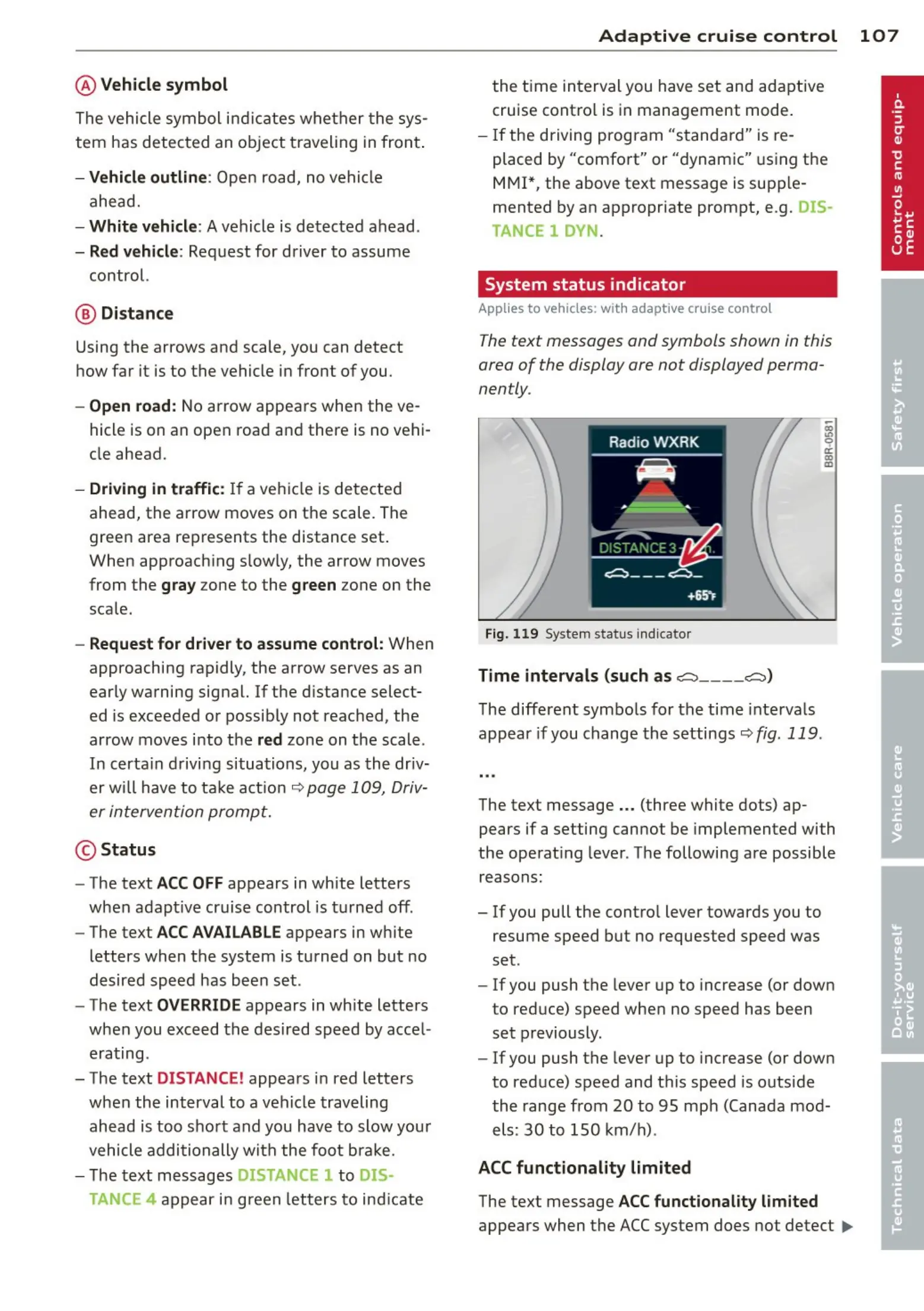
System status indicator
Applies to vehicles: wit h adaptive cruise contro l
The text messages and symbols shown in this
area of the display ore not displayed perma-
nently.
Fig. 119 System status indicator
Time intervals (such as ~ ---- ~>
The different symbols for the time intervals
appear if you change the settings~
fig. 119 .
The text message ... (three white dots) ap-
pears if a setting cannot be implemented with
the operat ing lever . The following are possible
reasons:
- If you pull the contro l lever towards you to
resume speed but no requested speed was
set .
- If you push the lever up to increase (or down
to reduce) speed when no speed has been
set previously.
- If you push the lever up to increase (or down
to reduce) speed and this speed is outside
the range from 20 to 95 mp h (Canada mod-
els: 30 to 150 km/h).
ACC functionality limited
The text message ACC functionality limited
appears when the ACC system does not detect ..,.



 To Next Page