Copyright © 2006-2011 AudioNote Kits
www.AudioNoteKits.com
audionotekits@rogers.com
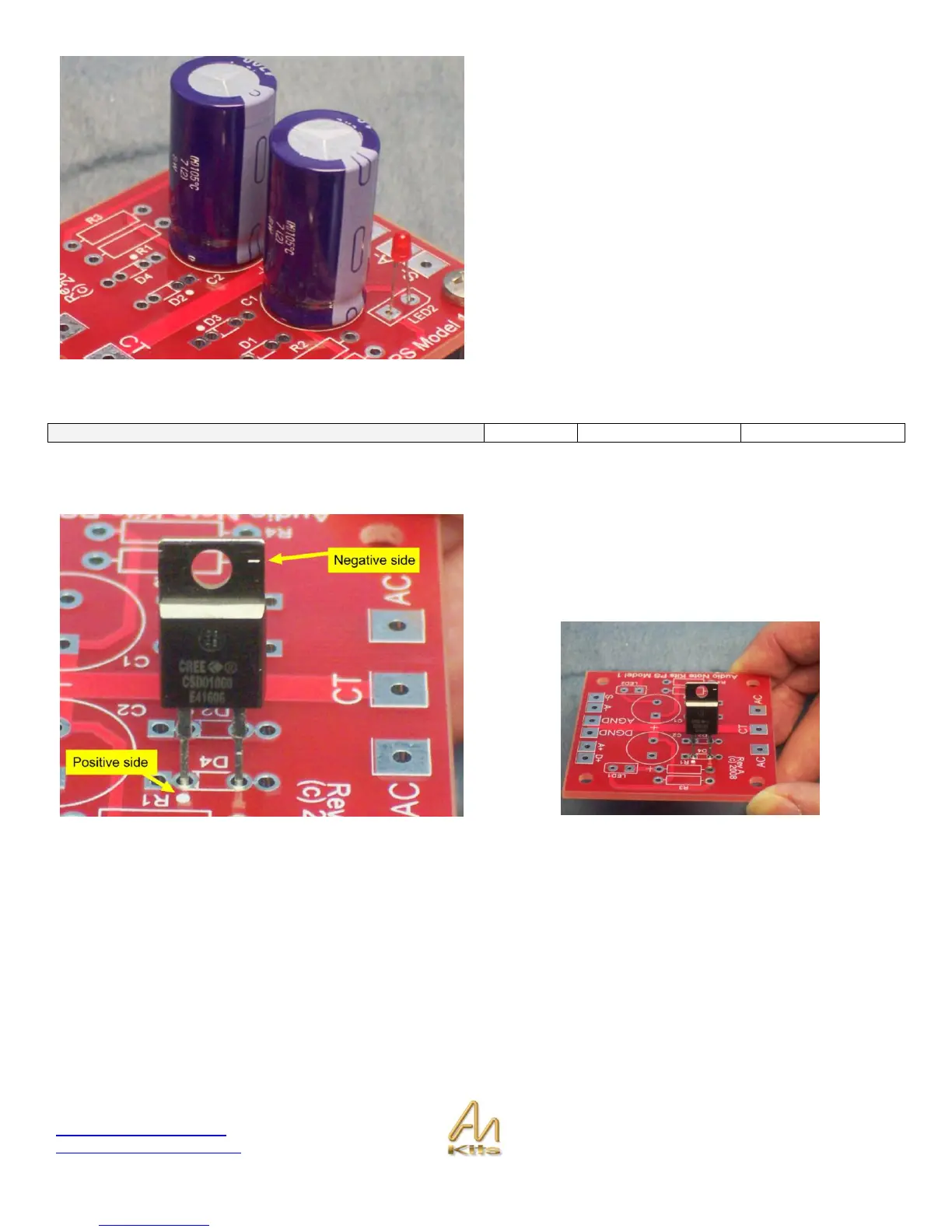
Note that each capacitor only has the POSITIVE side noted
– You will have to locate the Stripe on the capacitor as
shown above and insert correctly – Don‟t be confused by
the two caps close together.
The picture opposite shows the capacitors correctly
installed.
NOTE: This board has been designed to accept either standard diodes or Schotkey diodes (fast recovery diodes).
Schotkey diodes are supplied with the kit but we will also show how to install standard diodes.
Schotkey diode Installation
For correct installation of the diode shown you will notice
the – sign on the top of the DIODE case that denotes the
negative side. Also note the white DOT on the board noting
positive side.



 To Next Page