EasyManua.ls Logo

Audio Technica AT-LP120XUSB - User Manual

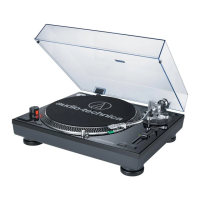
Audio Technica AT-LP120XUSB
35 pages
Print Icon
To Next Page IconTo Next Page
Loading...
User Manual of Product 1:
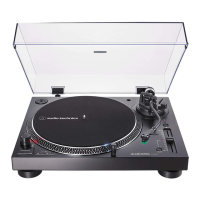
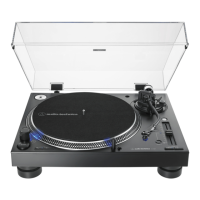
Audio-Technica AT-LP140XP-BK Direct-Drive Professional DJ
Turntable, Black, Hi-Fi, Fully Manual, 3 Speed, High Torque
Motor
User Manual of Product 2:
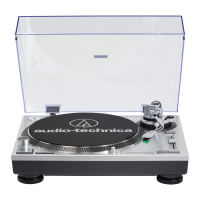
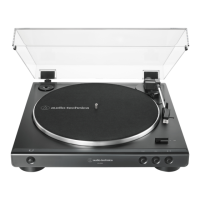
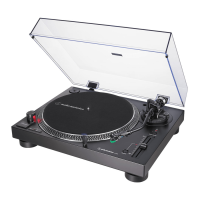
Audio-Technica AT-LP120XUSB-BK Direct-Drive Turntable
(Analog & USB), Fully Manual, Hi-Fi, 3 Speed, Convert Vinyl to
Digital, Anti-Skate and Variable Pitch Control Black

Other manuals for Audio Technica AT-LP120XUSB

Questions and Answers

  • S
    Stephanie GlennAug 13, 2025
    What to do if the stylus skips on my Audio Technica AT-LP120XUSB?
    • P
      Pamela EvansAug 13, 2025
      If you're experiencing stylus skipping on your Audio Technica Turntable, it might be due to a tracking force that's either too light or too heavy. Try adjusting the tracking force. Also, verify that the anti-skate is set to the same value as the cartridge tracking force. Another reason for skipping may be a problem with the record itself, so check the record.
  • K
    kathryn27Aug 17, 2025
    Why is my Audio Technica Turntable humming?
    • M
      Michael ScottAug 17, 2025
      If you hear humming during playback on your Audio Technica Turntable, ensure the ground line is properly connected. Also, check that the headshell is firmly attached to the tonearm and that the locking ring is tight.
  • M
    Melissa JohnstonAug 21, 2025
    How to fix an Audio Technica Turntable when the platter does not spin?
    • D
      David HarrisAug 21, 2025
      If your Audio Technica Turntable platter isn't spinning, make sure the power cable is connected to the outlet and that the plug is properly attached to the product.
  • B
    bennettchadAug 25, 2025
    How to adjust the speed on my Audio Technica AT-LP120XUSB Turntable?
    • M
      moorebryanAug 25, 2025
      If the sound when playing a record on your Audio Technica Turntable is too fast or slow, ensure the speed settings are correct for the record type using the platter speed buttons. Also, check if variable pitch is engaged; if so, depress the quartz button or return the pitch adjust slider to the center detent position to engage quartz lock.
  • J
    Jennifer ThompsonAug 28, 2025
    Why is there no sound coming from my Audio Technica AT-LP120XUSB?
    • W
      William RandallAug 28, 2025
      If you are experiencing no sound or low volume from your Audio Technica Turntable, first, check if the cartridge’s protector is still in place and remove it. Ensure the tonearm is lowered from the lift position. Verify that the settings for the connected equipment are correct. Inspect the stylus, replacing it if needed, and check the cartridge, adjusting if necessary. Finally, if the tracking force is set too heavy, adjust it accordingly.
  • S
    Sierra PowellSep 1, 2025
    Why is my Audio Technica Turntable howling?
    • G
      gonzalezandrewSep 1, 2025
      If you're experiencing howling with your Audio Technica Turntable, it could be picking up excessive vibrations from the floor, walls, or nearby speakers. Try to decrease the vibrations or mount the product on a surface that isn't subject to vibrations. Also, make sure the surface the product is mounted on is stable.
  • D
    dmcfarlandSep 5, 2025
    How to activate variable pitch on Audio Technica AT-LP120XUSB Turntable?
    • M
      Michelle MillerSep 5, 2025
      To activate variable pitch on your Audio Technica Turntable, depress the quartz button to disengage the quartz lock. The LED should turn off.
  • K
    Kyle BrownSep 8, 2025
    Why are the strobe dots difficult to see on my Audio Technica AT-LP120XUSB?
    • R
      Robert ByrdSep 9, 2025
      If you're having trouble seeing the strobe dots or the stylus illuminator is very dim on your Audio Technica Turntable, it might be due to excessively bright or fluorescent light interfering with the strobe indicator. Try shielding the strobe indicator from bright light using your hand or a record jacket.

Summary

Safety Precautions

Important Safety Information

Provides critical warnings and cautions for safe product operation and usage.

Key Safety Instructions

Presents a numbered list of essential safety directives for proper product handling.

Part Names and Functions

Preparation for Use

Tonearm and Tracking Force Setup

Setting Tonearm Balance

Procedure for balancing the tonearm to ensure proper stylus contact with the record groove.

Setting Tracking Force

Instructions for adjusting the downward force of the stylus on the record.

Setting Anti-Skate Adjustment

Guidance on adjusting the anti-skate force to counteract inward stylus pull during playback.

Connections and Installation

Connecting Audio Equipment

Guide to connecting the turntable to amplifiers, speakers, or other audio devices.

Playing a Record

Playing a Record

Detailed steps for placing a record and starting playback.

Record Playback Operations

Checking and Adjusting Playback Pitch

Guide to monitoring and adjusting the turntable's rotational speed (pitch).

Replacing Components and Moving

Troubleshooting

Common Problems and Solutions

Addresses frequent issues and provides actionable solutions for them.

Audio Technica AT-LP120XUSB Specifications

General IconGeneral
TypeBelt-drive audio turntable
OperationManual
Motor typeDC servo motor
Output level240 mV
Tone controlYes
Product colorSilver
Wow & flutter0.2 %
Nominal speeds33 1/3, 45, 78 RPM
Volume controlRotary
Starting torque1 kg/cm
Platter materialAluminum
Signal-to-Noise Ratio (SNR)50 dB
ShapeS-shaped tonearm
USB ports quantity1
Cables includedRCA, USB
Power supply typeAC
AC adapter frequency50/60 Hz
AC adapter input voltage100 - 240 V
AC adapter output current3 A
AC adapter output voltage12 V
Power consumption (typical)2.75 W
Weight and Dimensions IconWeight and Dimensions
Depth352 mm
Width452 mm
Height141.6 mm
Weight8000 g

Related product manuals