EasyManua.ls Logo

Audio Technica AT-LP140XP - User Manual

Audio Technica AT-LP140XP
35 pages
Print Icon
To Next Page IconTo Next Page
Loading...
User Manual of Product 1:
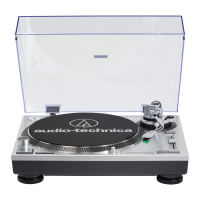
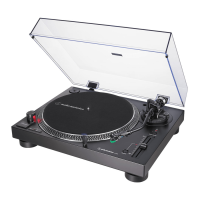
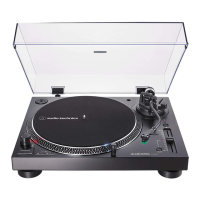
Audio-Technica AT-LP140XP-BK Direct-Drive Professional DJ
Turntable, Black, Hi-Fi, Fully Manual, 3 Speed, High Torque
Motor
User Manual of Product 2:
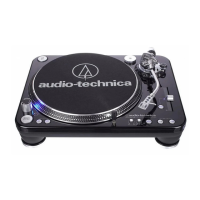
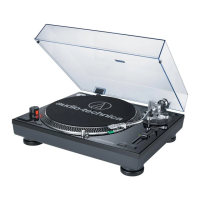
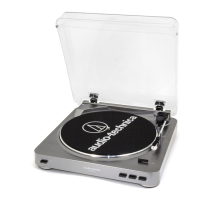
Audio-Technica AT-LP120XUSB-BK Direct-Drive Turntable
(Analog & USB), Fully Manual, Hi-Fi, 3 Speed, Convert Vinyl to
Digital, Anti-Skate and Variable Pitch Control Black

Questions and Answers

  • C
    Carla WilsonAug 13, 2025
    What to do if the stylus skips on my Audio Technica Turntable?
    • J
      Justin JohnsonAug 13, 2025
      If you're experiencing stylus skipping on your Audio Technica Turntable, it might be due to a tracking force that's either too light or too heavy. Try adjusting the tracking force. Also, verify that the anti-skate is set to the same value as the cartridge tracking force. Another reason for skipping may be a problem with the record itself, so check the record.
  • E
    Erika WatsonAug 16, 2025
    Why is my Audio Technica Turntable humming?
    • J
      Jennifer BushAug 16, 2025
      If you hear humming during playback on your Audio Technica Turntable, ensure the ground line is properly connected. Also, check that the headshell is firmly attached to the tonearm and that the locking ring is tight.
  • M
    mmooreAug 20, 2025
    How to fix an Audio Technica AT-LP140XP Turntable when the platter does not spin?
    • K
      kathryn17Aug 20, 2025
      If your Audio Technica Turntable platter isn't spinning, make sure the power cable is connected to the outlet and that the plug is properly attached to the product.
  • S
    Sandra LeeAug 25, 2025
    How to adjust the speed on my Audio Technica Turntable?
    • K
      Kimberly FrederickAug 25, 2025
      If the sound when playing a record on your Audio Technica Turntable is too fast or slow, ensure the speed settings are correct for the record type using the platter speed buttons. Also, check if variable pitch is engaged; if so, depress the quartz button or return the pitch adjust slider to the center detent position to engage quartz lock.
  • T
    Terry Williams MDAug 27, 2025
    Why is there no sound coming from my Audio Technica Turntable?
    • G
      Gregory HoffmanAug 27, 2025
      If you are experiencing no sound or low volume from your Audio Technica Turntable, first, check if the cartridge’s protector is still in place and remove it. Ensure the tonearm is lowered from the lift position. Verify that the settings for the connected equipment are correct. Inspect the stylus, replacing it if needed, and check the cartridge, adjusting if necessary. Finally, if the tracking force is set too heavy, adjust it accordingly.
  • H
    Heather GoodwinSep 1, 2025
    Why is my Audio Technica Turntable howling?
    • C
      cristinatrevinoSep 1, 2025
      If you're experiencing howling with your Audio Technica Turntable, it could be picking up excessive vibrations from the floor, walls, or nearby speakers. Try to decrease the vibrations or mount the product on a surface that isn't subject to vibrations. Also, make sure the surface the product is mounted on is stable.
  • W
    williamsbrandonSep 4, 2025
    How to activate variable pitch on Audio Technica AT-LP140XP?
    • R
      Robert ThomasSep 4, 2025
      To activate variable pitch on your Audio Technica Turntable, depress the quartz button to disengage the quartz lock. The LED should turn off.
  • W
    Wendy SimpsonSep 8, 2025
    Why are the strobe dots difficult to see on my Audio Technica AT-LP140XP Turntable?
    • T
      Thomas LevySep 8, 2025
      If you're having trouble seeing the strobe dots or the stylus illuminator is very dim on your Audio Technica Turntable, it might be due to excessively bright or fluorescent light interfering with the strobe indicator. Try shielding the strobe indicator from bright light using your hand or a record jacket.

Summary

Product Introduction

Package Contents List

Lists all included items for the product, ensuring completeness before use.

General Safety Precautions

Key Safety Instructions

Key safety guidelines for proper and safe operation of the product.

FCC Compliance Notice

Details compliance with FCC rules for radio frequency emissions.

Usage Notes and Guidelines

Turntable Body Placement Advice

Guidance on ideal placement conditions for the turntable body.

Stylus and Cartridge Handling

Instructions for protecting and handling the stylus and cartridge.

Top View Part Identification

Top View Component Labels

Identifies and describes components visible from the top of the turntable.

Front and Rear View Identification

Front;Rear Component Labels

Identifies and describes components visible from the front and rear.

Tonearm Component Identification

Tonearm Parts and Adjustments

Details the various parts and adjustments of the tonearm assembly.

Initial Product Setup

Turntable Placement and Leveling

Instructions for correctly positioning and leveling the turntable unit.

Tonearm Setup and Assembly

Steps for setting up the turntable and attaching the headshell and counterweight.

Tonearm Balance and Tracking Setup

Setting Tonearm Balance and Tracking Force

Guidance on adjusting tonearm balance and setting tracking force.

Anti-Skate Adjustment Procedure

Instructions for adjusting the anti-skate control for optimal playback.

Connecting Equipment and Power

Dust Cover and Equipment Connection

Guidance on installing/removing the dust cover and connecting to audio equipment.

Power Cable Connection

Instructions for connecting the turntable to an AC power outlet.

Record Playback Guide

Pre-Playback Steps

Steps to take before starting playback, including protector removal.

Playback Operation Instructions

Detailed instructions for placing the record and starting playback.

Record Playback Operations

Tonearm Control During Playback

How to lower the tonearm and alternative manual cueing methods.

Pausing and Stopping Records

Procedures for pausing and stopping record playback.

Pitch Checking and Adjustment

How to check and adjust the turntable's playback speed (pitch).

Record Reversal Function

Instructions for enabling the record playback reversal function.

Care and Maintenance Guidelines

Turntable Body and Stylus Cleaning

Guidelines for cleaning the turntable body and stylus tip.

Stylus Replacement Procedures

Stylus Removal and Installation

Steps for safely removing the old stylus and installing a new one.

Cartridge Replacement Procedure

Tonearm Height Adjustment

Turntable Moving Instructions

Troubleshooting Common Problems

Turntable Dimensions

Turntable Specifications Summary

AT-LP120 XUSB Introduction

AT-LP120 XUSB Package Contents

Lists all included items for the AT-LP120XUSB turntable.

AT-LP120 XUSB Safety Precautions

AT-LP120 XUSB Key Safety Instructions

Key safety guidelines for the AT-LP120XUSB turntable.

AT-LP120 XUSB FCC & IC Notices

FCC and IC compliance notices for the AT-LP120XUSB.

AT-LP120 XUSB Usage Notes

AT-LP120 XUSB Body Placement Notes

Guidance on placement conditions for the AT-LP120XUSB turntable body.

AT-LP120 XUSB Cartridge Handling Notes

Instructions for handling the stylus and cartridge for AT-LP120XUSB.

AT-LP120 XUSB Top View Parts

AT-LP120 XUSB Top View Labels

Identifies components visible from the top of the AT-LP120XUSB turntable.

AT-LP120 XUSB Front;Rear Views

AT-LP120 XUSB Front;Rear Labels

Identifies components visible from the front and rear of AT-LP120XUSB.

AT-LP120 XUSB Tonearm Parts

AT-LP120 XUSB Tonearm Details

Details the parts and adjustments of the AT-LP120XUSB tonearm.

AT-LP120 XUSB Initial Setup

AT-LP120 XUSB Platter & Leveling

Instructions for positioning and leveling the AT-LP120XUSB turntable.

AT-LP120 XUSB Tonearm Assembly

Steps for assembling the AT-LP120XUSB tonearm.

AT-LP120 XUSB Tonearm Setup Guide

AT-LP120 XUSB Balance & Tracking Force

Guidance on adjusting balance and tracking force for AT-LP120XUSB.

AT-LP120 XUSB Anti-Skate Setup

Instructions for setting anti-skate for AT-LP120XUSB.

AT-LP120 XUSB Connection Setup

AT-LP120 XUSB Dust Cover & Equipment Conn.

Connecting dust cover and equipment for AT-LP120XUSB.

AT-LP120 XUSB Audio Source Connection

Connecting the AT-LP120XUSB to an audio source.

AT-LP120 XUSB Computer Connection

AT-LP120 XUSB USB Connection Guide

Guide for connecting the AT-LP120XUSB via USB.

AT-LP120 XUSB AC Adapter Connection

Instructions for connecting the AC adapter to AT-LP120XUSB.

AT-LP120 XUSB Playing a Record

AT-LP120 XUSB Before Playback Steps

Steps to take before playing a record on AT-LP120XUSB.

AT-LP120 XUSB Playback Operation

Instructions for playing a record on the AT-LP120XUSB.

AT-LP120 XUSB Record Playback Ops.

AT-LP120 XUSB Tonearm Control During Play

How to control the tonearm during playback on AT-LP120XUSB.

AT-LP120 XUSB Pausing & Stopping

Procedures for pausing and stopping record playback on AT-LP120XUSB.

AT-LP120 XUSB Pitch Check & Adjust

How to check and adjust pitch on AT-LP120XUSB.

AT-LP120 XUSB Care & Maintenance

AT-LP120 XUSB Body & Stylus Cleaning

Cleaning guidelines for AT-LP120XUSB body and stylus.

AT-LP120 XUSB Stylus Replacement

AT-LP120 XUSB Stylus Removal;Install

Steps for replacing the stylus on AT-LP120XUSB.

AT-LP120 XUSB Cartridge Replacement

AT-LP120 XUSB Moving Instructions

AT-LP120 XUSB Troubleshooting

AT-LP120 XUSB Dimensions

AT-LP120 XUSB Specifications

Audio Technica AT-LP140XP Specifications

General IconGeneral
TypeDirect drive DJ turntable
OperationManual
Motor typeDC motor
Brake systemElectronic brake
Pitch controlYes
Wow & flutter0.2 %
Nominal speeds33 1/3, 45, 78 RPM
Starting torque2.2 kg/cm
Motor brush typeBrushless
Number of speeds3
Pitch control range-8 - 16 %
Signal-to-Noise Ratio (SNR)50 dB
Product colorSilver
Platter materialAluminum
USB port-
AC input voltage115 - 230 V
AC input frequency50 - 60 Hz
Power consumption (typical)4.3 W
ShapeS-shaped tonearm
Overhang16 mm
Tonearm typeStatically balanced tonearm
Tracking angle3 °
Stylus pressure6.2 g
Anti-skating range0 - 4 g
Cables includedRCA/GND
Weight and Dimensions IconWeight and Dimensions
Weight10000 g

Related product manuals