EasyManua.ls Logo

Audio Technica AT-LP3XBT - User Manual

Audio Technica AT-LP3XBT
50 pages
Print Icon
To Next Page IconTo Next Page
Loading...
AT-LP3XBT
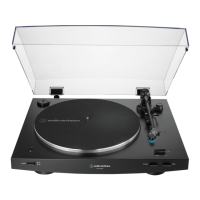
Automatic Wireless Turntable
User Manual
English

Questions and Answers

  • B
    barbertaylorAug 15, 2025
    What to do if my Audio Technica AT-LP3XBT platter spins but no sound comes out?
    • J
      Jose WilsonAug 15, 2025
      If your Audio Technica Turntable's platter spins but you're not getting any sound or the volume is too low, try these steps: First, remove the cartridge’s protector. Next, ensure the tonearm is lowered. Check that all settings for your connected equipment are correct. Inspect the stylus and replace it if needed. Also, check the cartridge and adjust if necessary. Verify the pre-amplifier selector switch matches the input on your amplifier, and finally, adjust the tracking force.
  • K
    Kelly RayAug 19, 2025
    How to fix Audio Technica AT-LP3XBT when the platter doesn't spin?
    • J
      Jeremy WalkerAug 19, 2025
      If the platter on your Audio Technica Turntable isn't spinning, try the following: Ensure the AC adapter is connected to the outlet. Make sure the belt is correctly placed on the platter and also check that the belt is properly positioned on the motor pulley (brass-colored). If the belt is damaged, replace it with a new one.
  • K
    Kathy HodgeAug 21, 2025
    Why does the stylus skip on my Audio Technica Turntable?
    • J
      Joseph RamosAug 22, 2025
      If the stylus on your Audio Technica Turntable is skipping, try these solutions: Adjust the tracking force. Verify the anti-skate setting matches the cartridge tracking force. Check the condition of the record. Excessive dirt and dust on the stylus can affect playback quality.
  • B
    bolsonAug 26, 2025
    What to do if no sound is heard when Audio Technica AT-LP3XBT Turntable is connected to a Bluetooth device?
    • D
      Devon RodriguezAug 26, 2025
      If you're not hearing any sound or the sound is faint when your Audio Technica Turntable is connected to a Bluetooth device, make sure the turntable and the Bluetooth device are both powered on. Increase the volume on both devices. Ensure there are no obstructions like people, metal, or walls between the turntable and the Bluetooth device, and try placing them closer together.
  • S
    sanchezdennisAug 29, 2025
    Why is my Audio Technica AT-LP3XBT playing too fast?
    • M
      Mrs. Rebekah Sparks DDSAug 29, 2025
      If the sound when playing a record on your Audio Technica Turntable is too fast or too slow, use the platter speed button to select the correct speed for the type of record you are playing.
  • J
    John ReynoldsSep 1, 2025
    Why can't I pair my Audio Technica Turntable via Bluetooth?
    • V
      victor26Sep 1, 2025
      If you're unable to pair your Audio Technica Turntable via Bluetooth, first confirm that the Bluetooth device communicates using version 2.1+EDR or higher. Also, place the turntable and the Bluetooth device within 1 meter (3.3 feet) of each other.
  • A
    Adrian HarrisSep 4, 2025
    How to eliminate humming noise during Audio Technica AT-LP3XBT Turntable playback?
    • A
      Aaron WelchSep 4, 2025
      To address humming noise during playback on your Audio Technica Turntable, ensure the ground line is properly connected and the locking ring is tight.
  • C
    Cynthia OlsenSep 8, 2025
    How to stop sound distortion on Audio Technica Turntable?
    • L
      Laura MooreSep 8, 2025
      To resolve sound distortion, noise, or cut-outs with your Audio Technica Turntable, try turning down the volume on both the turntable and the Bluetooth device. Also, keep the turntable away from devices that emit radio waves, such as microwaves and wireless LAN devices.
  • M
    michaelwhiteSep 12, 2025
    What causes howling with my Audio Technica Turntable?
    • W
      wellsmichaelSep 12, 2025
      If you are experiencing howling with your Audio Technica Turntable, decrease the vibrations or mount the product on a surface that is not subject to the effects of vibrations.

Summary

Safety Precautions

Important Information

Ensures safety by observing warnings and cautions while using the product.

Warning

Prevents fire or shock hazard by keeping apparatus away from rain or moisture.

Caution

General safety advice for operating the apparatus, covering electrical shock, heat, impact, and liquid exposure.

For Customers in the USA

Specific information for users in the USA, including FCC notices and warnings.

Safety Precautions (Continued)

RF Exposure Statement

Details compliance with FCC radiation exposure limits and guidelines for radio frequency energy.

For Customers in Canada

Specific information for users in Canada, including ISED statements and compliance.

Part Names and Functions

Part Names and Functions (Continued)

Preparation for Use

Setting Up the Turntable

Instructions for correctly positioning the turntable to avoid interference and noise.

Placing the Platter and the Felt Mat

Step-by-step guide for assembling the platter and felt mat onto the turntable spindle.

Preparation for Use (Continued)

Tonearm Balance and Tracking Force

Explanation of the importance of tonearm balance and tracking force for sound quality.

Setting Tracking Force

Instructions for setting the correct tracking force for the stylus.

Assembling the Tonearm

Steps for attaching the headshell and counterweight to the tonearm.

Setting Tonearm Balance

Detailed steps to balance the tonearm correctly.

Setting the Anti-Skate Adjustment

Guidance on adjusting the anti-skate control to match the tracking force.

Using the Product with Wireless Connection

Using the Product with Wireless Connection (Continued)

Using the Product with a Wired Connection

Using the Product with a Wired Connection (Continued)

Replacing the Stylus

Replacing a Cartridge

Replacing the Belt

Replacing the Belt (Continued)

Adjusting the Overhang

Troubleshooting

Platter Does Not Spin

Troubleshooting steps for when the turntable platter fails to rotate.

No Sound or Low Volume

Steps to diagnose and resolve issues with no sound or low volume.

Troubleshooting (Continued)

Stylus Skips

Troubleshooting steps for when the stylus skips during record playback.

Noise When Record is Playing

Steps to identify and fix noise issues during record playback.

Unable to Pair Bluetooth Device

Steps to resolve issues when a Bluetooth device cannot be paired.

Howling Noise

Solutions for howling noises, often related to vibrations or grounding.

Incorrect Playback Speed

Troubleshooting steps for incorrect playback speed.

Bluetooth Connection: No Sound or Faint Sound

Troubleshooting steps for no sound or faint sound with Bluetooth connection.

Slow or Irregular Rotation

Solutions for issues causing slow or irregular platter rotation.

Distorted Sound or Sound Issues

Solutions for distorted sound, noise, or sound cutouts.

Humming Noise During Playback

Troubleshooting steps for humming noises during playback.

Specifications

Specifications (Continued)

Audio Technica AT-LP3XBT Specifications

General IconGeneral
TypeBelt-drive audio turntable
OperationFully automatic
Motor typeDC motor
Product colorWhite
Wow & flutter0.2 %
Nominal speeds33 1/3, 45 RPM
Platter materialAluminum
Signal-to-Noise Ratio (SNR)60 dB
Frequency range2402 - 2480 Hz
Power supply typeAC
AC adapter frequency50 - 60 Hz
AC adapter input voltage100 - 240 V
AC adapter output current0.6 A
Power consumption (typical)2 W
Quantity1
Cables includedRCA
Dust cover includedYes
Bluetooth version5.2
Bluetooth profilesA2DP
USB ports quantity-
Weight and Dimensions IconWeight and Dimensions
Depth374 mm
Width435.6 mm
Height128 mm
Weight5000 g

Related product manuals