EasyManua.ls Logo

Audio Technica ATW-2120 - User Manual

Audio Technica ATW-2120
12 pages
Print Icon
To Next Page IconTo Next Page
Loading...
2000 Series Professional
UHF Wireless Systems
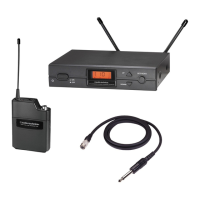
ATW-2110 UniPak
Transmitter System
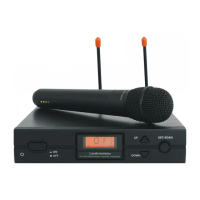
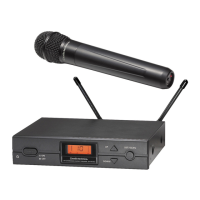
ATW-2120 Handheld Dynamic Microphone System
Installation and Operation
Question and Answer IconNeed help?

Do you have a question about the Audio Technica ATW-2120 and is the answer not in the manual?

Summary

Receiver Installation

Receiver Controls and Functions

Front Panel Controls and Display

Details the front panel controls including Power, LCD window, Up/Down, Set/Scan buttons, and mounting adapters.

Receiver Rear Panel Controls

Transmitter Controls and Functions

Transmitter Battery Installation

Provides step-by-step instructions for installing batteries in both UniPak and handheld transmitters.

Handheld Transmitter Battery Installation

Provides step-by-step instructions for installing batteries in the handheld transmitter.

System Operation

Operating Channel Changes

Explains how to manually and automatically change operating channels (frequencies) for the wireless system.

Setting Audio Input and Output Levels

Guides on adjusting audio input levels for transmitters and output levels for receivers for optimal performance.

Setting Levels and System Adjustments

ATW-T210 UniPak Transmitter Trim Adjustment

Details how to adjust microphone and instrument trim controls on the UniPak transmitter for optimal audio levels.

Receiver Squelch and RF Interference Handling

Explains how to adjust receiver squelch for interference and addresses RF interference considerations.

System Specifications

Tips for Best Results

Summary

Receiver Installation

Receiver Controls and Functions

Front Panel Controls and Display

Details the front panel controls including Power, LCD window, Up/Down, Set/Scan buttons, and mounting adapters.

Receiver Rear Panel Controls

Transmitter Controls and Functions

Transmitter Battery Installation

Provides step-by-step instructions for installing batteries in both UniPak and handheld transmitters.

Handheld Transmitter Battery Installation

Provides step-by-step instructions for installing batteries in the handheld transmitter.

System Operation

Operating Channel Changes

Explains how to manually and automatically change operating channels (frequencies) for the wireless system.

Setting Audio Input and Output Levels

Guides on adjusting audio input levels for transmitters and output levels for receivers for optimal performance.

Setting Levels and System Adjustments

ATW-T210 UniPak Transmitter Trim Adjustment

Details how to adjust microphone and instrument trim controls on the UniPak transmitter for optimal audio levels.

Receiver Squelch and RF Interference Handling

Explains how to adjust receiver squelch for interference and addresses RF interference considerations.

System Specifications

Tips for Best Results

Overview

The Audio-Technica 2000 Series Professional UHF Wireless Systems are designed to provide reliable and high-quality wireless audio for various applications. This series includes two main configurations: the ATW-2110 UniPak™ Transmitter System and the ATW-2120 Handheld Dynamic Microphone System. Both systems operate within the UHF band, specifically 656-678 MHz (TV channels 45-48), and offer 10 PLL-synthesized frequencies for selection.

Function Description:

The core of the 2000 Series is the ATW-R2100 receiver, which features true diversity reception. This means it employs two independent RF sections, each connected to an antenna, on the same frequency. An automatic logic circuit continuously compares and selects the superior received signal, effectively minimizing interference and dropouts for better sound quality. The receiver includes soft-touch controls for easy selection of operating frequency and automatic scanning. An LCD display provides constant monitoring of system operation, showing RF signal level, tuner operation (A or B), selected channel, and audio modulation level. The receiver is designed for half-width 1U 19" rack mounting, with included rack-mount adapters. An optional AT8630 joining-plate kit allows two receivers to be mounted side-by-side.

The ATW-T210 UniPak™ body-pack transmitter is a versatile unit with both low- and high-impedance inputs, along with a bias connection. This allows it to be used with dynamic and electret condenser microphones, as well as Hi-Z instrument pickups. It includes a field-replaceable antenna that screws into the transmitter's fitting.

The ATW-T220 handheld dynamic microphone/transmitter integrates a microphone element similar to that used in the PRO 41 dynamic handheld microphone, making it suitable for professional live-sound venues.

Both transmitters in the 2000 Series are powered by two 1.5V AA alkaline batteries, offering economical operation and wide availability. They also feature battery condition indicators.

A sophisticated Tone Lock™ tone squelch system is integrated into the receivers. This system ensures that the receiver's audio output is opened only when a 2000 Series transmitter is detected, significantly reducing the possibility of interference from other RF sources. Consequently, 2000 Series transmitters and receivers must be used together and are not compatible with components from other Audio-Technica wireless systems or those from other manufacturers.

For multiple-system applications, each transmitter-receiver combination must be set to a separate channel (frequency), with only one transmitter per receiver. The 10 available channels are selected for multi-channel compatibility, subject to frequency availability in a particular geographic area.

Important Technical Specifications:

  • Overall System:

    • Operating Frequency: UHF band, 656.125 to 678.500 MHz
    • Number of Channels: 10 total
    • Frequency Stability: ±0.005%, Phase Lock Loop frequency control
    • Modulation Mode: FM
    • Normal Deviation: ±5 kHz
    • Operating Range: 300' typical
    • Operating Temperature Range: 41° F (5° C) to 113° F (45° C)
    • Frequency Response: 100 Hz to 15 kHz
  • Receiver (ATW-R2100):

    • Receiving System: Dual independent receivers, automatic-switching diversity
    • Image Rejection: 55 dB nominal, 50 dB minimum
    • Signal-to-noise Ratio: >100 dB at 40 kHz deviation (A-weighted), maximum modulation 40 kHz
    • Total Harmonic Distortion: <1% (±10 kHz deviation at 1 kHz)
    • Sensitivity: 20 dBμV (S/N 60 dB at 5 kHz deviation, IEC-weighted)
    • Intermediate Frequency: 65.75 MHz, 10.7 MHz
    • Audio Output (AF Level set at "0"):
      • Unbalanced: 25 mV (at 1 kHz, ±5 kHz deviation, 100k ohm load)
      • Balanced: 12.5 mV (at 1 kHz, ±5 kHz deviation, 100k ohm load)
    • Output Connectors: 1/4" phone jack (unbalanced), XLRM-type (balanced)
    • Power Supply: 120V AC 60 Hz, or 12-18V DC, 350 mA, with external supply
    • Dimensions: 8.27" (210.0 mm) W x 1.73" (44.0 mm) H x 6.39" (162.2 mm) D
    • Weight: 2.2 lbs (1.0 kgs)
    • Accessories Included: Two flexible UHF antennas, rack-mount adapters, AC adapter
  • UniPak™ Transmitter (ATW-T210):

    • RF Power Output: 12 mW
    • Spurious Emissions: Under federal regulations
    • Input Connections: High impedance, low impedance, bias
    • Batteries (not included): Two 1.5V AA alkaline
    • Current Consumption: 150 mA typical
    • Battery Life: Approximately 9 hours (depending on battery type and use pattern)
    • Dimensions: 2.60" (66.0 mm) W x 3.63" (92.3 mm) H x 0.89" (22.5 mm) D
    • Net Weight (without batteries): 2.82 oz (80 g)
  • Handheld Transmitter (ATW-T220):

    • RF Power Output: 12 mW
    • Spurious Emissions: Under federal regulations
    • Microphone Element: Dynamic, unidirectional
    • Batteries (not included): Two 1.5V AA alkaline
    • Current Consumption: 150 mA typical
    • Battery Life: Approximately 9 hours (depending on battery type and use pattern)
    • Dimensions: 9.02" (229.0 mm) long x 2.11" (53.5 mm) maximum diameter
    • Net Weight (without batteries): 7.81 oz (221.5 g)
    • Accessory Included: AT8456a Quiet-Flex™ stand clamp

Usage Features:

  • Receiver Placement: For optimal performance, the receiver should be at least 3 ft. (1 m) above the ground and 3 ft. away from walls or metal surfaces to minimize reflections. Antennas should be positioned in a "V" shape (both 45° from vertical) for best reception. Keep antennas away from noise sources like digital equipment, motors, automobiles, and neon lights.
  • Output Connections: The receiver offers both balanced (XLRM-type, 12.5 mV) and unbalanced (1/4" phone jack, 25 mV) audio outputs, allowing simultaneous feeds to different inputs like mixers, guitar amps, or tape recorders. An AF Level control adjusts the audio output level for both jacks. A Ground Lift switch is available to disconnect the ground pin of the balanced output jack to prevent hum caused by ground loops.
  • Power Connection: The included AC adapter connects to the DC power input on the receiver. A cord hook helps secure the DC plug.
  • Channel Selection: Operating channels can be changed manually using Up/Down arrow buttons and the Set/Scan button, or automatically by holding the Set/Scan button to initiate a scan for the next open channel.
  • Transmitter Power and Channel Setting: Transmitters have a two-position on-off power switch. Before turning on the transmitter, its channel selector switches must be set to match the receiver's displayed channel number. Always turn off the transmitter when changing channels.
  • Setting Audio Levels: Correct adjustment of transmitter audio input, receiver audio output, and mixer/amplifier input/output levels is crucial for optimum system performance.
    • Handheld Transmitter: The ATW-T220 has factory pre-set audio input levels (full clockwise). If distortion occurs, the audio input level can be adjusted by gently turning the level trim control counterclockwise until the topmost receiver AF level meter bar illuminates only on audio peaks.
    • UniPak Transmitter: Trimmer adjustments for microphone and instrument levels are available. For MIC, set the microphone level trim control fully clockwise and instrument level trim control fully counterclockwise. For INSTRUMENT, set the instrument level trim control fully clockwise and microphone level trim control fully counterclockwise. The receiver's AF Level control should be set to full clockwise. Adjust the mixer's input trim control or instrument amplifier input level control to prevent overload while ensuring normal operating range.
  • Receiver Squelch: The squelch control on the receiver's back panel is factory preset (full counterclockwise) for best performance. It can be adjusted if significant RF interference is present, to eliminate unwanted background RF noise. However, adjusting squelch can reduce the usable range of the wireless transmitter.
  • Battery Installation: Both UniPak and handheld transmitters use two 1.5V AA alkaline batteries. Correct polarity must be observed. A battery indicator LED turns red when batteries are installed correctly and are not dead.
  • UniPak Input Connection: Audio input devices (microphones or guitar cables) connect to the audio input connector on the top of the UniPak transmitter. Audio-Technica offers pre-terminated microphones and cables for this purpose.

Maintenance Features:

  • Battery Replacement: Use only fresh alkaline batteries. Remove batteries from transmitters when not in use for extended periods.
  • Antenna Care: For UniPak transmitters, the field-replaceable antenna should be snugly attached (finger-tight). Do not attempt to modify the transmitting antenna; replace it only with genuine Audio-Technica parts.
  • Servicing: The receiver cover should not be removed by users. Refer servicing to qualified service personnel. No user-serviceable parts are inside. Opening the receiver or transmitter will void the warranty and may cause improper operation.
  • Environmental Protection: Do not expose the device to rain or moisture.
  • Cleaning: The manual does not specify cleaning instructions, but general electronic device care suggests keeping it free from dust and debris.
  • Troubleshooting: If RF interference is strong (indicated by RF signal on the receiver with the transmitter off), change channels. If distortion is heard, adjust transmitter audio input levels and receiver AF level control as described in the "Setting Levels" section.
  • RF Interference Awareness: Wireless frequencies are shared with other radio services. Users should be aware that wireless microphone operations are unprotected from interference from other licensed operations. If interference is received from government or non-government operations, the wireless microphone must cease operation. Audio-Technica's website provides extensive wireless information.

Audio Technica ATW-2120 Specifications

General IconGeneral
BrandAudio Technica
ModelATW-2120
CategoryMicrophone system
LanguageEnglish

Related product manuals