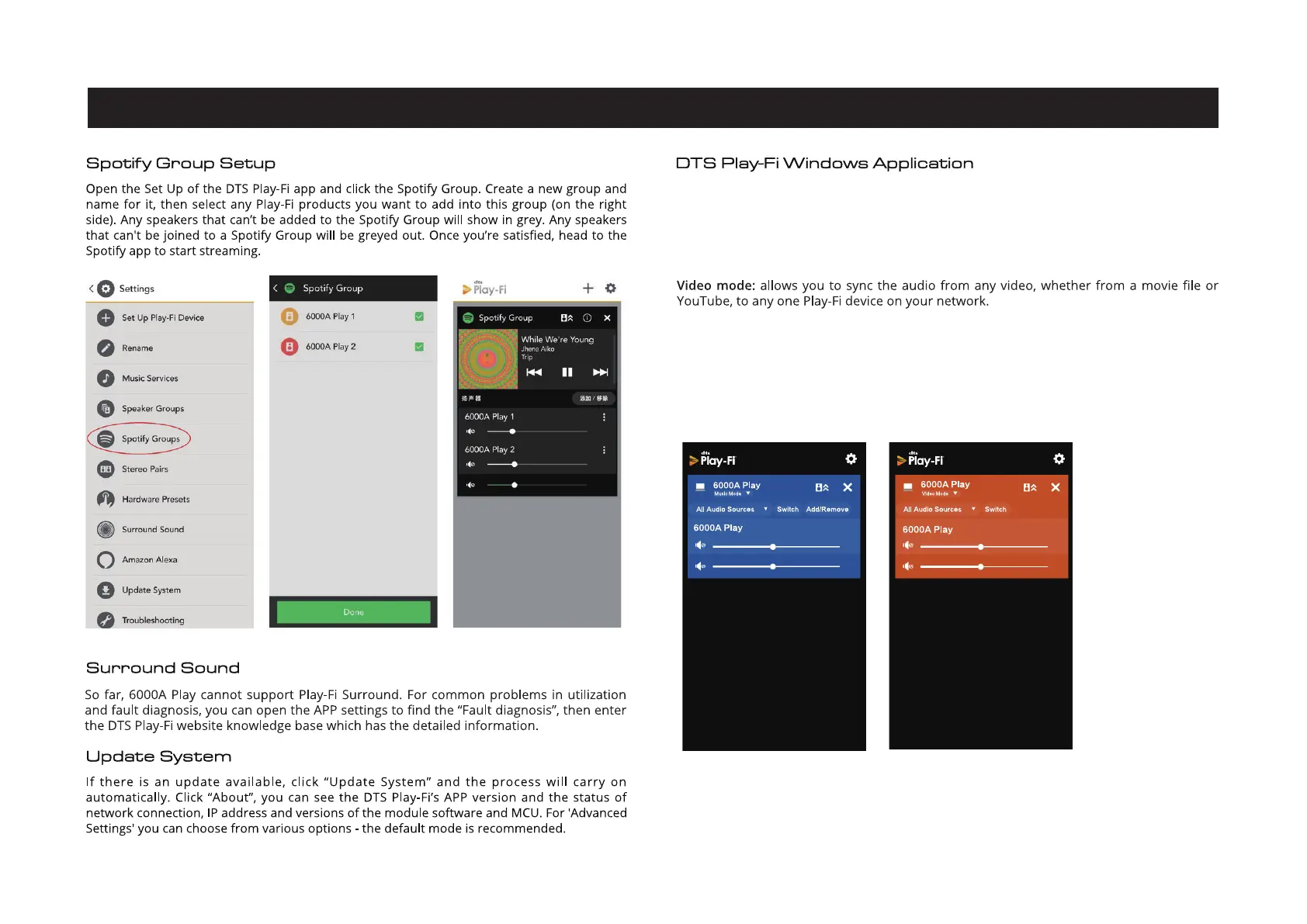
15.APP Operations - 4
Page 18
With your PC running Windows 7, 8, 8.1 or 10, the DTS Play-Fi Windows app allows you t
stream from any source on your PC (apps, services or Web based) including Spotify,
Play, iTunes, XBox Live and more.
Music mode: the free version of the Windows app defaults to Music mode, then select the
6000A Play to play.
To use Video mode upgrade your app to the Play-Fi HD version. Click the option 'Video
mode' then select the device to play.
Play-Fi HD is the only Wi-Fi streaming solution to include advanced codecs and proprietary
QoS (Quality of Service) technology. That means audio is delivered with astonishing accuracy,
even in the busiest network conditions.


 To Next Page