Page 9
Adding the stations to the Favorites
You can register up to 10 of your favorite internet radio stations in the My
Favorites->Stations folder
Tune into a specific station.
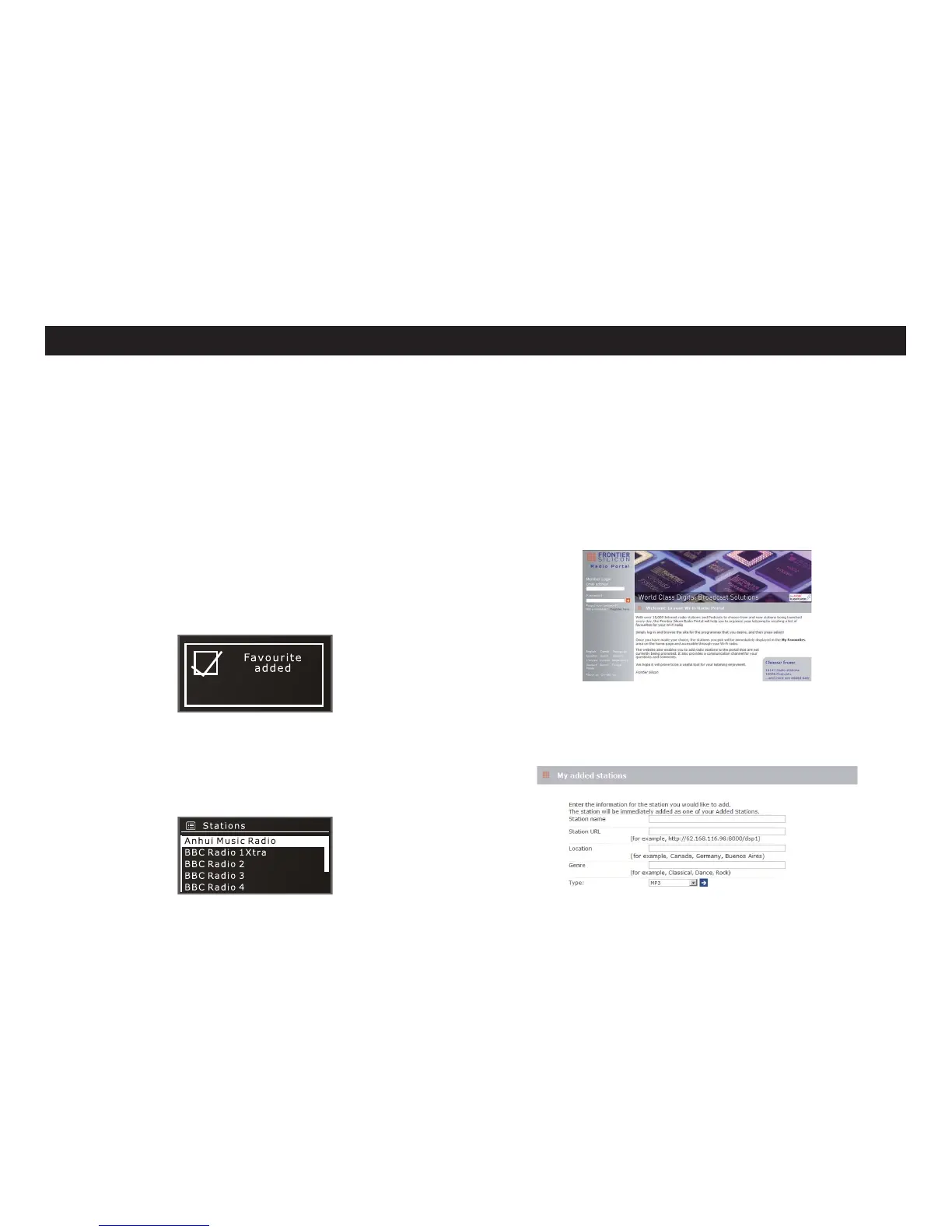
Press and hold SEL for a few seconds. A message of “Favorite added” will
be shown to inform you the process completed.
To delete the stations from the list
Go to the folder of My Favorites->Stations.
Use/ to select the station you want to delete, then press and hold SEL.
Press YES or NO to confirm or cancel the selection.
Ȕ
Ȕ
Ȕ
Ȕ
Ȕ
ƾ Podcasts: Find Podcasts or ‘Listen-Again’ broadcasts by location, genre or
search by name.
ƾMy Added Stations: Shows stations that you have personally added to your
radio’s station list via the Radio Portal.
ƾHelp: Find your radio’s access code here.
Press INFO to show different information of the station playing.
Ȕ
Radio Portal
You will be allowed to browse all stations and edit your M-NETs My Favorites in
the Radio Portal using the web browser in PC/MAC. To do this, you should first
register your M-NET.
Press SOURCE to select Internet radio.
Press Menu->Station list->Help->Get access code. Write down access
code.
Using your PC or MAC, visit the portal website at –www.wifiradio-frontier.
com
Click on the Register here link to begin the registration process.
If you have found a station that is not in our list, you can add it yourself. This will
then appear in the folder of My Added Stations of your M-NET.
Ȕ
Ȕ
Ȕ
Ȕ
9; !Joufsofu!Sbejp!.3


 To Next Page