C
H
1
1
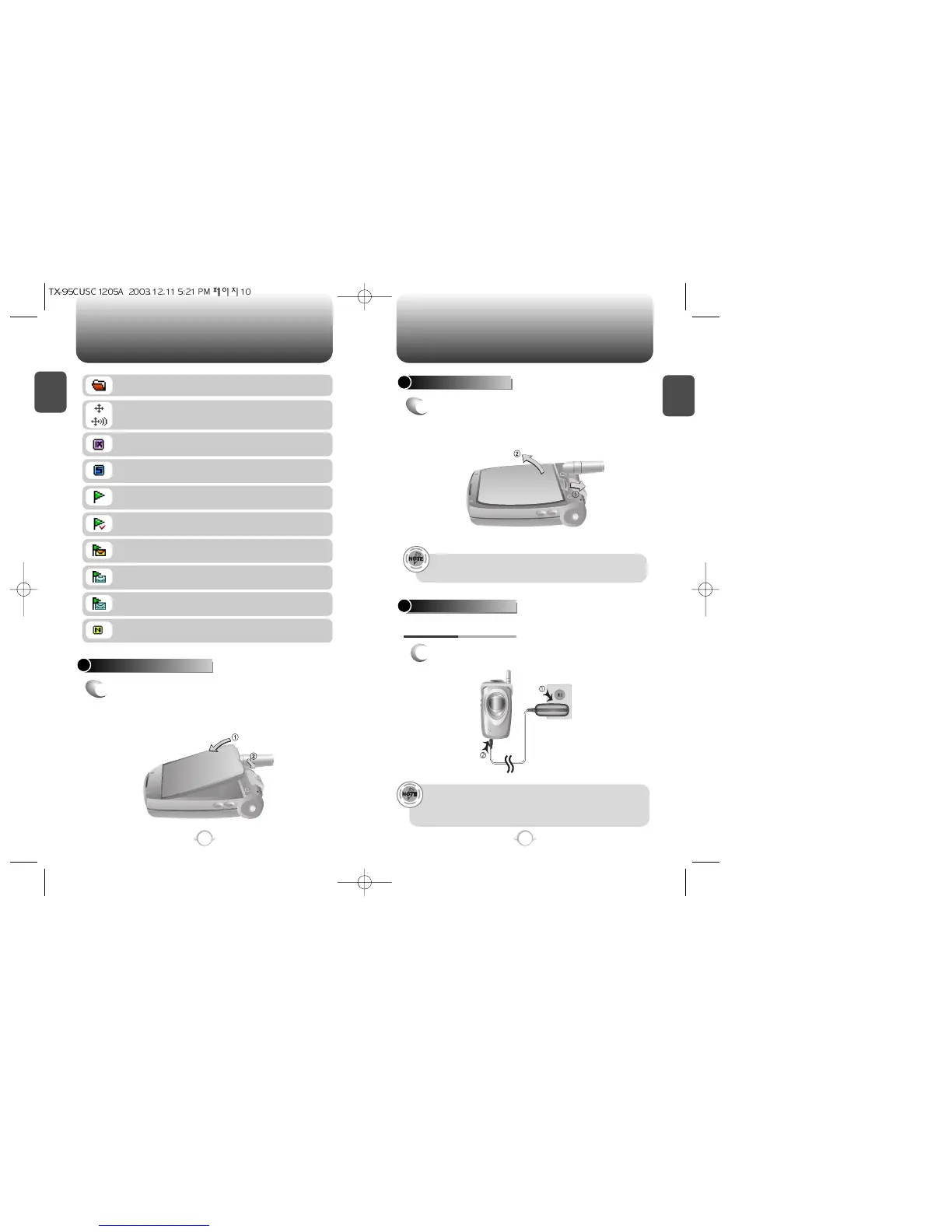
Plug the AC charger into a standard outlet.
BATTERY CHARGING
POWER CONNECTION
11
C
H
1
BATTERY INSTALLATION
1
u
Place the battery on the back of the handset
and slide into place.
v
Push the battery down
until it locks into place.
BATTERY REMOVAL
1
u
Pull down the release latch, lift up the
battery and
v
remove the battery from the
handset.
If the battery is not correctly placed in the compartment, the
handset will not turn on and/or the battery may detach during use.
10
BATTERY USAGE BATTERY USAGE
• Fully charge the battery before using – it is not charged when
purchased.
• When charging the phone, always use the CNR-4 adaptor
included in the packaging. If not, the phone will be damaged.
Scratch Pad
Displays when scratchpad is in use during a call.
Unread Web Message
Read Web Message
Web Message + Text Message
Web Message + Voice Message
Web Message + Text Message + Voice Message
Up Browser
Phone is in the progress of Up Browser.
1X
Phone is in the 1x service area.
Data Only
Receives an async. call as a voice call.
GPS Icon
Indicates the Location Service of your phone is
disabled/enabled.



 To Next Page