- 14 -
CD PROGRAMMABLE PLAYBACK
To check the program:
• After setting, press the PLAY/PAUSE button to start playing, then press the
TUNING • SKIP/TIMER +/- buttons to check the programmed tracks.
To add additional tracks during program playback:
• Press the STOP/BAND button, then press the CLOCK SET/MEMORY button
repeatedly until the number of the last programmed track appears and repeat steps
2-4 above.
To change the programmed tracks during program playback:
• Press the STOP/BAND button, and press the CLOCK SET/MEMORY button
repeatedly to select the number of the program, then press the TUNING • SKIP/TIMER
+/- buttons to alter the track. Press the CLOCK SET/MEMORY button to register the
newly programmed track into memory.
To erase the whole program, do one of the following:
• Press the STOP/BAND button twice.
• Press the CD • RADIO FUNCTION button to change to the radio mode.
• Open the CD drawer by pressing the OPEN/CLOSE button.
Note: You can use the REPEAT function during PROGRAM PLAY.
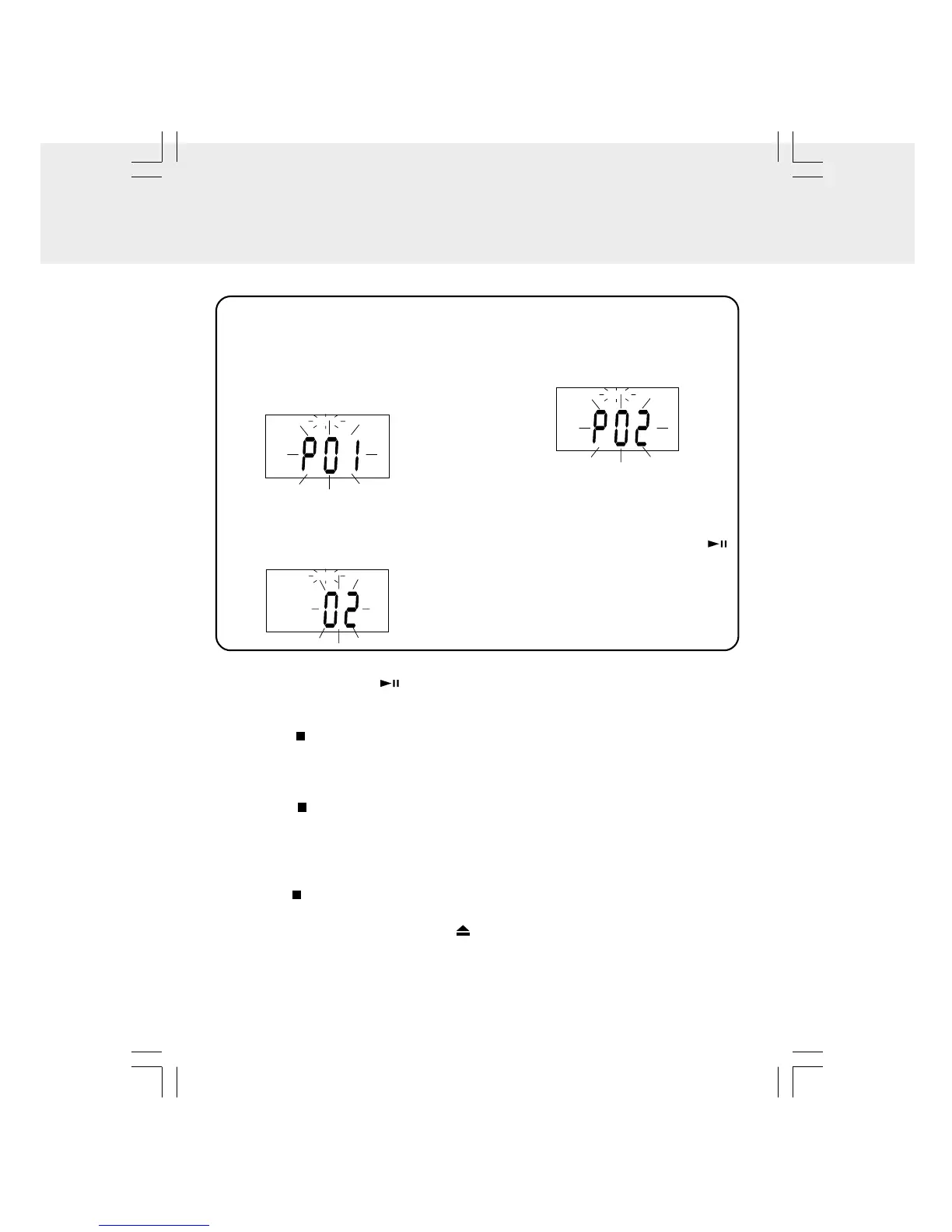
1. When the unit is ON and in the CD
MODE, make sure the CD is STOPPED.
Press the CLOCK SET/MEMORY
button. “MEMORY” and “P 01” will blink
in the display. The “P 01” is the program
order (1-20).
2. Press the TUNING · SKIP/TIMER +/-
buttons to select the desired track.
For example, to play track 2 first, the
display would look like this:
4. To add additional tracks, repeat
steps 2 - 3 (up to 20 tracks).
5. To start playback, press the
PLAY/PAUSE button.
A program of up to 20 tracks can be programmed to play in a preset order.
3. Press the CLOCK SET/MEMORY
button to store the track in
memory.
CD
MEMORY
CD
MEMORY
CD
MEMORY


 To Next Page