- 16 -
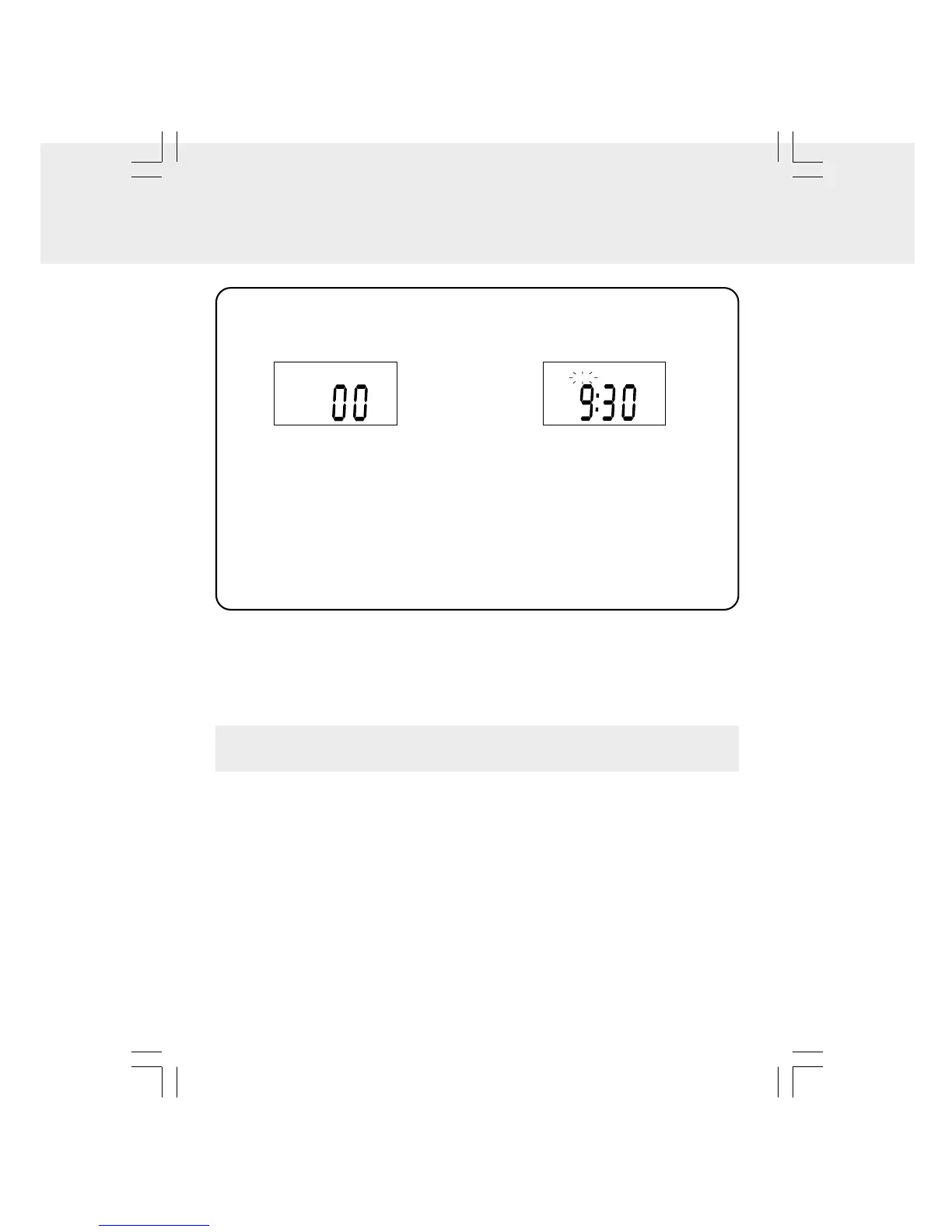
1. Press the TIMER/ON/OFF • SET
button. The “TIMER” indicator and “00”
appear in the display.
2. Press the TUNING • SKIP/TIMER +/-
buttons to select your desired time
from 1-99 minutes.
• Press the TIMER/ON/OFF • SET
button repeatedly to select time:10,
15, 30, 45, 60, 75 and 90 minutes.
• Press and hold the TUNING • SKIP/
TIMER +/- buttons to fast forward/
reverse the cooking time.
CANCELLING THE COOKING TIMER
• Press the TIMER/ON/OFF • SET button until the time of the cooking timer shows "00".
The “TIMER” indicator will disappear from the display within 5 seconds.
CD MODE
1. During playback, press the DISP button repeatedly to shuffle between the CD playback
mode and the current time.
2. When stopped, press the DISP button to shuffle between the total number of this CD
and the current time.
RADIO MODE
• Press the DISP button to shuffle between the current radio station and the current
time.
SETTING THE COOKING TIMER
DISPLAY FUNCTION
3. When the preset time elapses, the
ALARM will sound and the "TIMER"
will blink.
TIMER
CD
4. To turn OFF the ALARM, press the
TIMER/ON/OFF • SET button once.
Otherwise, the ALARM will
automatically turn off after 60 minutes
if no button is pressed.
Note: Do not press any buttons within 5
seconds after setting the cooking time,
otherwise, the cooking timer will be
cancelled.


 To Next Page