alpha Configuration Suite User Manual
Page 17 of 33
21003-1.2
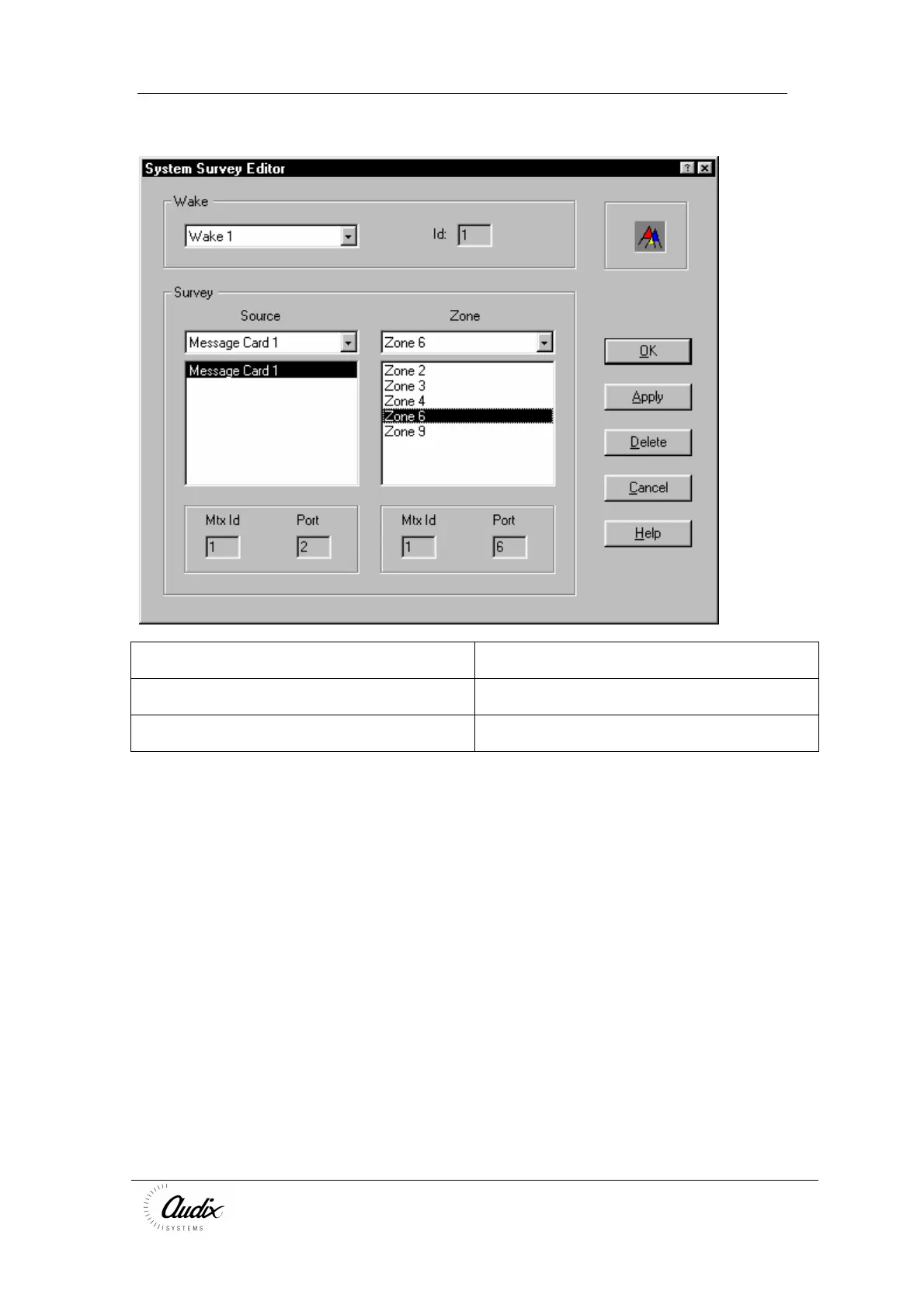
Edit Survey
Wake Name Name of the Wake Up signal to operate before
the broadcasting the 20kHz surveillance tone.
Survey Source Select the source unit that will generate the
surveillance tone.
Survey Zone Add the zones the surveillance is required to
cover.
Press Apply to make the changes, and Ok to accept the Changes
To Delete the properties press delete, and then Ok to accept the Changes
To Ignore the changes press Cancel
For Help press Help.



 To Next Page