alpha Configuration Suite User Manual
Page 18 of 33
21003-1.2
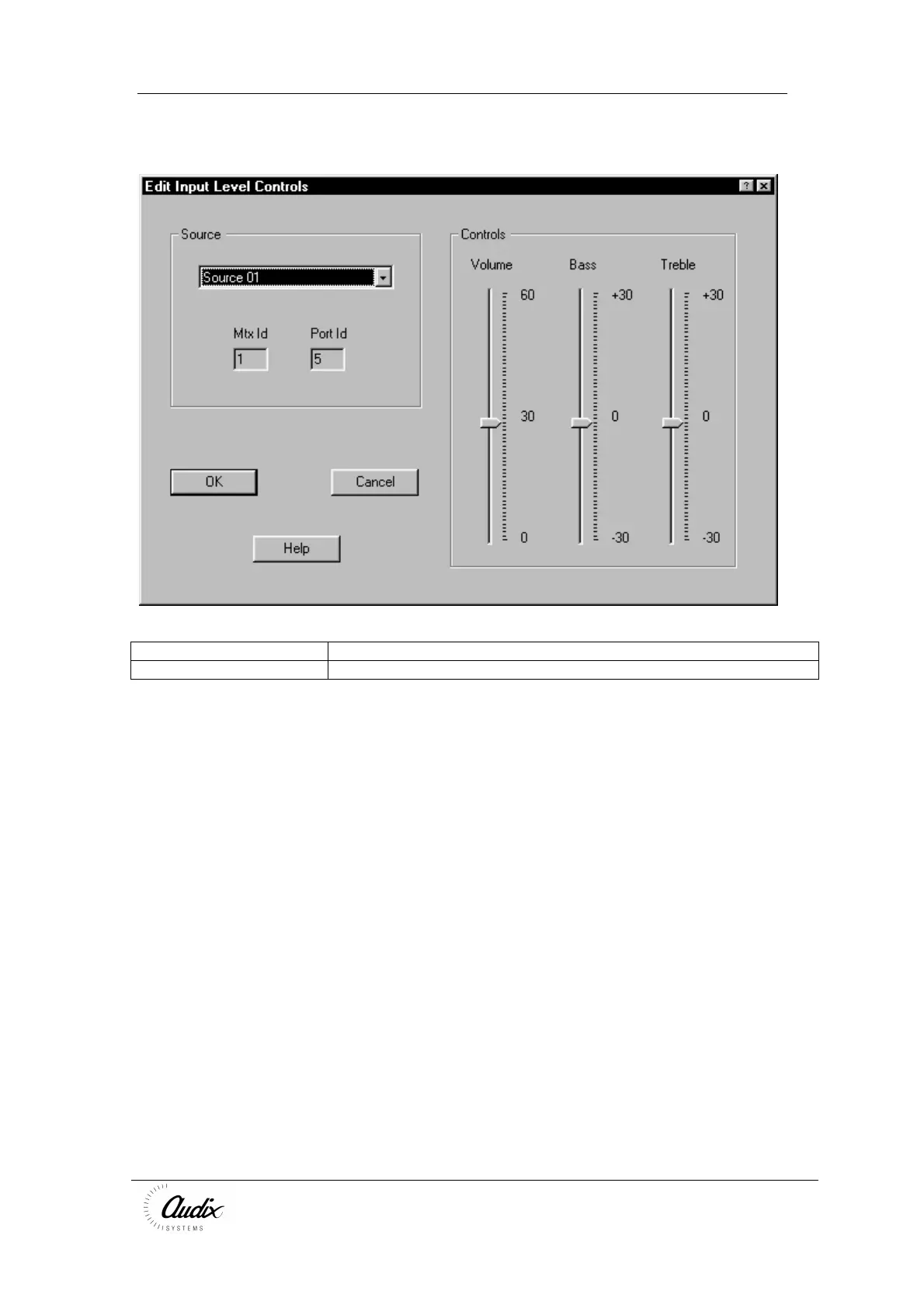
Edit Volume (Configure Input Levels)
Source Selects the audio source input to modify
Controls Set the individual Volume and EQ levels of the selected audio input
To accept the changes you have make press
To ignore the changes press Cancel



 To Next Page