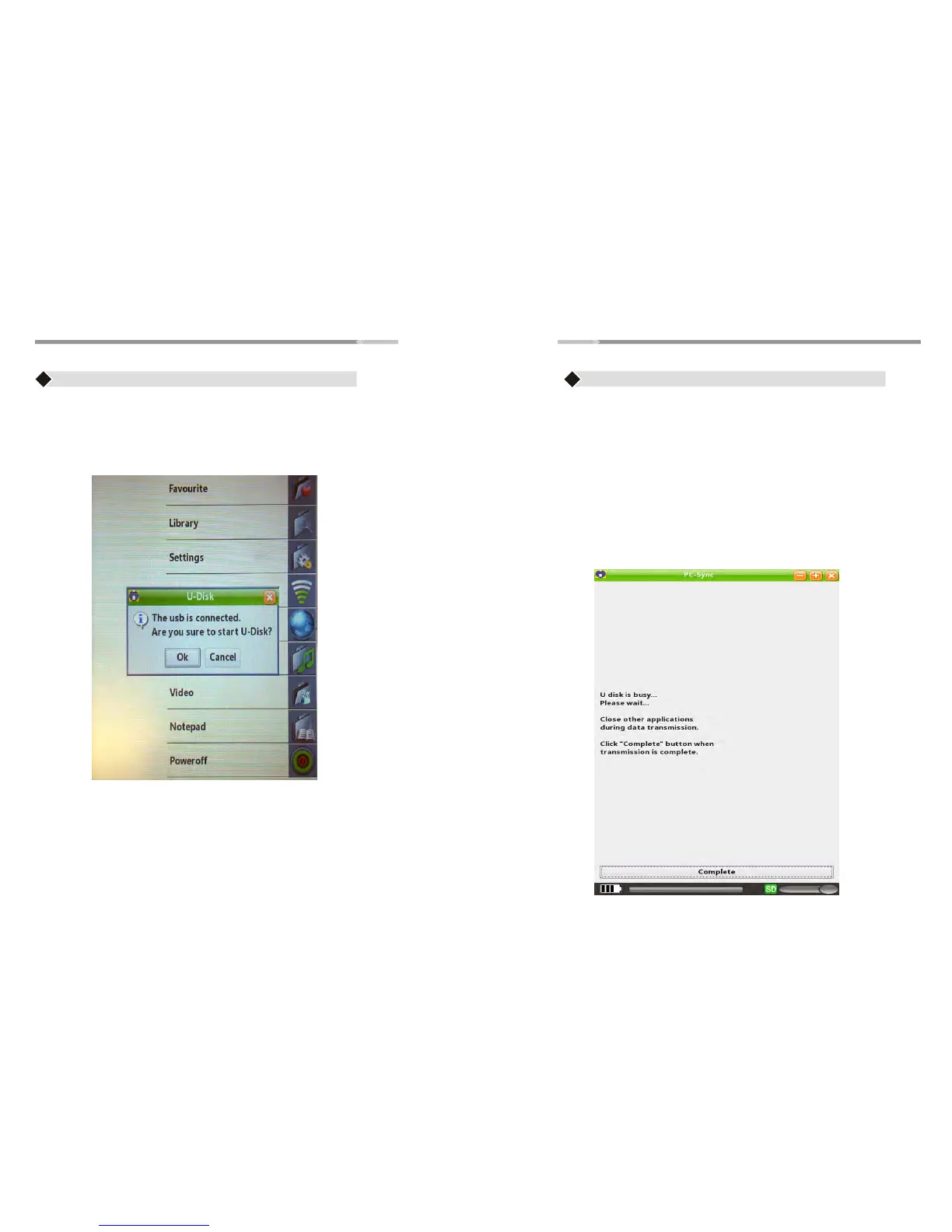
USB Connection
♦ Connect the USB cable to your computer
♦ Pop up window will appear on the device "The usb is connected. Are
you sure to start Udisk?”
♦ Press OK
♦ Computer will recognize the eReader as a “Removable disk”
Power-Off
♦ Use the “Joystick” to highlight the “Power Off” option and
Press “Enter” button to shutdown the eReader
♦ Another way to shutdown the eReader is to press and hold the
Power button till it shutdown.
Note: If the computer using Windows 98 operating system,
Please install windows 98 2.0 USB driver from the CD in first.
How to Transfer Files (Music,Video,Photo,etc)
♦ Press “Complete” button on the bottom part of the eReader after
transferring files. The eReader will be automatically disconnected
from the computer
♦ Windows Operating system recognizes the eReader as “removable
disk”. Choose “open folder to view files”
Note: Some operating systems are not set for AutoPlay window. In this
case, go to “My Computer” and look for “Removable Disk” and
double click to enter
♦ Simply locate your files (songs, photos etc...) on your “Local Disk”
using “my computer” function. Once found, drag and drop your
desired files into the disk drive (removable disk) assigned to the
eReader


 To Next Page