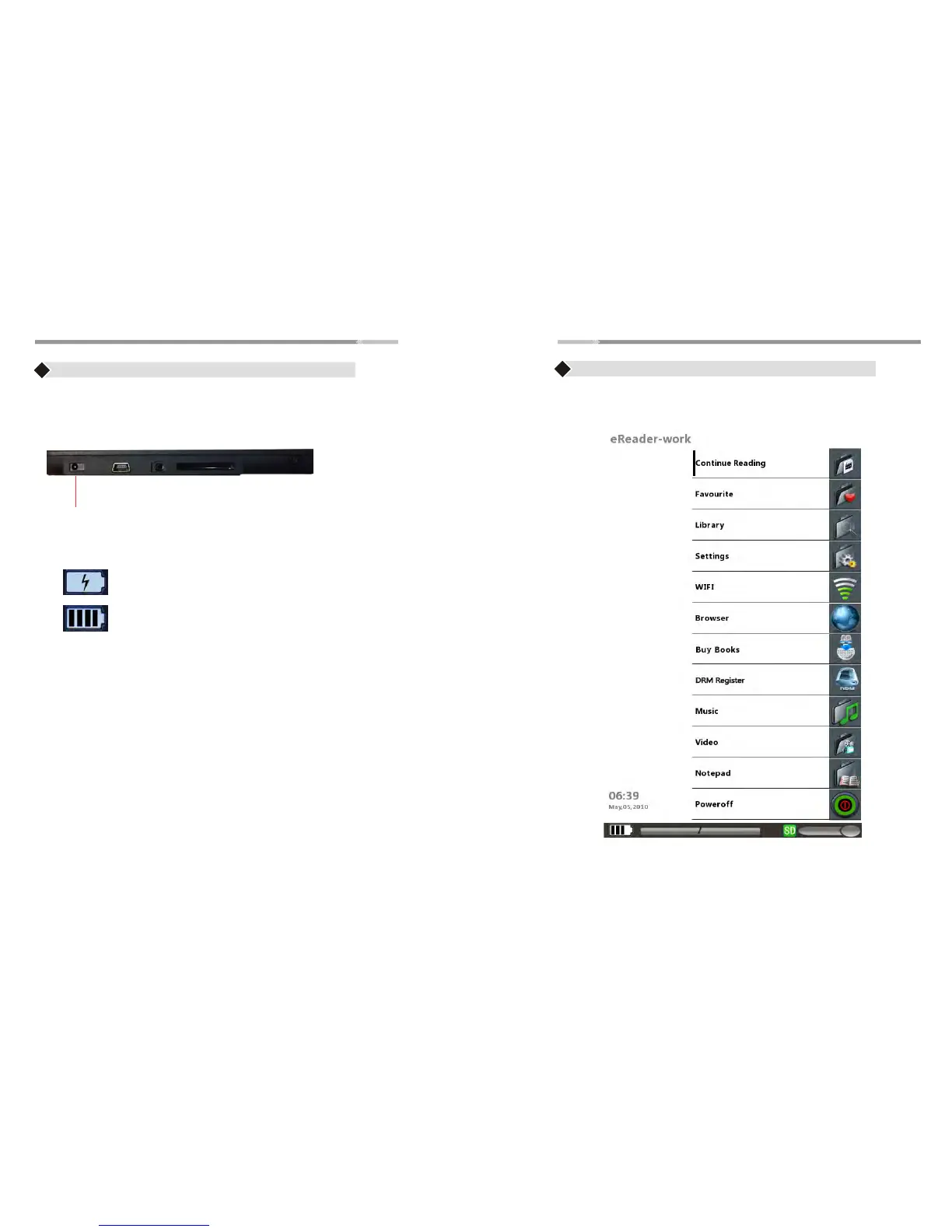
Main Menu
>6<
>7<
Charging the eReader
♦ Use the AC adapter and plug the adapter to the DC jack of
the eReader
♦ Battery Indicator will show:
eReader is charging
Battery is full
Note: Please charge the eReader at least 4 hours.
Note: eReader’s Main Menu contains:
Continue Reading , Favorite, Library, Settings, WIFI, Browser,
Buy books, DRM Register, Music, Video, Notepad, Power off
Use the “Joystick” to scroll/highlight the menu and press
the “Enter” button to enter to the desired menu


 To Next Page