>19<
>18<
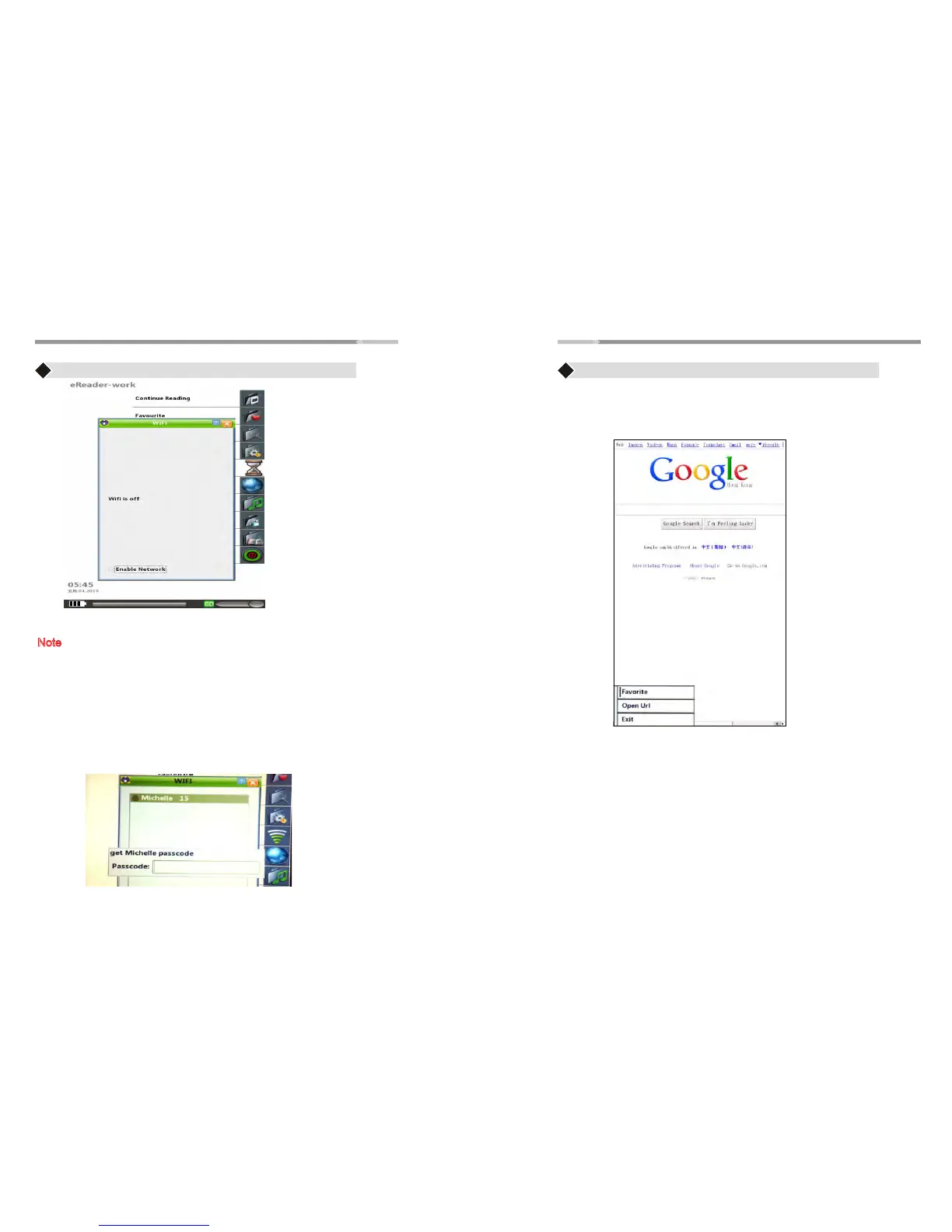
♦ Use the “Joystick” button to highlight “Browser” option and
press “Enter” button to open the browser
♦ Press “Menu” button, 3 lines options will be shown in the
lower left:
1. Favorite- saving links to Favorite,
2. Open Url- opens a new link
3. Exit
Browser
Note:It needs to connected to Wifi first,then this option will work.
Wi-Fi
♦ Use the “Joystick” to highlight the “Wi-Fi” option and
press “Enter” button.
Note: Please make sure to have the wireless password/key
to be able to connect to Internet. Call your ISP/network
provider for the wireless settings
♦ If Wi-Fi is “OFF”, put a check on “Enable Network” box by
pressing “Enter” button. Once enabled, the Wi-Fi will scan
for available networks.
♦ Use the “Joystick” to highlight the wireless network and
press “Enter” button. If your wireless network is secured,the
password prompt will appear. Enter the wireless password and
press “Enter” button
♦ Once connected, it will automatically go back to the Main
Menu


 To Next Page