eReader Control Panel
eReader Control Panel
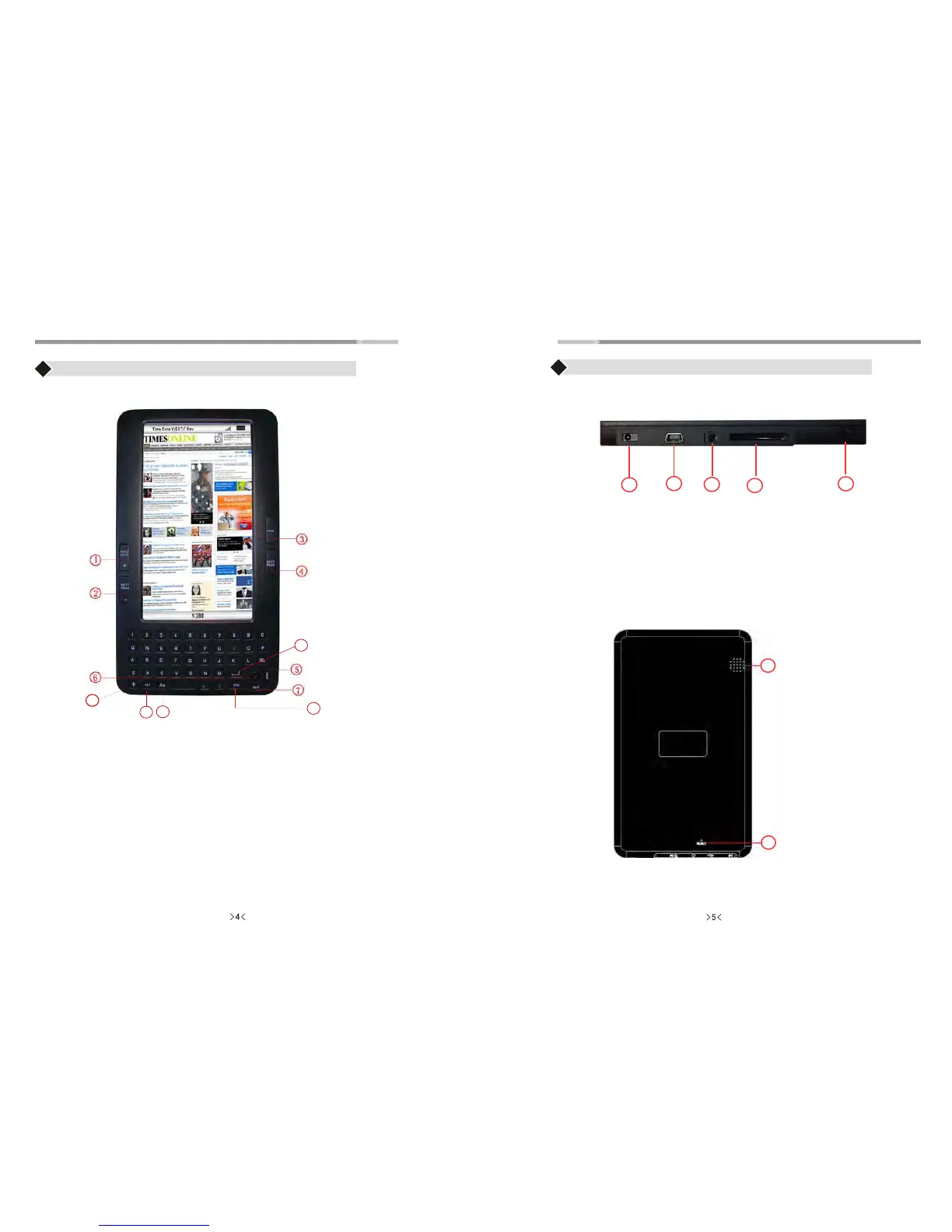
Front View
Bottom View
13. DC jack
14. USB slot
15. Headphone Jack: uses 3.5mm jack
16. SD Card Slot
17. Power Button
Back View
15
16
10
11
12
13
14
18. Speaker
19. Reset
1. Previous page/ + Volume increase
2. Next Page / - Volume decrease
3. Home
4. Next Page
5. Menu
6. Joystick Button
7. Back
8. Enter Button
9. Sleeping Screen / Renew
10. Lower Case
11. ALT: Press ALT key with any key together.
Example: ALT + key “1” = “!” ALT + key “Q” = “+”
ALT + key “2” = “@”
12. Zoom In/Out
8
10
9
11
12



 To Next Page