Main Menu
Main Menu
>8<
>9<
Continue Reading
♦ Select this option to go back to the last state or page where you
left your ebook file.
♦ Use the “Joystick” to highlight “Continue Reading” option
♦ Press the “Enter” button to open the option. Press “Home” button
to go back to the Main Menu
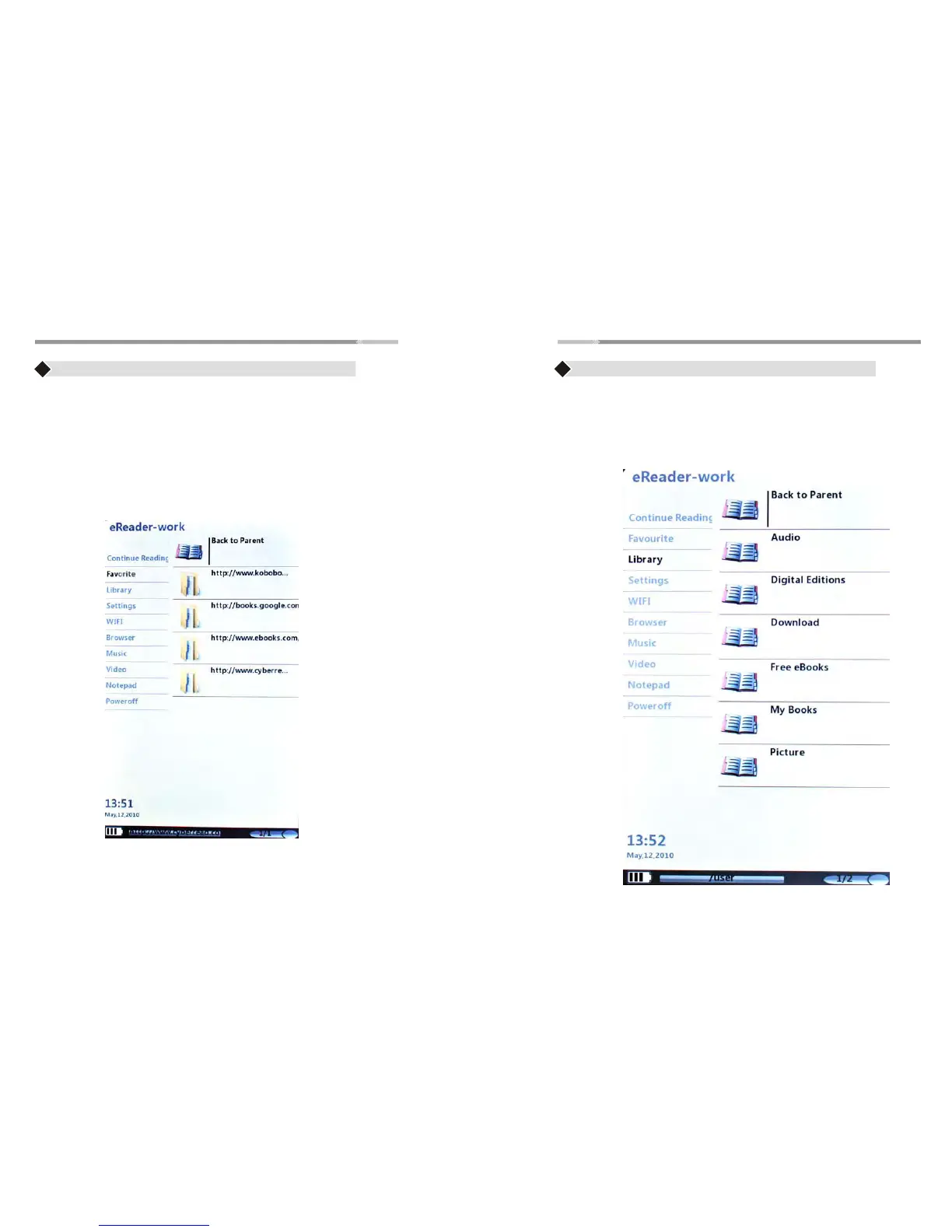
Favorite
♦ Use the “Joystick” to highlight “Favorite” Menu and press
the “Enter” button to open the menu
♦ The Favorite menu list the websites that is saved to your eReader
♦ Press “Back” button to go back to the HOME menu
Library
♦ Use the “Joystick” to Highlight “Library” menu and press the “Enter” button,
the submenu will be listed on the right. Library Submenu contains:
Back to Parent, Audio, Digital Editions, Download, Free eBook, Picture,
Video


 To Next Page