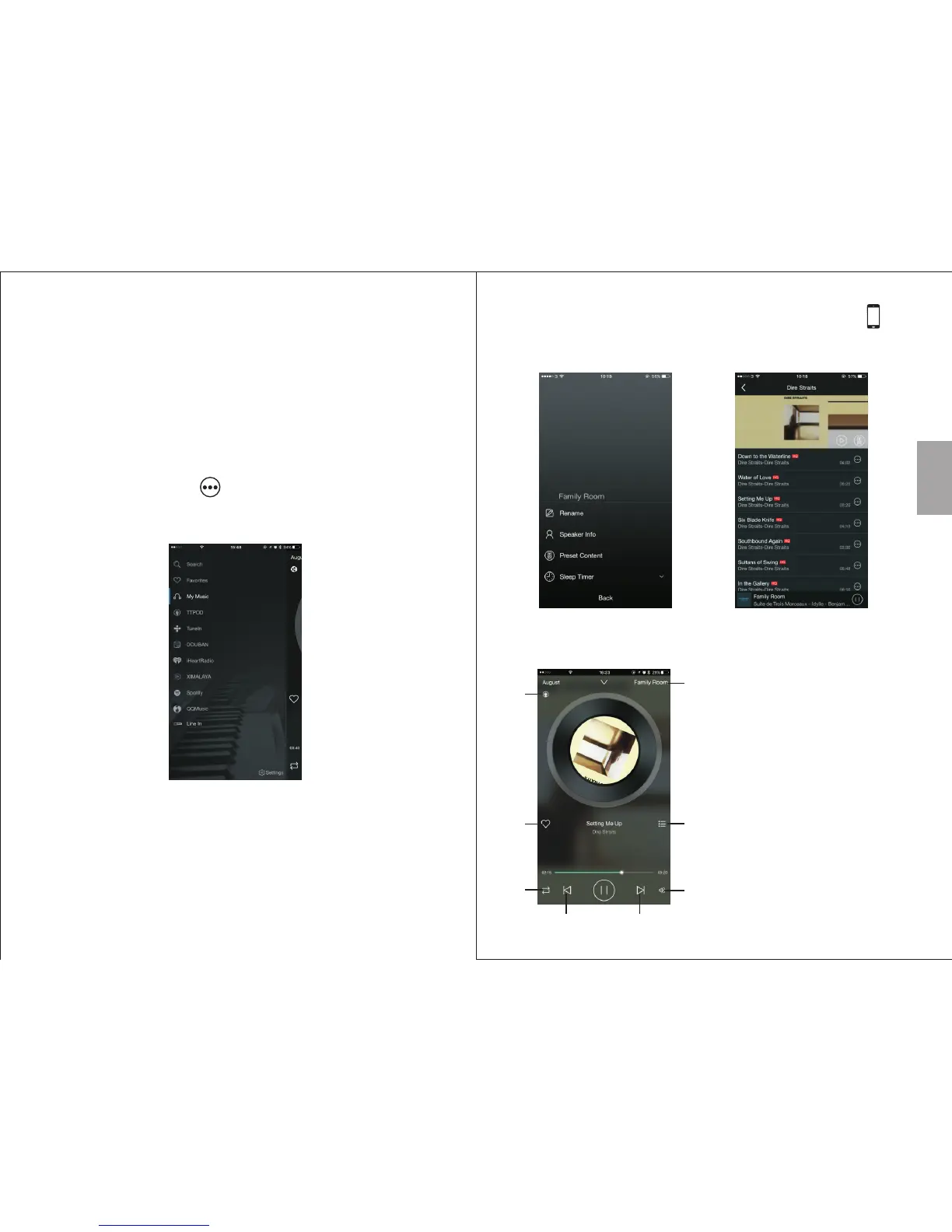
Tip: the different music sources can be accessed from
any screen of the app by sliding the screen towards the
right
5.7.1. Local Music
• Press the music icon under the ‘DEVICE LIST’.
• Press ‘My Music’ to search for local music.
• Press the device icon to view all the tracks on the
device and select one to play.
• Under 'Song', press to see more options.
5.7.2 Third Party Music Providers
• Press ‘Settings’ to change the list of music providers.
• Press the icon of a third party to see its options or
open the application.
• Press ‘Search’ to search the online music provider
for songs, artists and albums.
English
-16-
-15-
Tip: For albums / stations, select one and press to
save this album for easy access. You can access
albums / stations from the speaker's settings.
Note: Some third party applications need Air Play and
can only be used with IOS.
1. Current music source
2. Current speaker
3. Press to add to the favourites /
remove from the favourites
4. Press to see the current playlist
5. Repeat and Shuffle option
6. Track controls
7. Volume control
2
1
3
4
5
7
6 6


 To Next Page