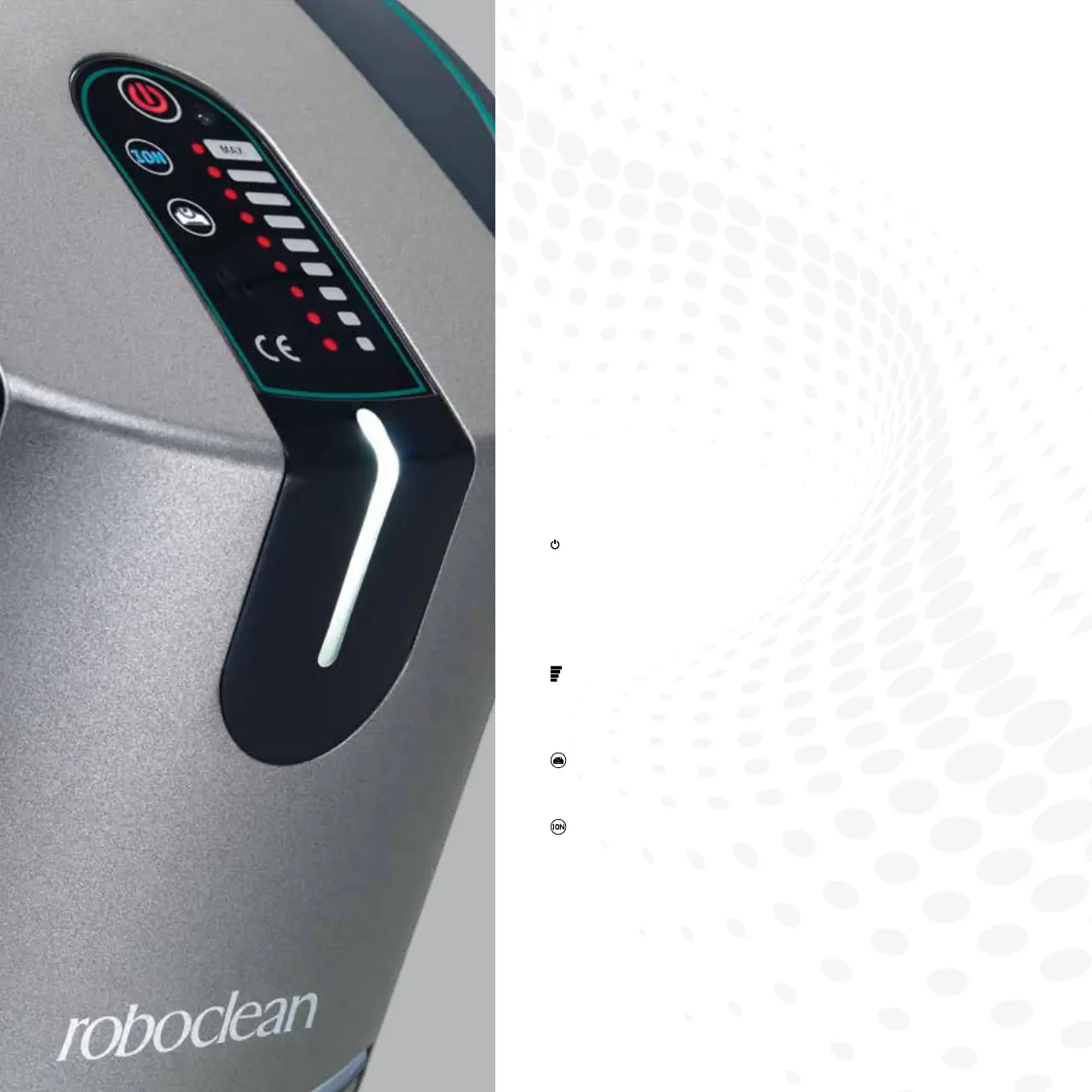
( ) ON/OFF:Youcanstartorstopyourappliancebytouching
this symbol for 1 second.
Thissymbolwillglowwhiteindicatingitsstandbyposition
when the appliance is plugged in and will glow red during
operation.
(
) SLIDER:Youcansetthesuctionpowerin9different
levelsbymovingyourngerupanddownonthesliderswitch
or you may switch to the desired level by a single touch.
( ) POWERNOZZLE:Youcanactivatethedeepcleaning
function by touching this symbol.
(
) IONIZER:Youcanactivatetheionizingfunctionby
touching this symbol.
TOUCHSCREENCONTROLPANEL
Installationandoperation
of the Roboclean


 To Next Page