19 GB/IE
j Press and hold the ADJUST button
12
for approx.
3 seconds. The °C or °F display starts to flash.
j Press the CLOCK button
14
. The weather icon
1
starts to flash.
j Press the ADJUST button
12
to set the current
weather conditions.
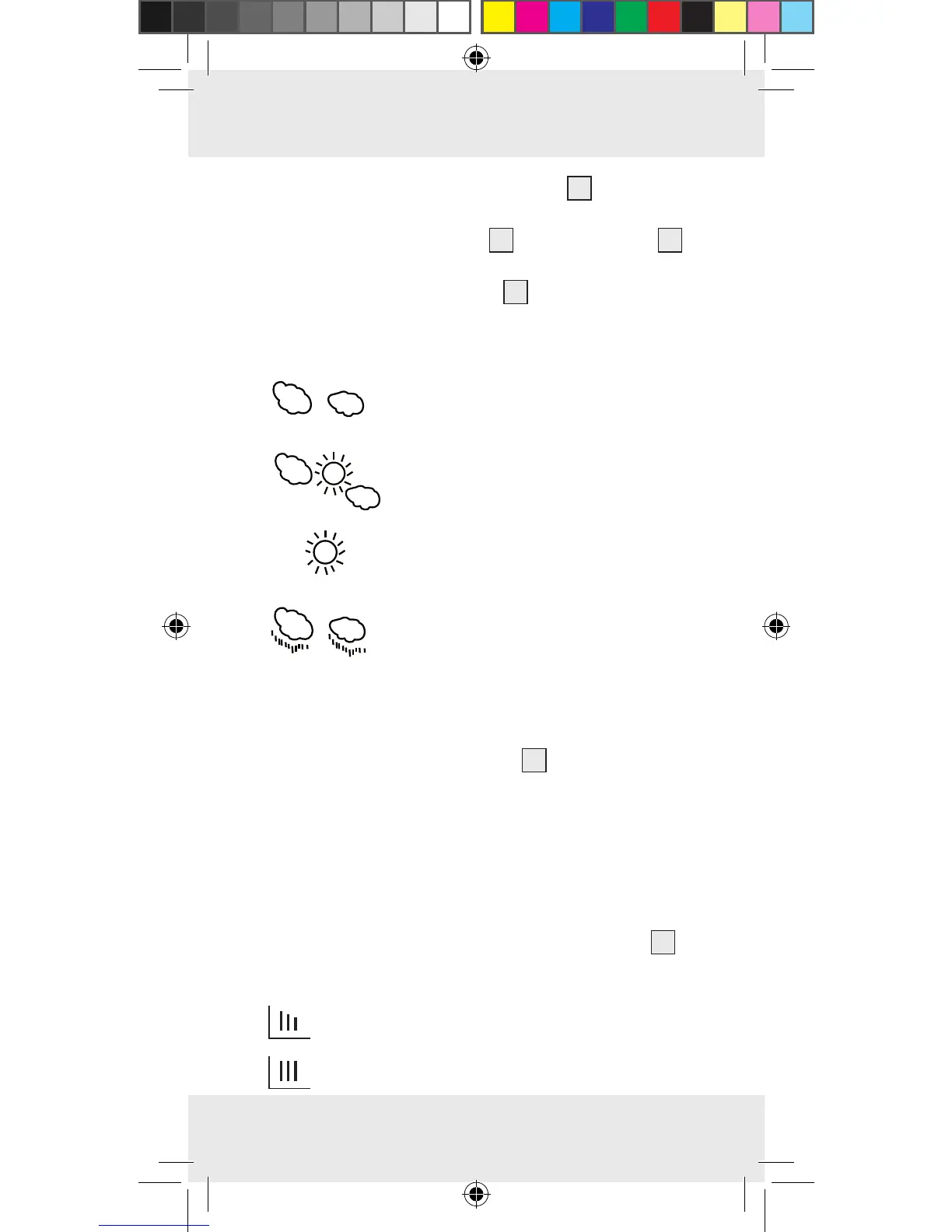
The following weather icons are available:
cloudy
partly cloudy
sunny
rainy
Note: please ensure that you set the current
weather conditions correctly; otherwise the dis-
played weather forecast will not be accurate.
j Press the MEMORY button
11
to confirm your
entry.
Note: if no button is pressed in a space of
approx. 30 seconds, the LCD returns to the
standard display.
Q
Weather trend
The weather station has a weather trend display
19
.
The displays have the following meaning:
= the weather is deteriorating
= no change in the weather



 To Next Page