8
3. The audio voice will prompt “You are now connected to your speaker. Follow the instructions in the app to
finish the setup.”
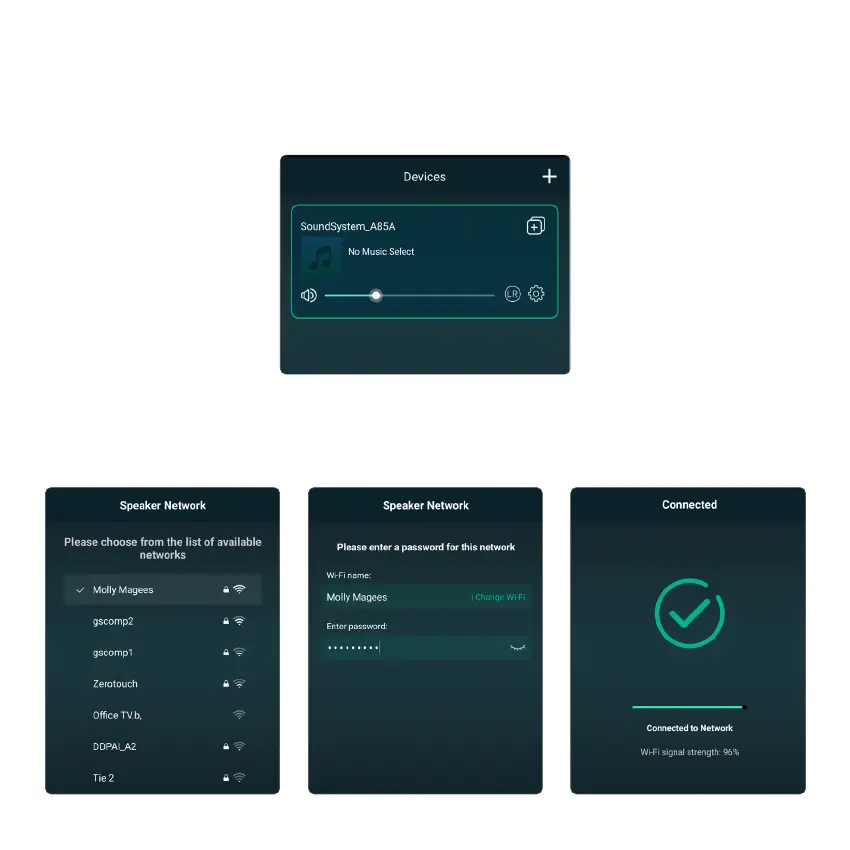
4. Open the installed 4STREAM app onto your iOS or Android device. In the app, you will see the audifi device
“SoundSystem_XXXX” in the device list. Select the "+" icon at the top right corner of the screen.
5. audifi works on 2.4G, so select 2.4G network from your Wifi list and enter your internet router password if
prompted to do so.
6. The voice will then prompt “Connected to your Wifi network.” Select “Next”.



 To Next Page