22
10. Web Player Interface
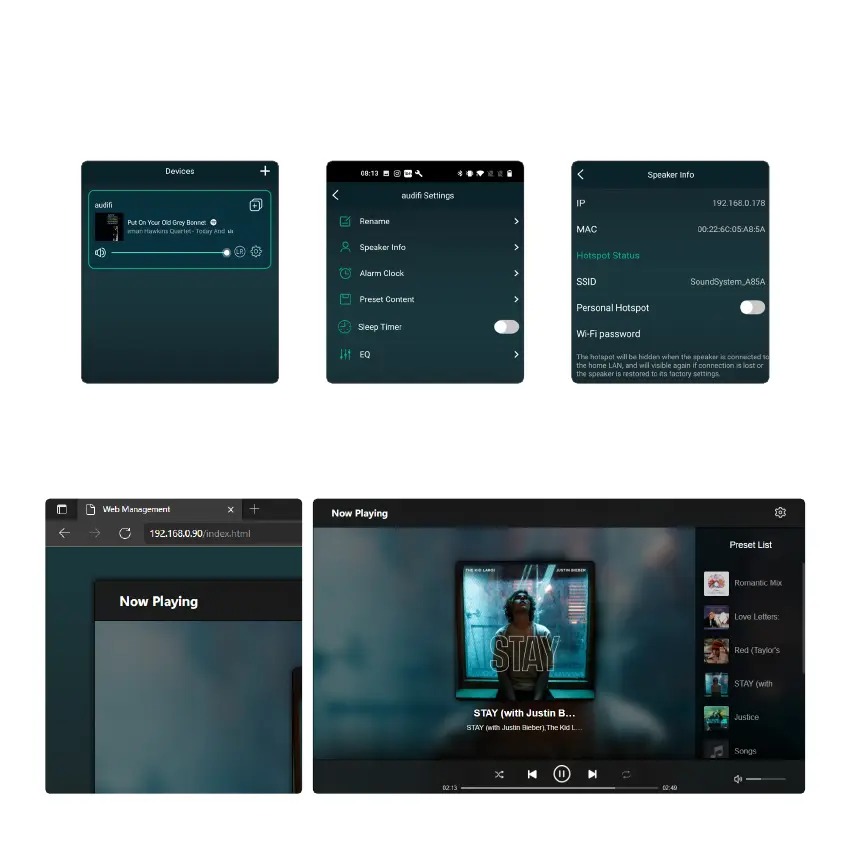
You can access the web player interface by entering the IP address of the device to a web broswer.
*The device IP address can be found by clicking on the Devices setup icon, then select Speaker Info.
The Web Player allows you to control the Volume, Play/Pause, Previous/Next song, Repeat and Shuffle function
for tracks you're currently streaming or access the preset songs/stations you have setup. You can also change
the input source of the device.



 To Next Page