18
9.2 To play music from Windows PC via foobar2000
audifi supports UPnP protocol with the popular foobar2000 player to allow you to seamlessly stream all your
music from your Windows PC.
1. Download the foobar2000 player from https://www.foobar2000.org/download and install it.
2. Download the DLNA/UpnP plugin for foobar2000 from
https://www.foobar2000.org/components/view/foo_out_upnp
3. Refer to the following link on how to add UPnP component to the foobar200 player
http://wiki.hydrogenaud.io/index.php?title=Foobar2000:How_to_install_a_component
4. Restart the foobar2000 player and check: Library>configure>output>device.
You will find the audifi device "SoundSystem" in the device option column.
5. Choose the device to start streaming your favorite tracks from your Windows PC to your stereo system.
There are several tools to play music from the PC
9. Play on PC
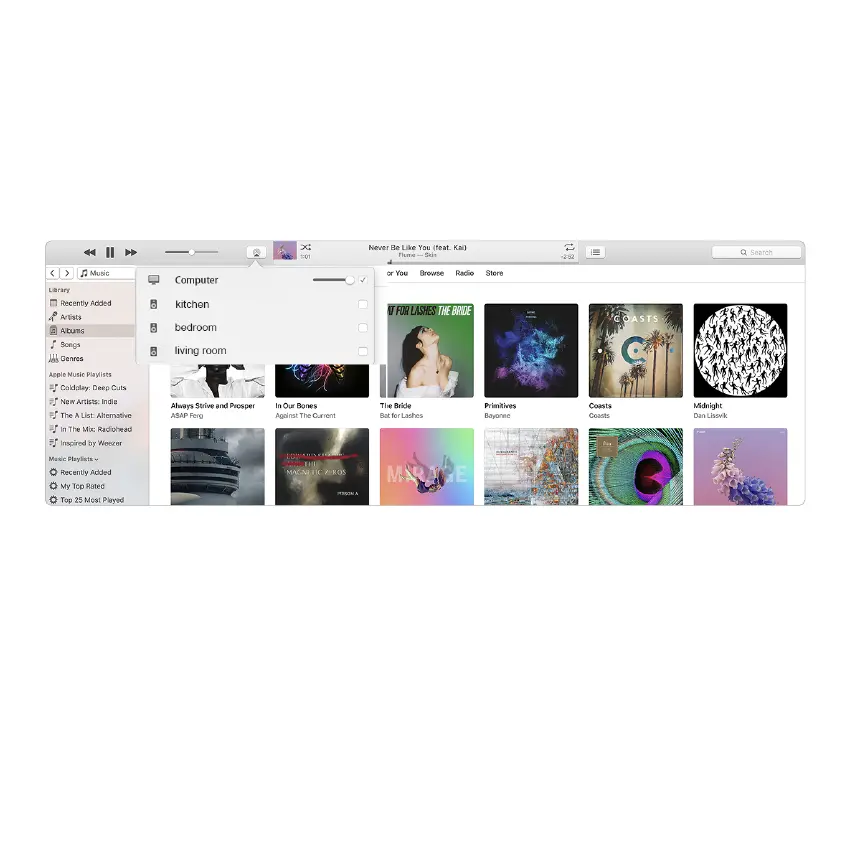
9.1 To play music from iTunes on Mac and Windows PC
audifi can stream from your local storage / media library on Mac or Windows PC and online services from
iTunes. Users can easily play and switch music, control volume and choose the audio devices to group and
upgroup the audio devices.



 To Next Page
 Loading...