Product Description
The DCM500 is a 500 watt power amplifier designed for commercial installations. It can be used for either low impedance
(4 ohm) or 70v/100v line speaker systems. The amplifier can be mounted in a standard 19” equipment rack or it can be
used on a shelf or table. The DCM500 features a line level input (with parallel output) and is normally used with mixers,
mixer amplifiers or other power amplifiers. The DCM500 will operate from 230/240 VAC @ 50 Hz (115 VAC @ 60
Hz with factory modification) or 24 VDC and will meet its full performance specification on either voltage supply.
The DCM500 also features a DC battery trickle charge facility, auto-sensing fan cooling, plus overload, short circuit
and over temperature protection.
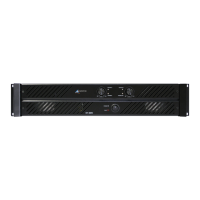
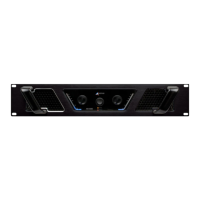
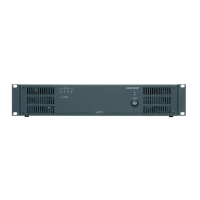
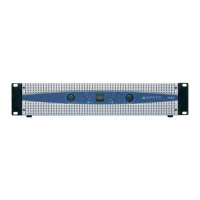
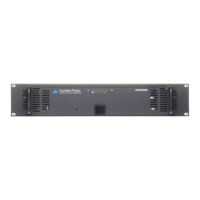
DCM500, 500 Watt Power Amplifier
Front Panel Features
Power Switch
The rocker switch located in the front centre of the panel turns AC power on to the DCM500. Rocking the power switch
to the right to turns the AC power ‘on’. When the AC power is ‘on’, a blue LED will glow. Please note that this switch
does not switch DC voltage. If a DC voltage supply is connected to the DCM500, the amplifier will operate as soon
as the connection is made, regardless of the position of the AC power switch. If both an AC and DC voltage supply are
connected and you rock the AC power switch to the ‘off’ position, the DCM500 will automatically continue to
operate normally from the DC supply (and the ‘mains failure’ LED in the amplifier status display window will also
glow under these conditions).
Level Control
The output level control is located in the centre of the front panel, just to the left of the mains rocker switch (re-
cessed screwdriver adjustable pot). Turning the control clockwise will increase the output of the DCM500 towards
it’s maximum output level while turning the control counter-clockwise will decrease the output level. Adjust this
control for the desired output level depending on the level of the input signal (from a mixer or other signal source).
The factory default setting for this control is such that a 1 volt input will give a 100 volt output.
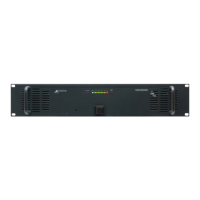
Amplifier Status Display
The amplifier status display highlights the operating condition of the DCM500. The status display indicates:
High Temperature: This red LED glows if one of the fans has failed and the amplifier has been shut down by its
temperature control circuitry. If this LED is glowing and the fans have not failed, it means that the amplifier is operating
in an ambient environment that is too hot for fan cooling to make any difference to the temperature of the amplifier.
Power: This LED glows blue if AC power is switched on to the DCM500. Note that this LED does not indicate the
presence of a DC supply voltage.
TEMP FAILON 24 21 18 15 12 9 6 3 0 +3
HI MAINS
DCM 500


 To Next Page
 Loading...