english 5
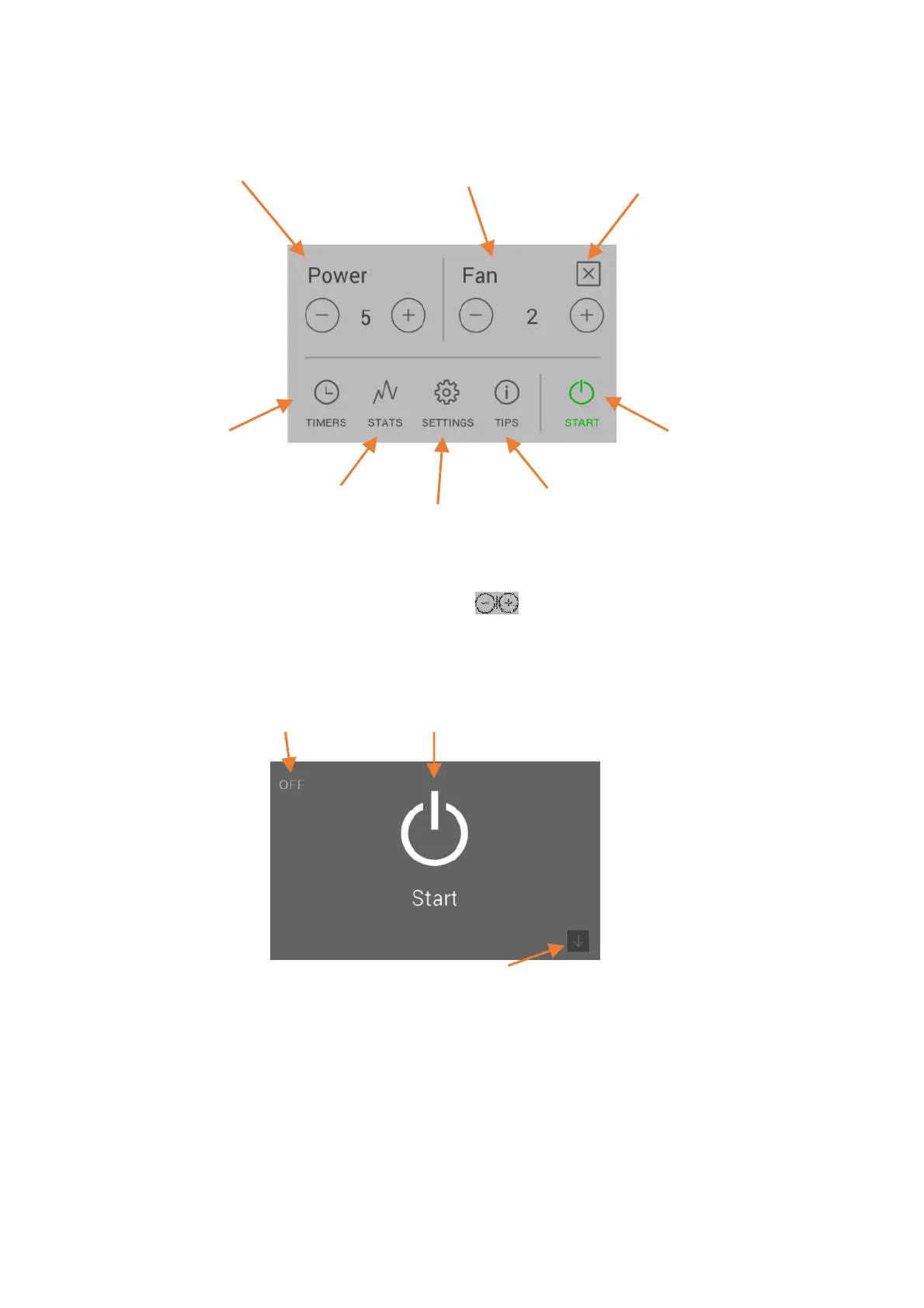
Display – Heat output indicator, further function menus
By pressing the appropriate icon, it is possible to switch to the desired setting or function.
The desired heat output can be set by pressing the buttons . This setting is accepted immediately.
By pressing the
Start / Stop
button for longer than 2 seconds, the stove is activated or stopped.
Display – Status indicator
By pressing the
Start / Stop
button for longer than 2 seconds, the stove is activated or stopped.
Function – Air distribution module, fan speed control
An air distribution module is available as an option for the RUBY model. This allows an additional room to be
heated using warm air. The warm air is extracted in front of the rear wall of the firebox.
For installation and any other information, please contact your Austroflamm dealer.
Room temperature indicator
Heat output level
Back to room
temperature indicator
Air distribution module
Start / Stop
Tips
Settings


 To Next Page