66
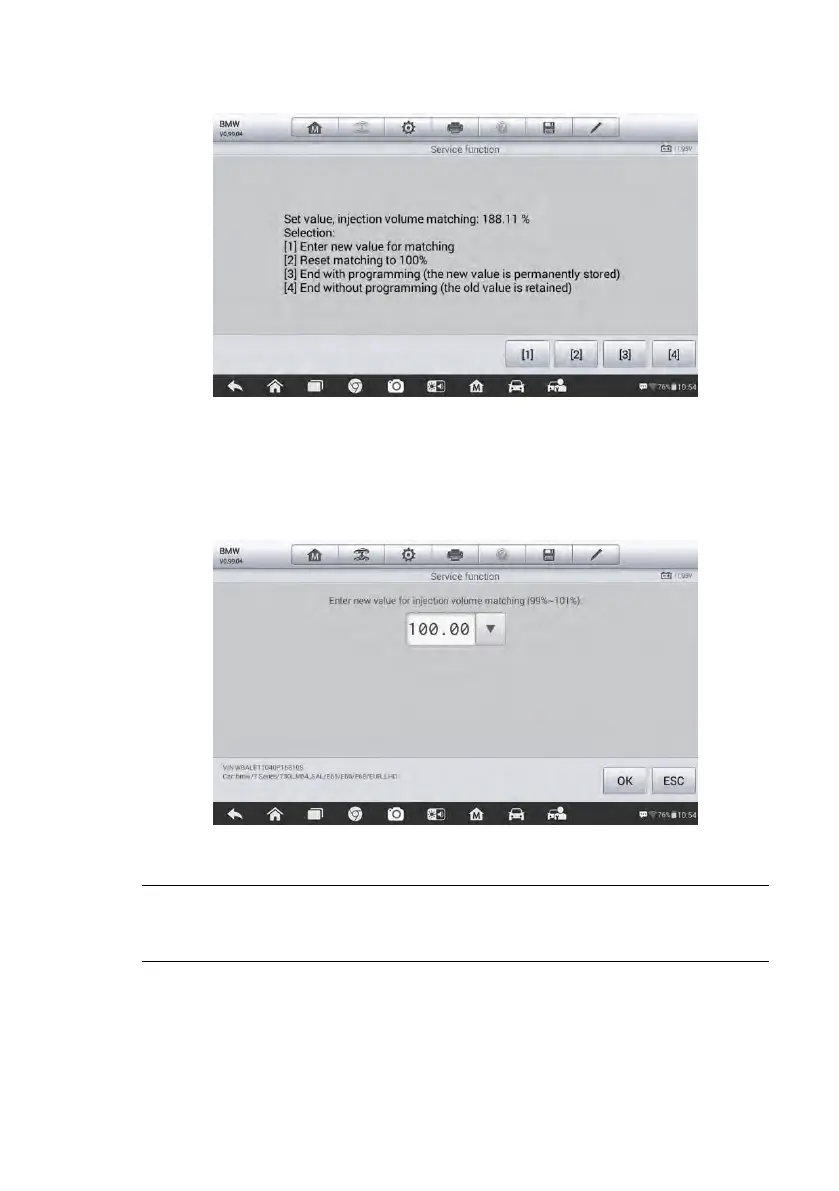
Figure 5-24 Sample Injection Rate Screen
[1] Enter New Value for Adjustment
From the Injection Rate menu, tap [1] and the screen displays as below.
Figure 5-25 Sample Enter Value Screen
NOTE: The data you input should be in given range. If the input data is out of
range, the tool will display a warning message “Permissible adjustment range
exceeded.”
[2] Reset Adjustment to 100%
Once the [2] is pressed, the tool will automatically reset the value to 100%.
[3]/[4] Store Data and Exit













 To Next Page