69
2. During the regeneration phase and with the engine running, it can also
occur that the display for “Regeneration active” jumps to “Regeneration not
active”. This behavior can be seen exclusively with the vehicle stationary
with the engine.
5.6.5 Particle Filter Test
It is advisable to carry out a series of particle filter tests as a result of constant
DPF regeneration, such as checking oil level, oil change interval for diesel
contamination, swirl flaps, backpressure sensors and particle filter soot
remains.
1. Tap Particle filter test from the service functions menu.
2. The tool communicates with the vehicle and reads the fault codes memory.
If there is no relevant fault code stored in DDE, the screen displays as
below. Select Cancel to exit this function.
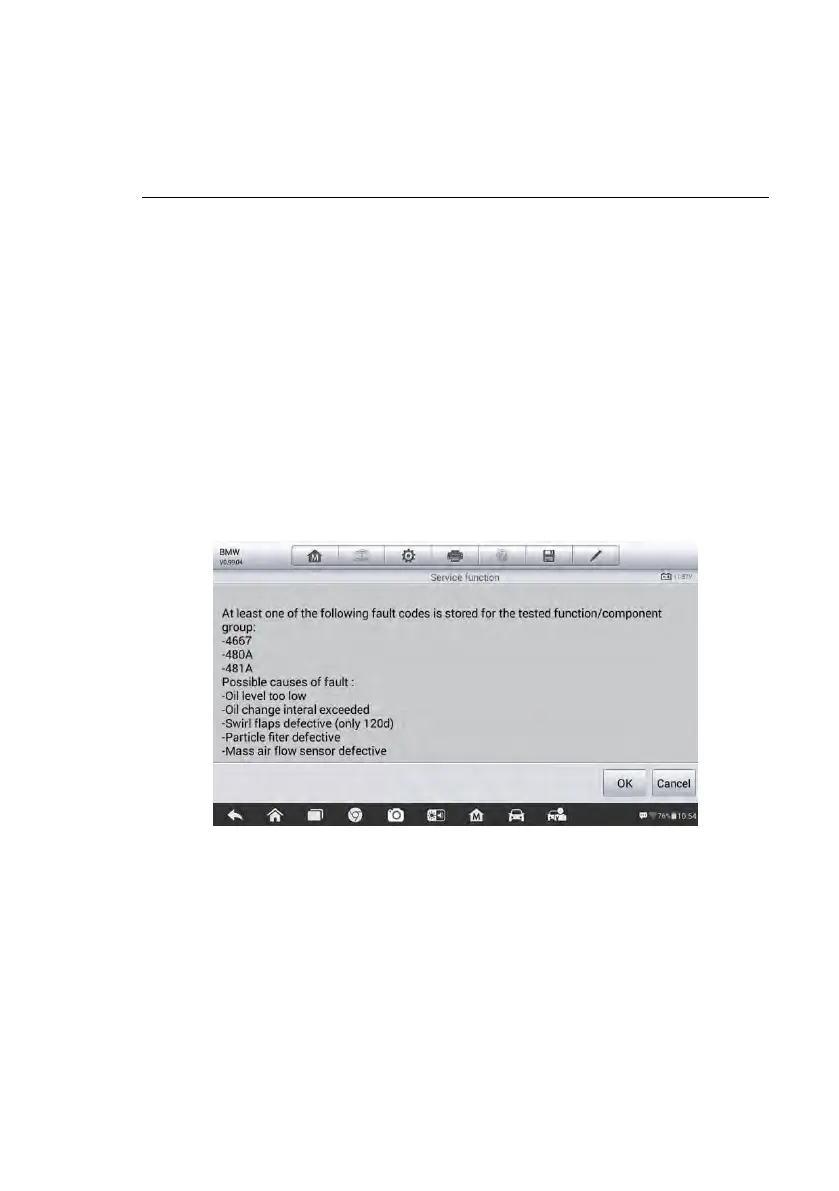
3. If there are DPF-related codes stored in DDE, the screen displays as below.
Select OK to continue or Cancel to exit this function.
Figure 5-29 Sample Codes Screen
4. The tool shows a list of particle filter test. Select the corresponding number
button to perform the desired test [1] [2] [3] [4] [5].
[1] Visual Inspection of Engine Oil
[2] Visual Inspection of Particulate Filter
[3] Function Check or Swirl Flaps
[4] Exhaust Backpressure Test
[5] Actual/Target Value Check-Mass Air Flow Sensor













 To Next Page