68
4. A series of instruction screens display for users to perform the particle filter
regeneration step by step. Follow the onscreen instructions and tap OK
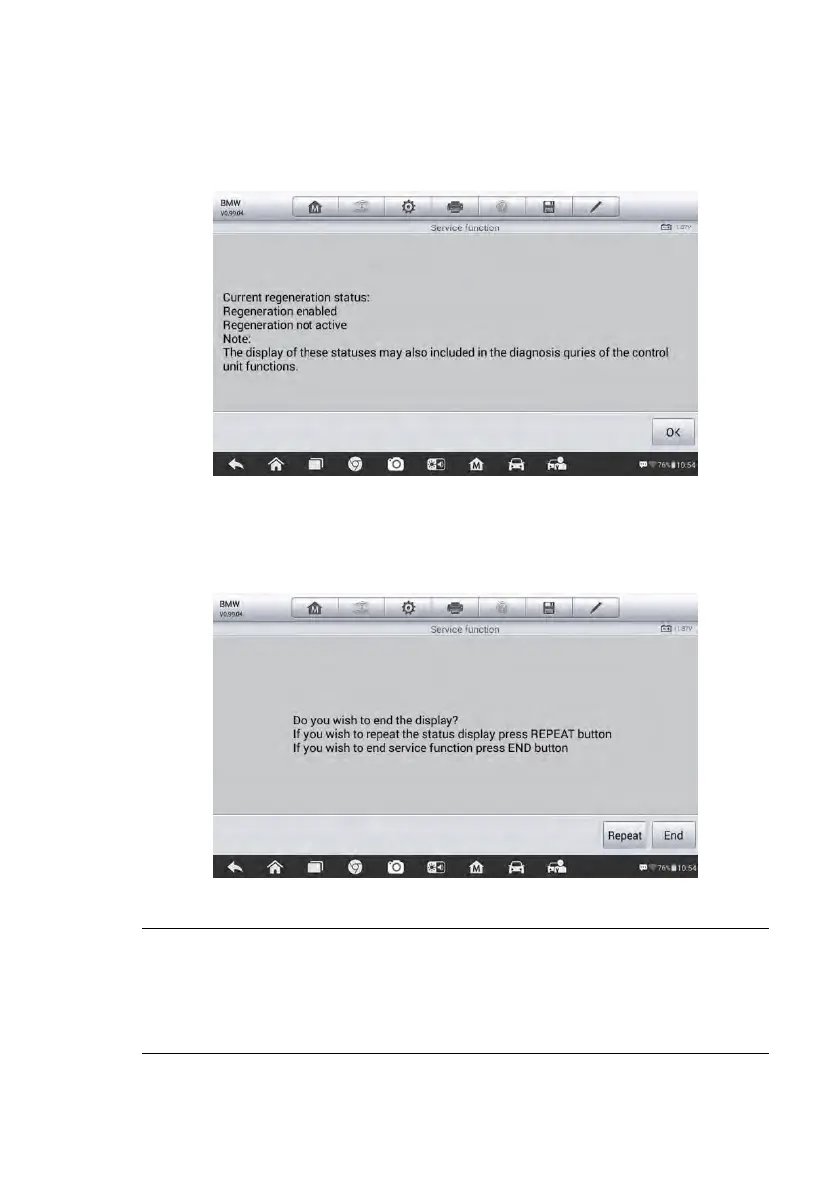
button until the tool displays the regeneration status as below.
Figure 5-27 Sample Regeneration Status Screen
5. When the particle filter regeneration is complete, confirm to exit the display.
Tap Repeat to recheck the status again or tap End to exit.
Figure 5-28 Sample Repeat Screen
NOTE
1. In the case of a particle filter heavily loaded with soot, it can occur that the
regeneration request is blocked again after a short time or is not released.
Drive the vehicle for approximately 30 minutes at a constant speed. Then
perform the Particle Filter Regeneration service again.













 To Next Page