6
Notice the followings about the MaxiDAS Screen Icon,
1. Data logging
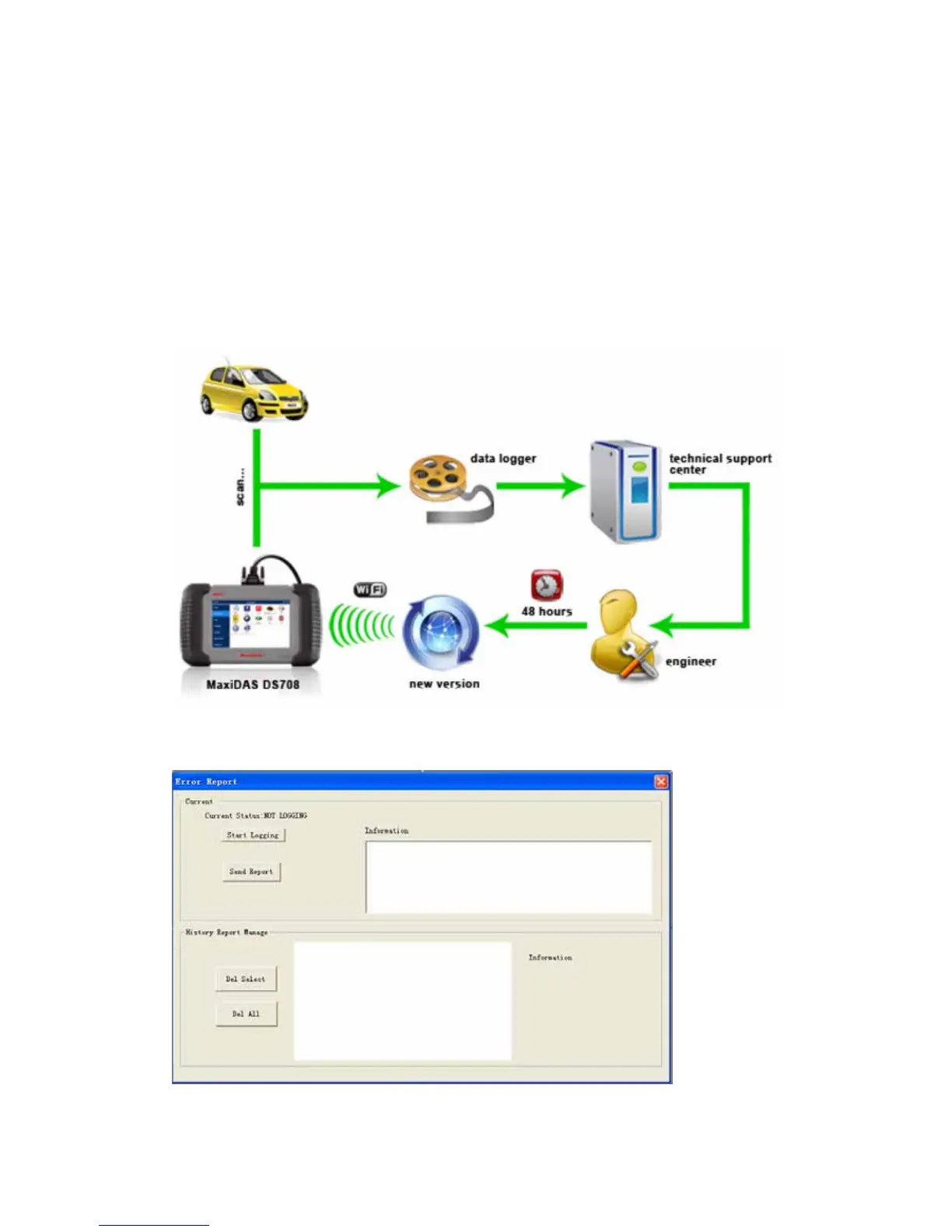
The Data logging function is used to report the problem that cannot be detected or solved
by the MaxiDAS 708. To perform a data logging, follow the instruction below to operate the
data logging while the vehicle is being scan. The error report will be sent to the technical
support center automatically. The engineer will try to solve the problem and get back to
you within 48 hours with the update function. You can finally upgrade your MaxiDAS 708.
Note: The following picture shows the process of the data logging.
1. Click the Data logging button from the toolbar.
2. The following dialog box shows.
3. Click the Start Logging button and use the information box for extra information.















 To Next Page